I hope you’re doing well! My colleague and I are trying to create an application for a team we work with. They want this application that pulls from pages and live populates into the table. They want this to be a page for community resources, so they want folks to be able to add entries. We sort of have two questions in this regard (or perhaps one overarching question), because we want to set this up for them but want to be able to control the permissions/access. I know there was sort of a similar discussion here!
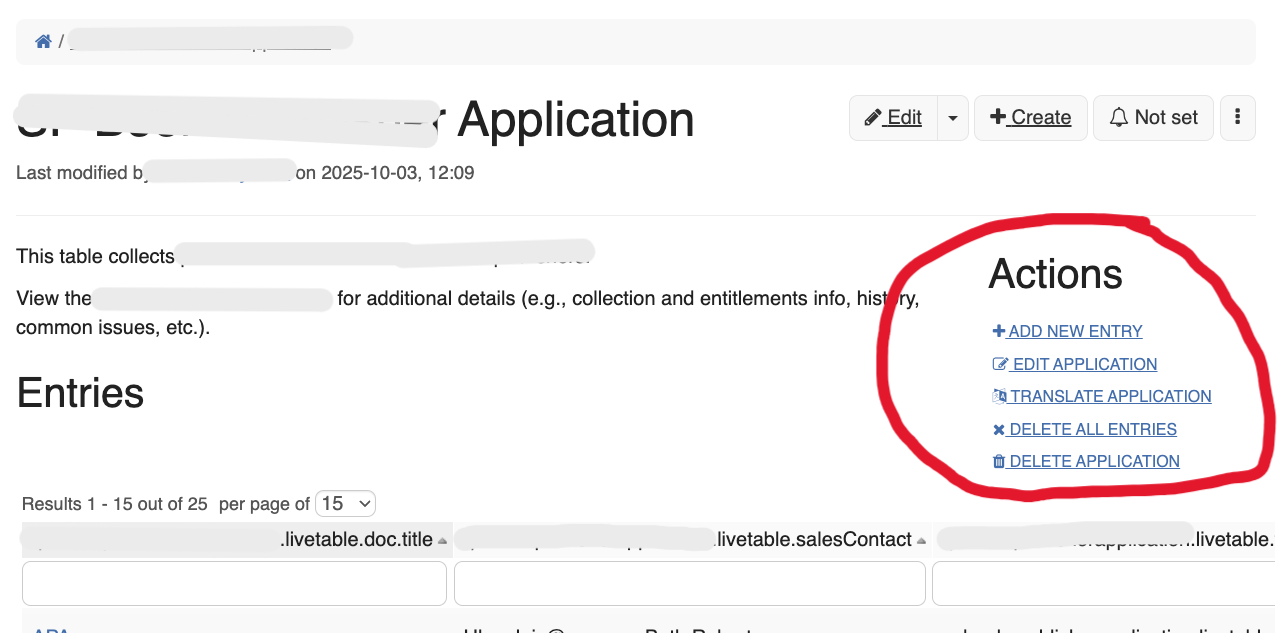
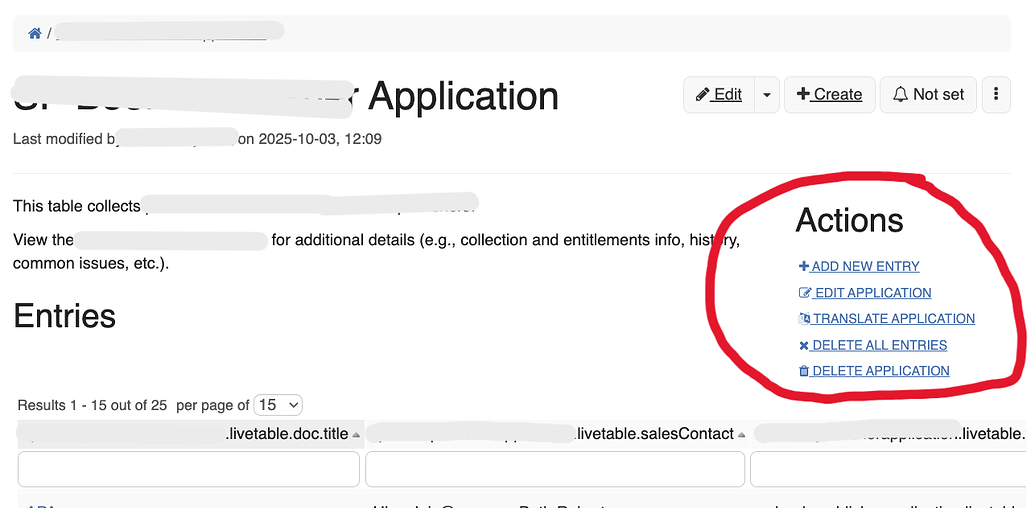
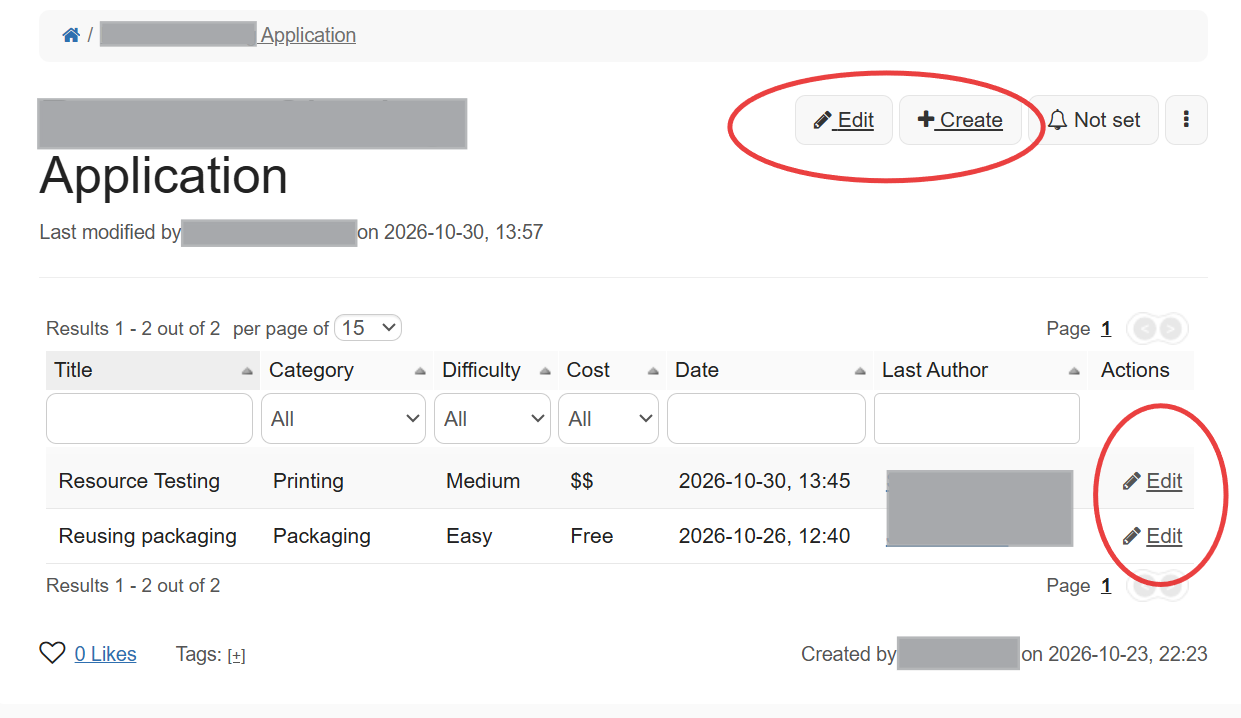
Is it possible to customize what actions people see under Actions? (please see screenshot). We want general users to be able to add entries but not to have other edit options like deleting entries or the application!
Where do we assign rights at the application level? Again, we want to have general users able to add entries but not have access to deleting things or to share our back end with the user community!
These are actually dynamic. Right now, only users with admin right on the application space should see the option to delete all entries, or the application.
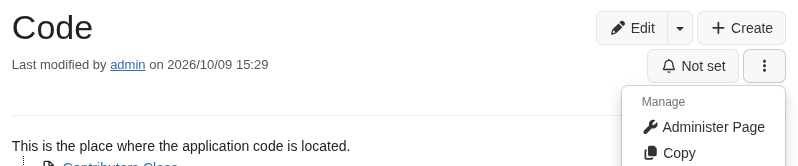
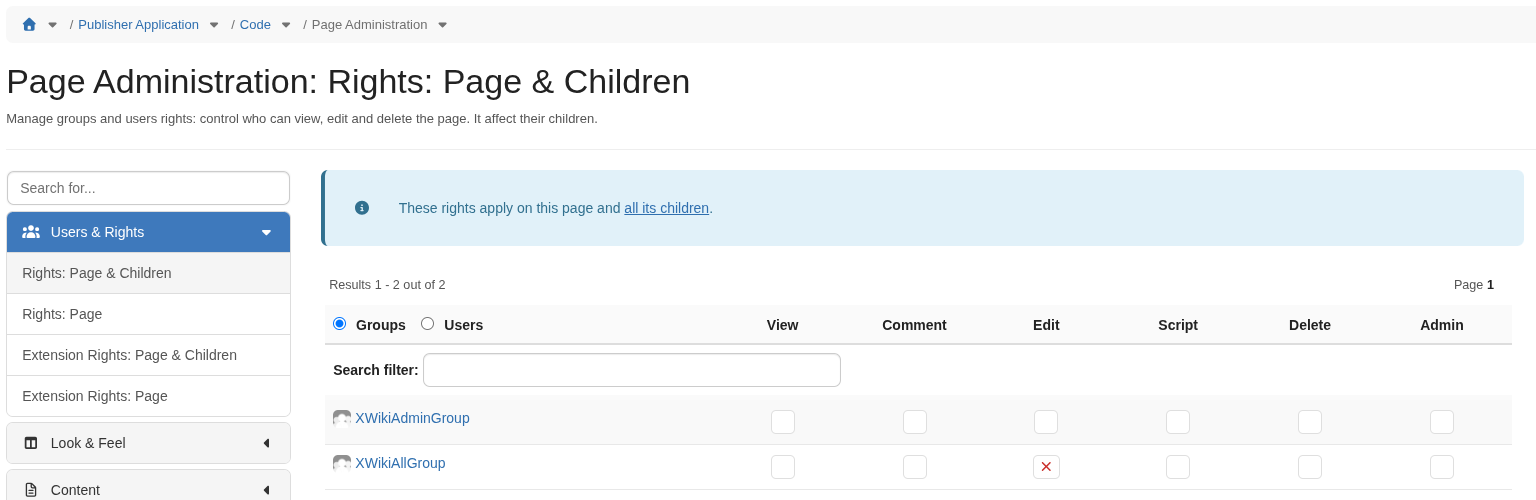
For the Edit Application button, it requires edit rights on the application space. You can actually control these rights by going to the page <YourApplicationRoot>.Code.WebHome and clicking Administer Page in the dropdown menu:
If you also want to disable this delete action, you would need to remove the delete right on the space where your application entries are stored. Same thing for the view/edit rights if you want to fine-tune access to the data.
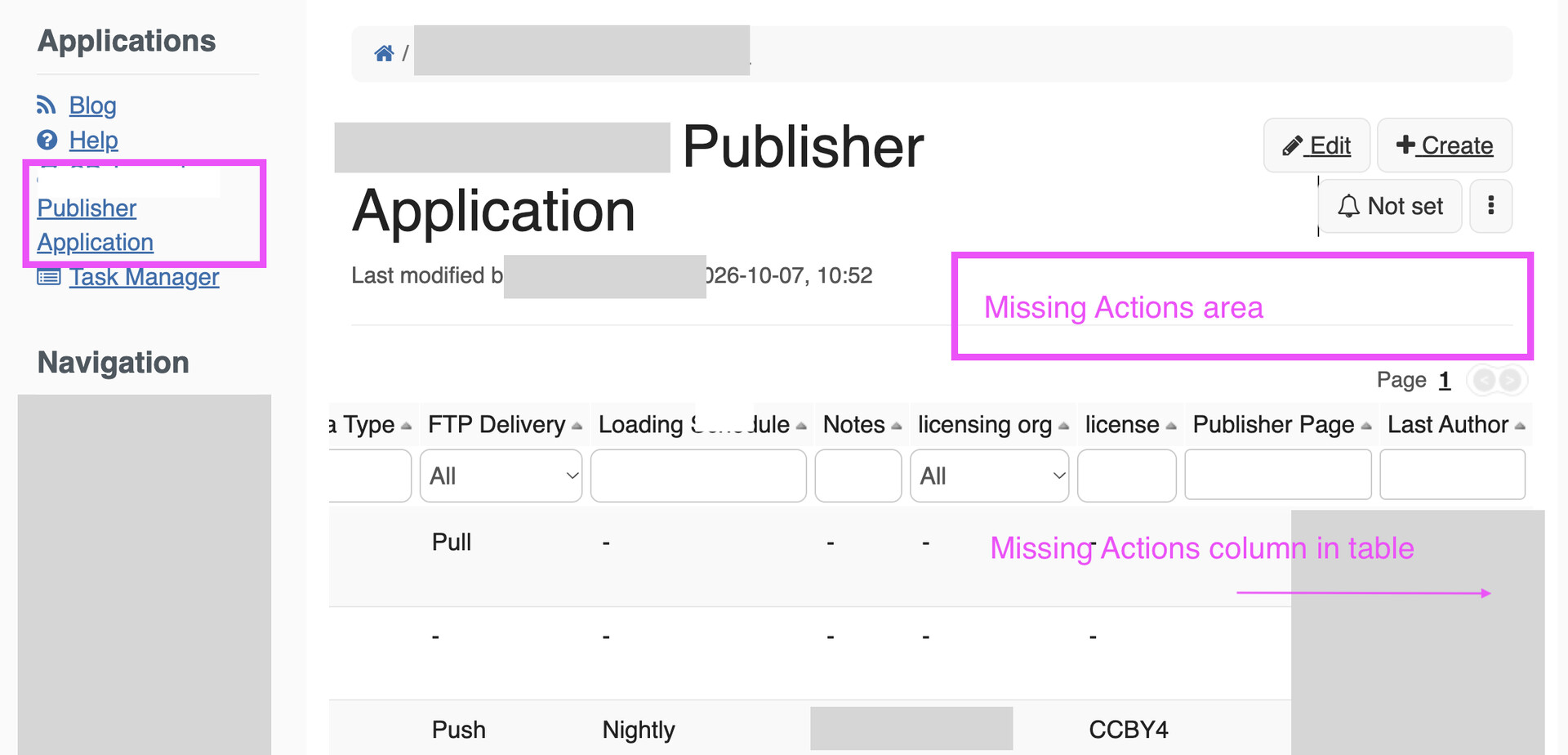
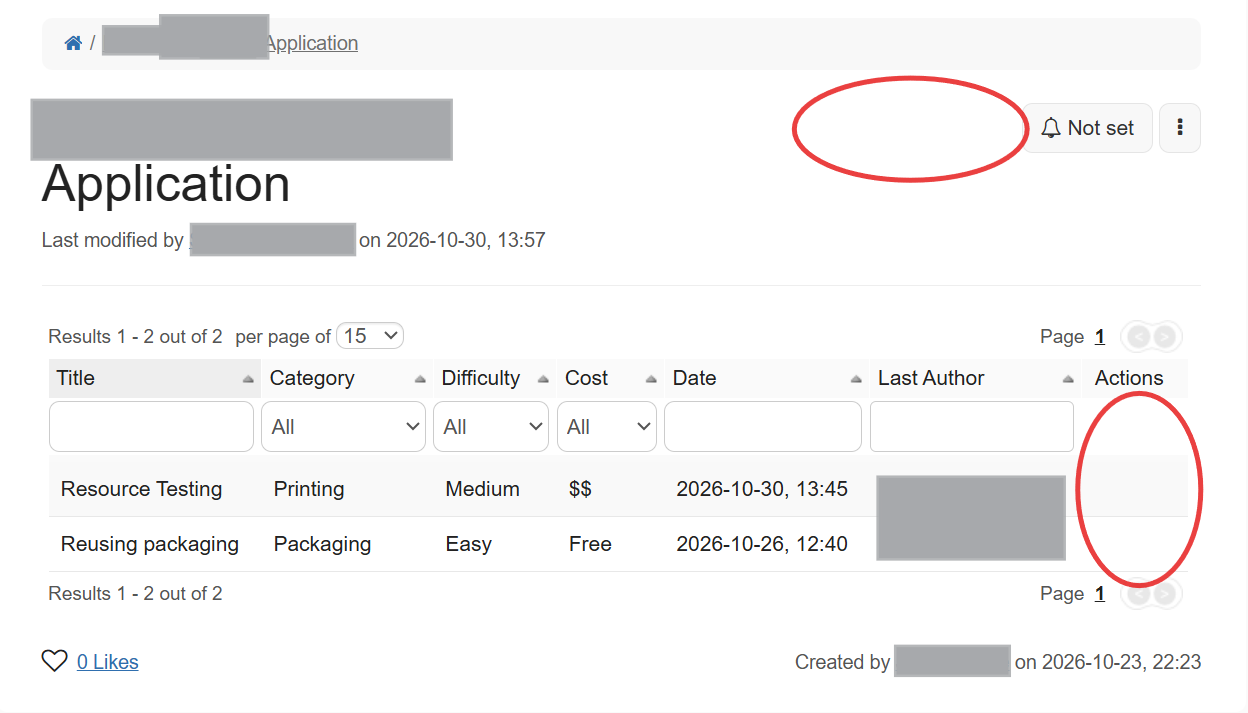
So we tested this process out and found that while we could adjust the edit permissions on the page, we couldn’t control what Actions people saw within the application (please see below)
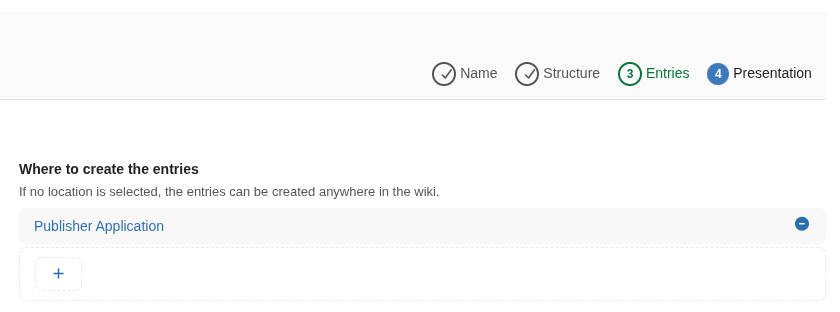
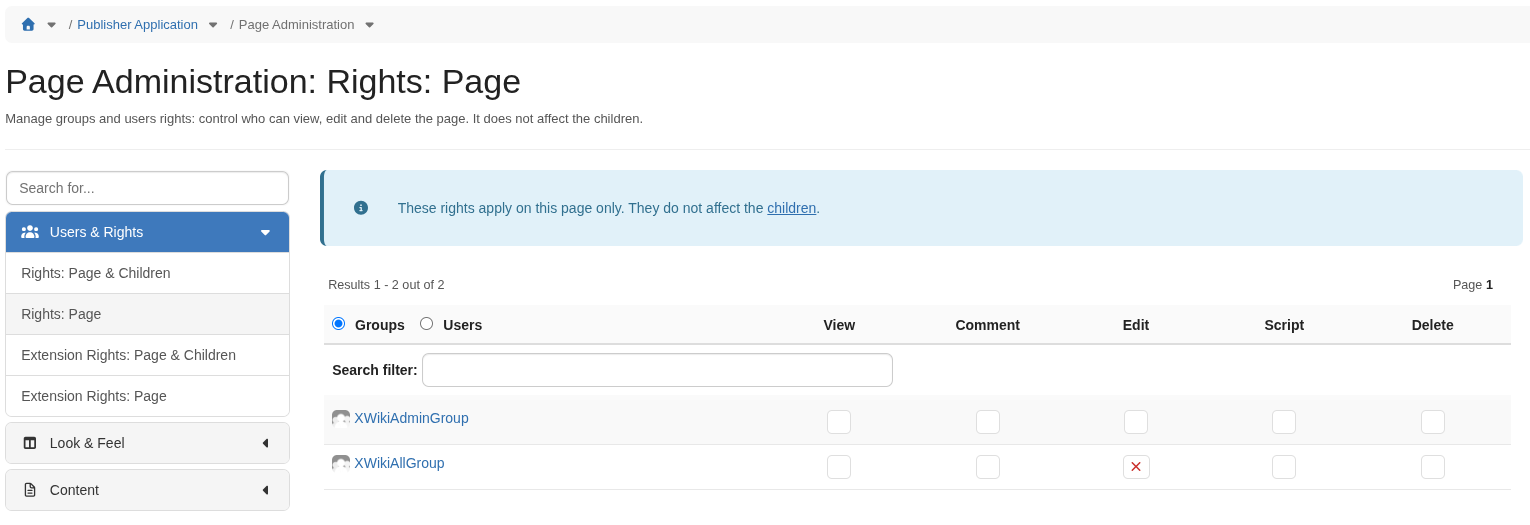
Hmm, you should be able too, looking at your screenshot it looks like you removed “Edit rights” for the space where entries are created.
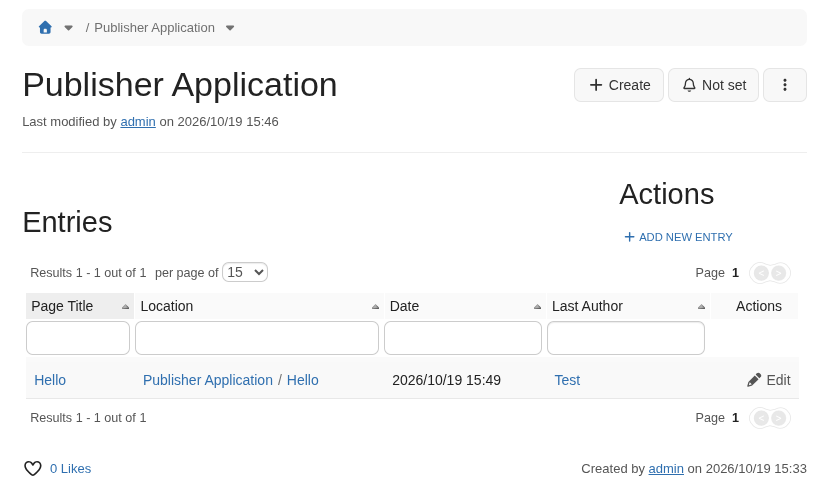
I will take a guess that you are using the default location here, so let’s say your application is called “Publisher Application”. It lives in the page “PublisherApplication.WebHome”, has its internal scripts inside “PublisherApplication.Code”, and all the other pages inside “PublisherApplication” are the entries.
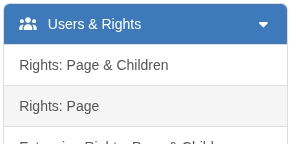
If I’m right with the setup, looking at your screenshot, you successfully removed edit rights for your users on “PublisherApplication.Code” and its children, which is fine, but I think you also removed edit rights to “PublisherApplication” itself and its children. If you want to make “PublisherApplication.WebHome” readonly, you should only change the rights for the page itself but not its children, from the administration page that would be the second option: “Rights: Page”
Hey! Thank you so much for your reply. I did several variations on these instructions within the WebHome & Code pages, plus playing around with the apps pages & it’s children. Unfortunately haven’t been able to get the “Add New Entry” function when I tested with a general user, it only allows page editing or no editing at all. Is there a place that dictates the app’s button actions?
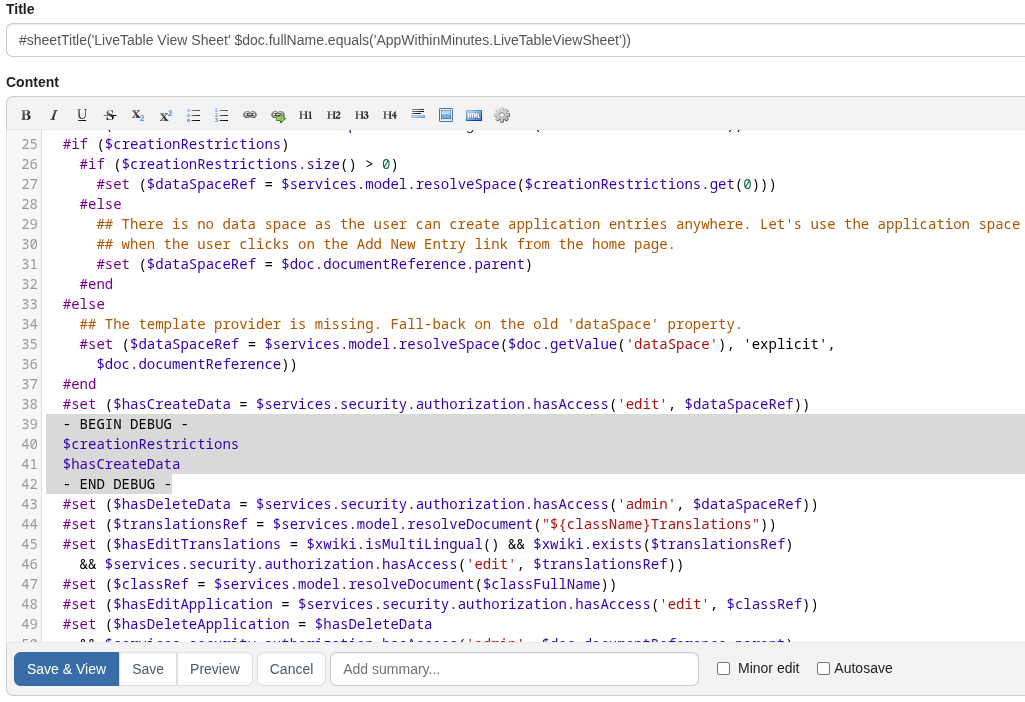
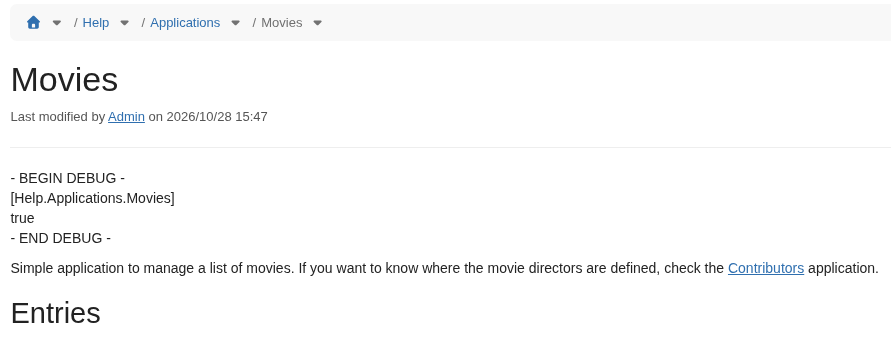
I’m not sure how I can help further here without knowing your complete application configuration. Note that you can edit yourself the page AppWithinMinutes.LiveTableViewSheet on your instance (as long as you’re an admin), so you could maybe try to print the values of both $creationRestrictions and $hasCreateData to see if there’s anything weird?
In velocity, you can easily print the content of a variable by typing it, so you could do a simple change like this: