This is expected. Unfortunately “Load JavaScript Skin Extensions” doesn’t work well with the standalone WYSIWYG edit mode, see Loading... . You should keep this option unchecked (which is the default). Note that the in-place WYSIWYG edit mode is loading the required JavaScript skin extensions regardless of this option, so you can use that for existing plain wiki pages. For creating new pages and for structured pages (TextArea properties) you’re forced to use the standalone WYSIWYG editor though, so you need to leave with the fact that JavaScript is not loaded inside the editing area.
Hope this helps,
Marius
shiraz
March 5, 2026, 12:50pm
22
Hi @mflorea ,
Thanks for the response.
I have other issues came up.
my ubuntu os: 20
xwiki lts : 16.10.2
tomcat9
java 17
since i need to update and when it update to latest 17.10 on ubuntu 20 it does not work. So, i made a plan to upgrade OS to 24.
steps which i performed.
remove xwiki lts repo
update and upgrade and fullupgrade - 22 version
update and upgrade and fullupgrade - 24 version
systemctl stop tomcat9
apt purge -f tomcat9 tomcat9-common
rm -R /etc/tomcat9/
wget https://maven.xwiki.org/xwiki-keyring.gpg -P /usr/share/keyrings/
echo "deb [signed-by=/usr/share/keyrings/xwiki-keyring.gpg] http://maven.xwiki.org lts/" > /etc/apt/sources.list.d/xwiki-lts.list
apt update
apt install -y xwiki-tomcat10-mysql
commented <Connector port=“8080” protocol=“HTTP/1.1” section in /etc/tomcat10/server.xml
added AJP block <Connector protocol=“AJP/1.3” address=“127.0.0.1” port=“8009” secretRequired=“false” redirectPort=“8443” in /etc/tomcat10/server.xml
cat <<EOF >> /etc/default/tomcat10
# IAT xwiki runs headlessly and wants more memory than standard
JAVA_OPTS="\${JAVA_OPTS} -Djava.awt.headless=true -Xmx2048m"
# IAT xwiki install instructions suggest using urandom for better performance
JAVA_OPTS="\${JAVA_OPTS} -Djava.security.egd=file:/dev/./urandom"
# IAT xwiki use UTF-8
JAVA_OPTS="\${JAVA_OPTS} -Dfile.encoding=UTF-8"
EOF
superadmin andxwiki.store.migration=1 changed in /etc/xwiki/xwiki.cfg
systemctl daemon-reload
systemctl restart tomcat10
systemctl restart apache2
reverseproxy apache2 is also there.
Now, wiki boots and does not give any issue until i went into Administer Wiki > Global Administration: Users
its ldap users but the page is loading and does not show anything. eventhough users can login without issues
same goes for groups .
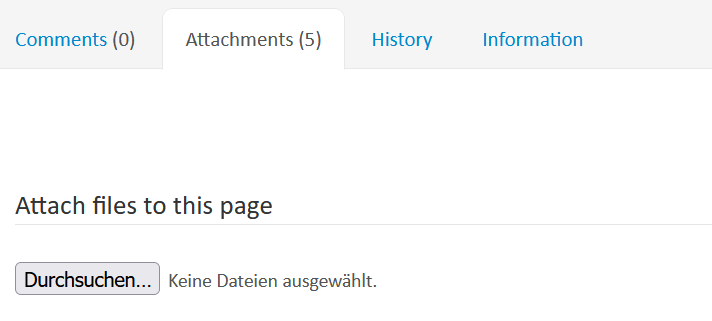
one more thing is that i can not see the attachments in pages. it shows the count of attachments but under the tab its empty. and when if i try to upload a document i get this error at the center bottom of the browser.
could you please guide me how can i recover from this?
Thanks
For this, see Attachments live data - Attachemnts list loading / vue 3 upgrade issue? - #7 by mflorea . For the rest, I suggest you open a new topic. Mixing various topics is not going to help you in fixing your problems.
Hope this helps,
Marius
shiraz
April 8, 2026, 2:09pm
24
Thanks. the link helps.
I ll stick to 1 problem per thread post.
shiraz
April 8, 2026, 2:27pm
25
update:
I have upgraded the following and current environment is as follows:
Ubuntu 20 → 24 - current
Tomcat9 → Tomcat10- current
Xwiki → 17.10.4
Load JavaScript Skin Extensions → unchecked
Firefox → editor works - No blank Pages
Realtime error still happen → can’t access property “language”, y.document is undefined - prompt for few seconds.
I have went to https://domain/xwiki/bin/view/XWiki/Realtime/Configuration#History and rolled back to Version coming from extension Realtime UI 17.10.4.
Rollback to version xar:org.xwiki.platform:xwiki-platform-realtime-ui/17.10.4 Current version
still it gives the same error. I also tried to rollback to oldest version and still same error. e-g
Install extension [org.xwiki.platform:xwiki-platform-realtime-ui/15.10.14]
Answer to the Question: The xwiki edit page is blank - #10 by mflorea
I have wrote a text and it does show under the logo on left side top of the page.
in object editing of Configuration →
Objects of type XWiki.StyleSheetExtension (1)
StyleSheetExtension 0:
New StyleSheetExtension object
Objects of type XWiki.UIExtensionClass (8)
UIExtensionClass 0: org.xwiki.platform.template.header.after.realtimeConfig
UIExtensionClass 1: org.xwiki.platform.requirejs.module.chainpad
UIExtensionClass 2: org.xwiki.platform.requirejs.module.chainpad-netflux
UIExtensionClass 3: org.xwiki.platform.requirejs.module.netflux-client
UIExtensionClass 7: org.xwiki.platform.requirejs.module.realtime
UIExtensionClass 10: org.xwiki.platform.requirejs.module.json.sortify
UIExtensionClass 11: org.xwiki.platform.requirejs.module.nacl-fast
UIExtensionClass 12: org.xwiki.platform.requirejs.module.nacl-util
How can i troubleshoot it? Please guide me through step by step. which things i need to touch.
Thanks