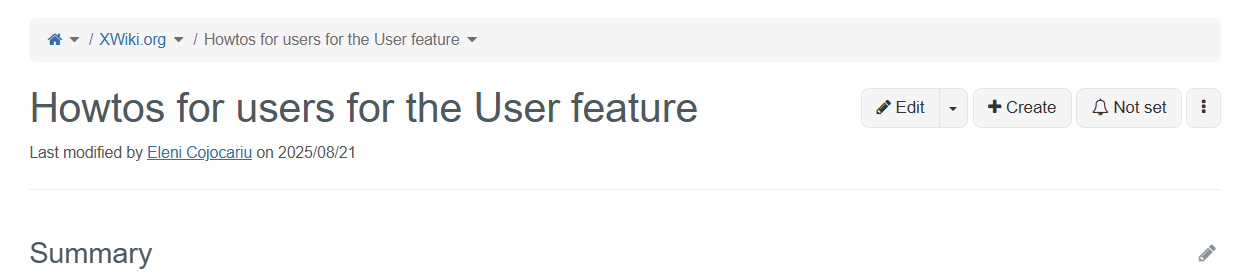
Note that the navigation tree can be solved, but the breadcrumb would still look weird. For example:
I think it’s in the readers’ favor to have the features listed by usefulness rather than alphabetically. Note that this order would only apply to the features bundled with XS. The other extensions are planned to be listed alphabetically.
Hi!
I created this separate thread to continue the discussion on the positioning pages in the navigation tree and how we manage type landing pages per topic. You can find a summary of the related replies there. Thanks!
Hello all,
We’ve now experimented with option 1 (type under each topic) on xwiki.org and we (Eleni, Vincent) now think that option 3 (no type under each topic) is better for the following reasons:
- It takes a level in the tree, and we’d prefer to use that level to organize the topics in nested topics
- We have the LD in each topic’s top level page which can be used to find docs for a specific type if a reader wants that
- We have the target level in the nav which shows all the types (for all topics)
We’re currently in the process of aligning the navigation and the page tree structure and we think it’s too much to have that extra level for the type.
Since we had about the same # of answers for 1 than for 3, we’re going to try option 3. Please let us know quickly if you don’t agree as we’re proceeding with it.
Thanks
1 Like
Hello again,
We’ve (the doc team) now also experimented using the {{documentTree}} macro on xwiki.org and we think (as @MichaelHamann suggested) that it’s the best option rather than providing custom and manual navigation tree pages:
- We benefit from the macro’s current features (and future ones).
- It’s not too difficult to pin pages if we agree to not pin all of them (see below).
We’re also proposing the following rules:
- We must pin all top-level feature pages (ie top level pages for the user, admin and dev guides).
- Doc writers can pin sub pages when this makes sense and feels needed (i.e when not pinning a page makes the order weird for readers).
- We’ll add an xobject to every documentation page. It’ll have one property being the extension id. This allows to dissociate the extension hierarchy from the navigation hierarchy, and make the doc navigation as user-friendly as it can be. We can even spread an extension’s documentation in several navigation entries. The only limit is that each doc page must document only 1 extension.
Note that it means that we won’t be able to navigate to all extensions on exo from the doc navigation (e.g. “project”-level extensions), but that’s ok.
Point 3) is really the most important, and while it adds a bit more work for doc writers, we think it allows us to present the doc in the best possible way for readers and that’s the most important.
WDYT?
Thanks
2 Likes
Another point: since each page will have a link to the extension, we can now easily create LiveData tables listing all documentation for a given extension.
This allows to list all extension docs on the extension page on exo. I’ll try this and see how it looks, as I believe it’s even better than what we have ATM (the “documentation” button).
Note that since we’re decorrelating the doc hierarchy/navigation, it’s possible to have some extension docs in several places and thus we cannot have a single doc link anymore for these cases. Hence the idea of having a LD on exo pages for doc pages.
1 Like