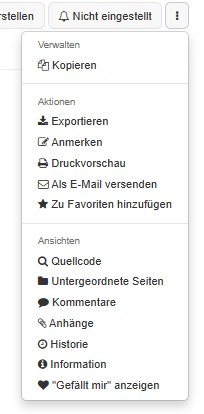
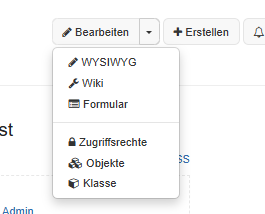
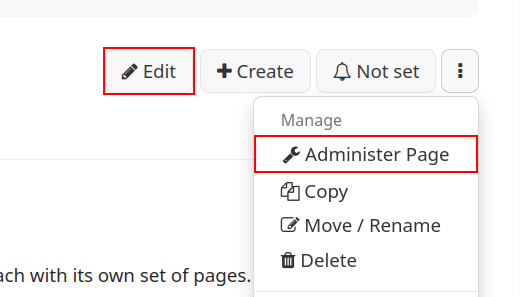
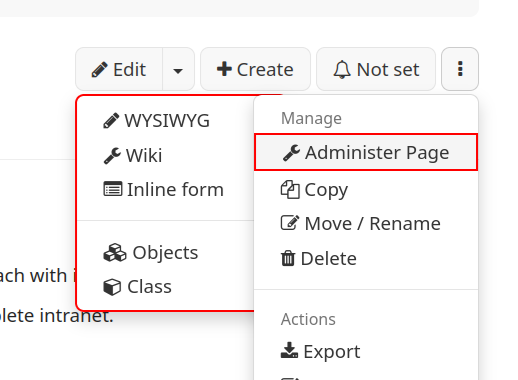
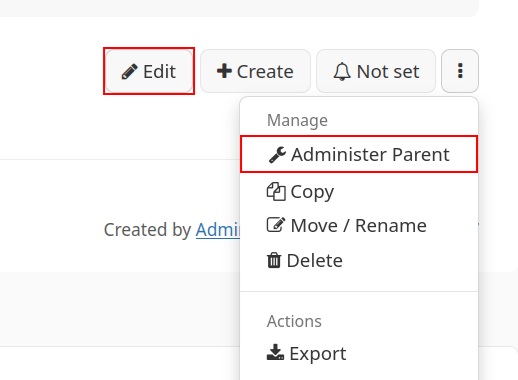
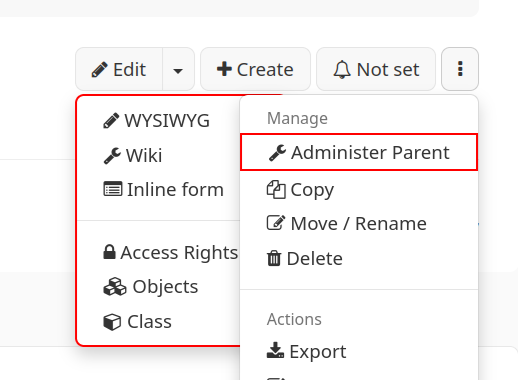
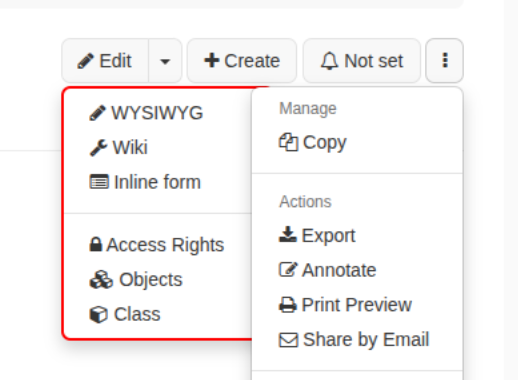
We see unexpected behavior in the Edit dropdown menu and hope someone can help us understand it.
Problem
A user with only View, Comment & Edit rights (no Admin right, and no “Manage page” options in the page menu) sees the entry AccessRights (German UI: Zugriffsrechte) in the Edit dropdown. This user can actually save changes in the rights editor.
The global admin, on what should be the same page, does not see this entry.
We expected the opposite.
Background
Before this appeared, we ran a script that changed the user type of all normal users from Simple to Advanced. We suspect this could be related, but we could not confirm it.
What we have checked so far
The normal user is not in any group with Admin rights, as far as we can tell.
The normal user’s page menu offers only Copy under “Manage”, so they clearly have no Admin right on the page.
Environment
XWiki version: 17.10.14
Questions
Does the visibility of the “Access Rights” entry in the Edit menu depend on the user type (Simple/Advanced) or on the Admin right?
Is it expected that a user without the Admin right sees this entry?
Why would a global admin not see it? Is there a known condition or bug that could explain this?
Is there a recommended way to switch users to Advanced without side effects like this?
Screenshots of both Edit menu and the Page menu of the normal user are attached.
The user type and access rights control different things:
Does the visibility of the “Access Rights” entry in the Edit menu depend on the user type (Simple/Advanced) or on the Admin right?
Advanced exposes the additional editors in the Edit dropdown. The Access Rights entry also depends on whether page administration is available to that user, as explained below.
Is it expected that a user without the Admin right sees this entry?
Yes. Edit permission allows users to change and save the rights of the current page. Admin permission is required to manage rights for the page and its children.
Why would a global admin not see it? Is there a known condition or bug that could explain this?
On a non-terminal page, the same settings are available under Administer Page > Users & Rights > Rights: Page.
If the page is terminal, check that the administrator’s own profile is also Advanced. The shortcut should then be available.
Is there a recommended way to switch users to Advanced without side effects like this?
The setting is available under Profile > Preferences > User type. If your script only changed that preference, it exposed additional tools without granting additional permissions. Switching back to Simple would hide those tools, but would not remove the underlying ability to change page-level rights.
Thank you for the explanation. I checked the points that you mentioned:
The global admin’s user type is Advanced.
The admin does see Access Rights in the Edit menu on terminal pages (e.g., thier own profile page), but not on other pages.
So neither the user type nor the terminal/non-terminal distinction explains the difference. I have a few follow-up questions:
What decides whether the Access Rights entry appears for a given page? Is it the location (space, subwiki), the page’s own rights, or something else?
Where is the visibility condition defined (e.g. which UI extension), so that I can inspect it?
Is it possible to let users edit page content but not change page-level rights? Right now, any user with Edit permission can change the rights of the pages they edit. If there is a recommended setup for this, I would be grateful for a pointer.
Any user (Admin and Non-Admin) can be Advanced or Simple and that will control the Edit button and available options - which are related to the current page.
The Access Right here is also an Edit Mode → Adds XWiki.XWikiRights object to the current page (also looks like a permission management)
Only Admin user can see Administer Page and Administer Parent and these are acting on the *WebPreference page.
You can change the page-level rights to non-admin users by removing the Access Rights item from the list and making sure that “?editor=rights” is also blocked.
As far as I remember: users creating a page always have the entry to administer the page. This is the reason why we hide this entry with css for all non admin users.
We have no really recommended setup for this, but we do have checks that users cannot grant any rights they don’t have themselves which is why we consider this as safe. So a user with edit right but not delete right cannot grant delete right to any user. It is an old discussion if there should be a “right to change rights” (note that the old problem of users being able to grant rights they don’t have that is mentioned there has been fixed since). Implementation-wise, if you want to implement such a protection yourself, you could implement something similar to RightsFilterListener in an extension that either denies saving or cancels any edits that modify rights if the user doesn’t have admin right. This won’t hide any UI, but it will prevent saving right changes by non-admins.