Hi everyone,
I’d like your feedback on a design for adding a property to a class directly from a Live Data table, and removing it again (XWIKI-25519).
Why: today, adding a column to a table backed by a class means leaving the page, opening the class editor, adding the property, and coming back. Rows can already be added from Live Data (XWIKI-17627).
Full proposal: https://design.xwiki.org/xwiki/bin/view/Proposal/AddapropertyfromLiveData
Adding a property
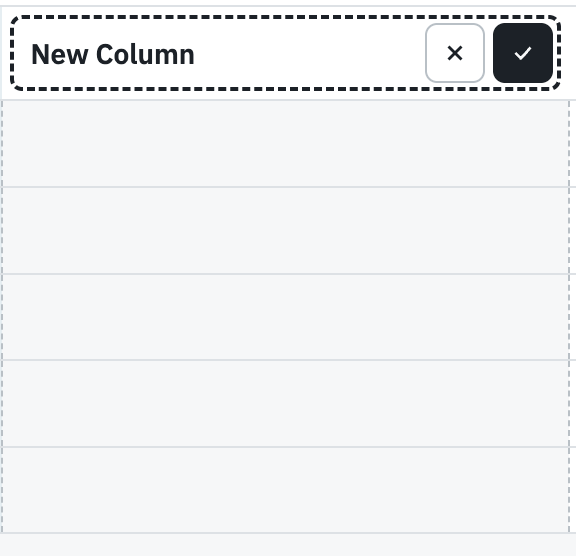
The new column is created in the table itself, in its header, with no modal or separate form.
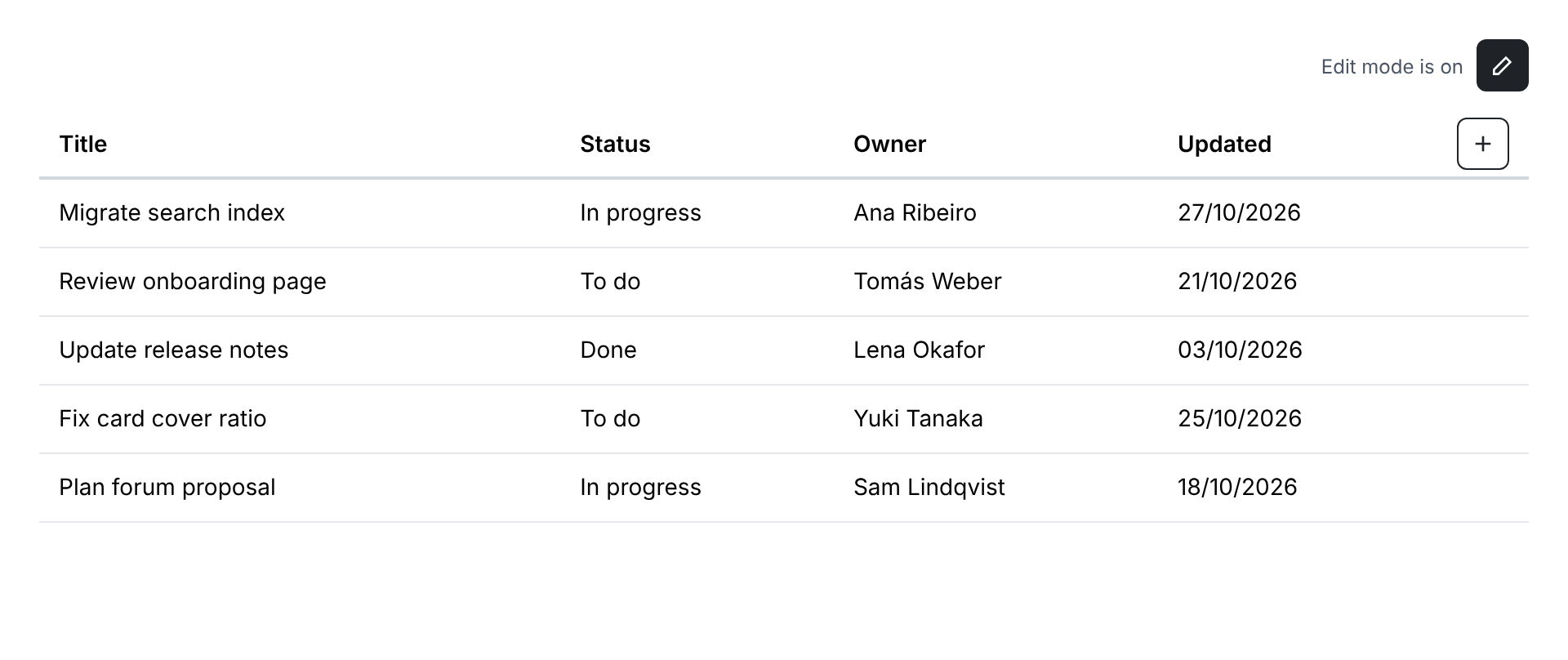
- Find the +: a small “+” button at the end of the header row, shown in edit mode only when you can add a property here. On wide tables it stays pinned at the right edge.
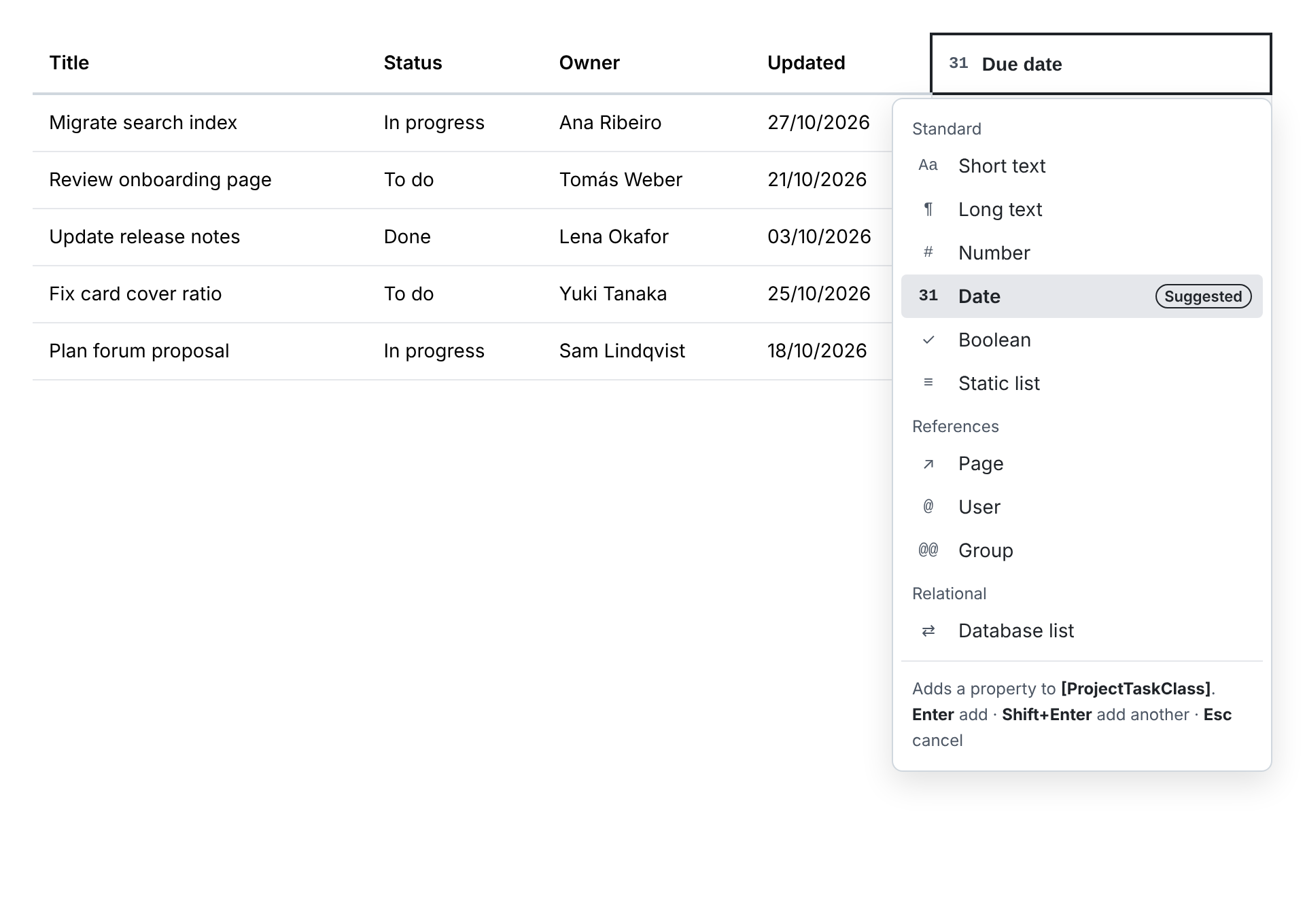
- Naming it: clicking + turns it into the header of the new column, and you type the name (“Due date”). The technical name is generated from it (
dueDate). - Type: a type list opens under the header, with a suggested type preselected from the name (e.g. date, deadline, due → Date; owner, assignee → User). Arrow keys pick another one. The list footer names the class that will be changed.
- Add: Enter adds the property to the class (Shift+Enter adds another one). Esc or clicking away cancels and nothing is saved.
- Fill in place: focus moves to the first cell of the new column; Enter saves and moves down. A notification confirms that the property was added to the class.
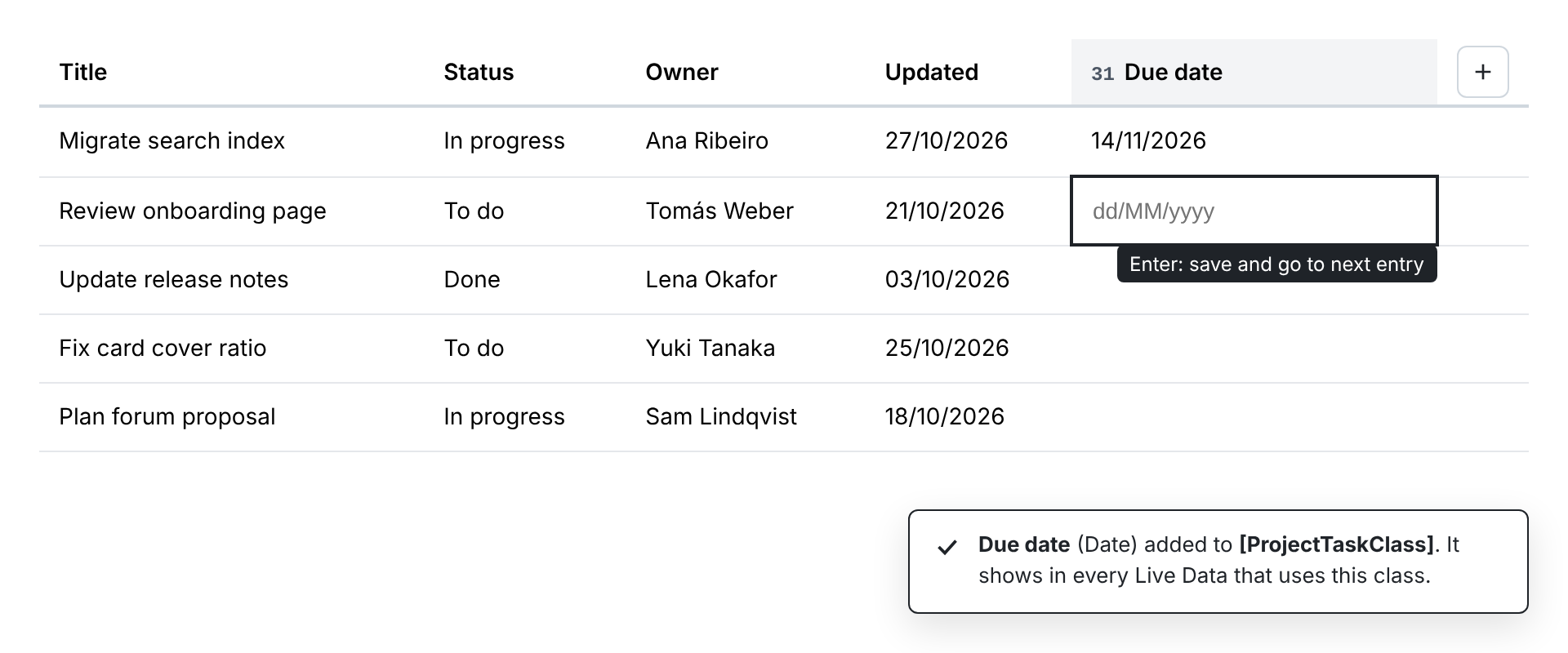
So the common case is: Tab to the +, type the name, Enter, fill, Enter. Everything works from the keyboard, and the + is a real button with the accessible name “Add property”.
Card layout
Cards have no header, so the + goes in the actions area that every card already has in edit mode. The rest of the flow is the same, and the new field appears on all the cards at once.
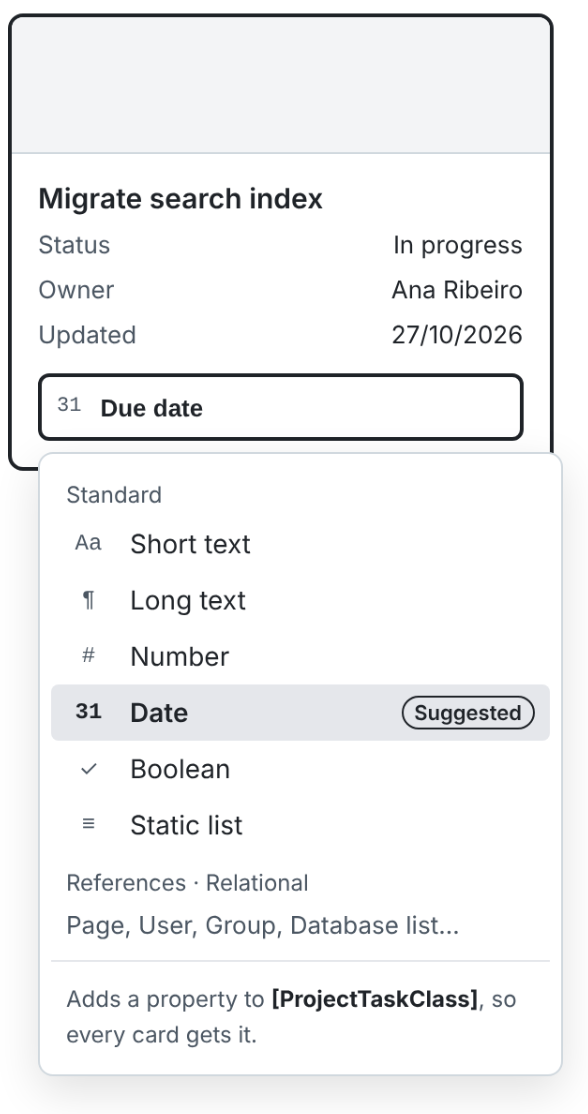
Removing a property
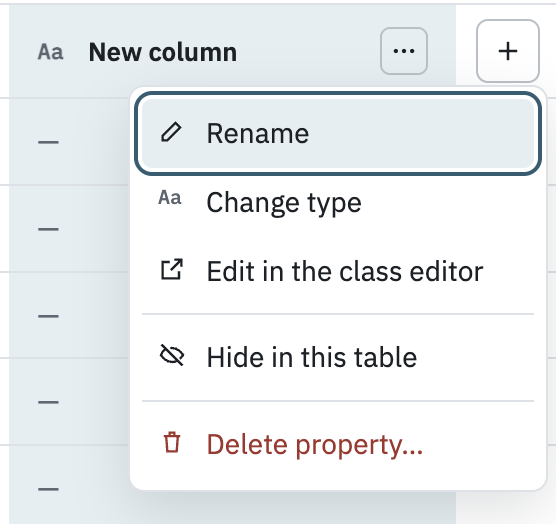
“Remove” can mean two things, so the UI keeps them apart. In edit mode, each column header (and each field on a card) gets a ⋯ menu with:
- Hide in this table: the same toggle as the existing Properties panel. It only changes this view, and the values stay.
- Delete property…: removes the property from the class and its values from every entry. Shown only when the source supports it and you can edit the class.
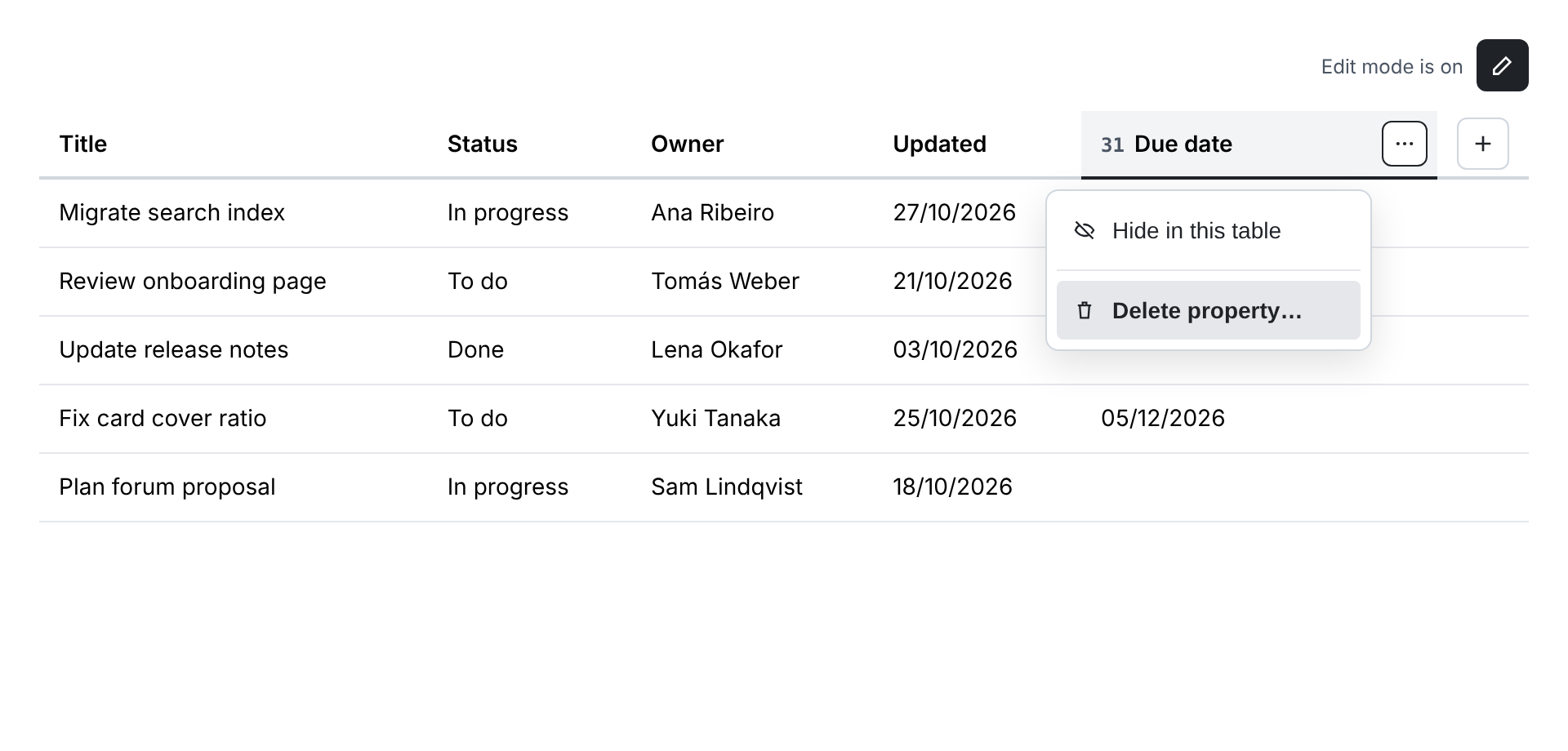
Deleting asks for confirmation with the same XWiki confirmation box used to delete an entry. The box names the property and the class, and warns that every Live Data using the class loses the column. Adding stays modal-free; only the destructive action gets a dialog. Document properties (doc.title, doc.date…) can only be hidden. If the source refuses a deletion, the item is disabled with the reason in a tooltip instead of being hidden.
Edge cases
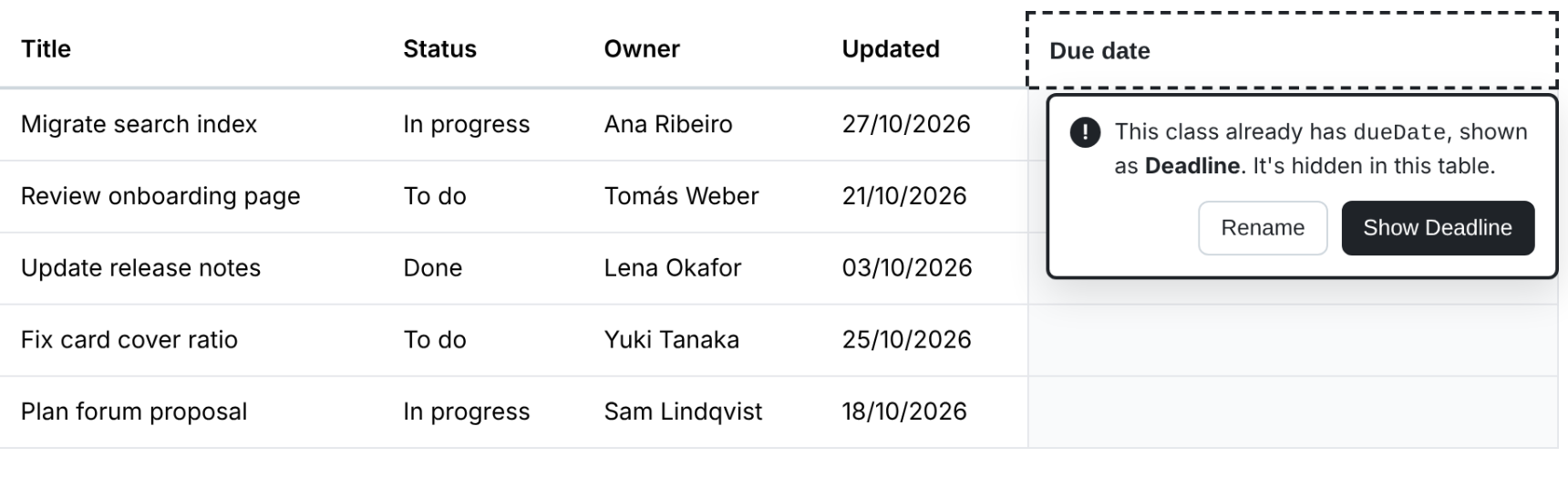
- Name collision: if the class already has the property (possibly hidden in this table), you’re offered to show the existing column or rename, instead of hitting an error.
- Macro with an explicit
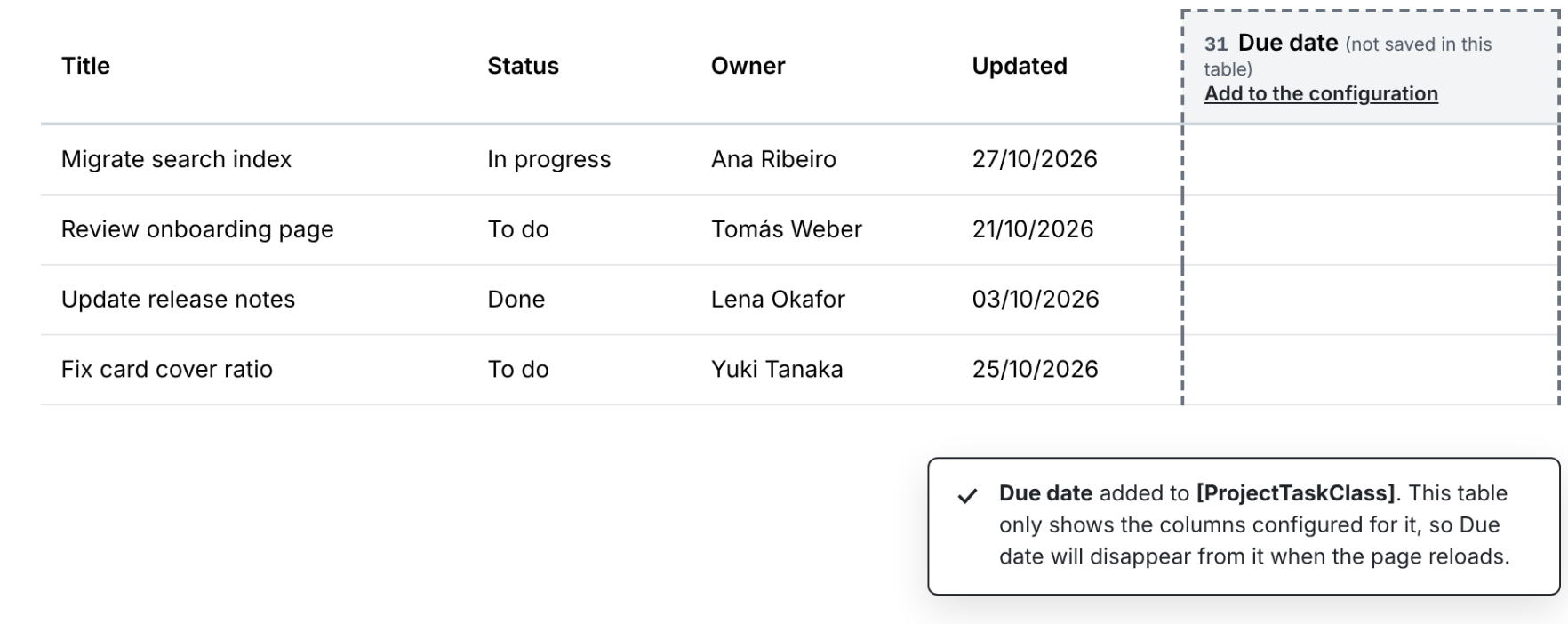
propertieslist: the column is added to the class, but this table only shows its configured columns, so it would disappear on reload. The header and notification say so, with an “Add to the configuration” action.
Technical side
Note: I could not personally verify this part so it’s heavily AI generated.
Most of the backend already exists: LiveDataPropertyDescriptorStore has save() and remove(), and the REST API already exposes POST /liveData/sources/{sourceId}/properties. The livetable source just doesn’t implement them yet. The plan:
- Implement
save()(andremove()for deletion) inLiveTableLiveDataPropertyStore, with the rights check on the class document. Live Data stays generic: the UI only knows properties, the source knows classes. - The source advertises the capability with an
addPropertyaction inmeta.actions, only when the user can edit the class, likeaddEntryfor rows. The client shows the + when in edit mode and that action is present. - Add
addProperty()to the clientLiveDataSourceAPI, posting to the existing endpoint. - Validate on the server (duplicate or reserved names, invalid identifiers); a concurrent duplicate returns a conflict instead of overwriting.
- On delete, also drop the property from the table’s columns, sort and filters, so no broken reference is left.
With this, XWIKI-12597 (class properties in the generic REST API) becomes a nice-to-have rather than a prerequisite.
Questions
- Does the inline header flow (name, type, Enter) work for you?
- Type suggestion from the name: can the suggestion keywords live in the translation files so it works in other languages? If not, I’d drop the suggestion and always preselect the default type.
WDYT?
Thanks!
Note: AI systems were used to help write this post