What seems to be in agreement
#1 Add property to enable/disable batch actions
#2 The UI provides a way to select all items on the current page
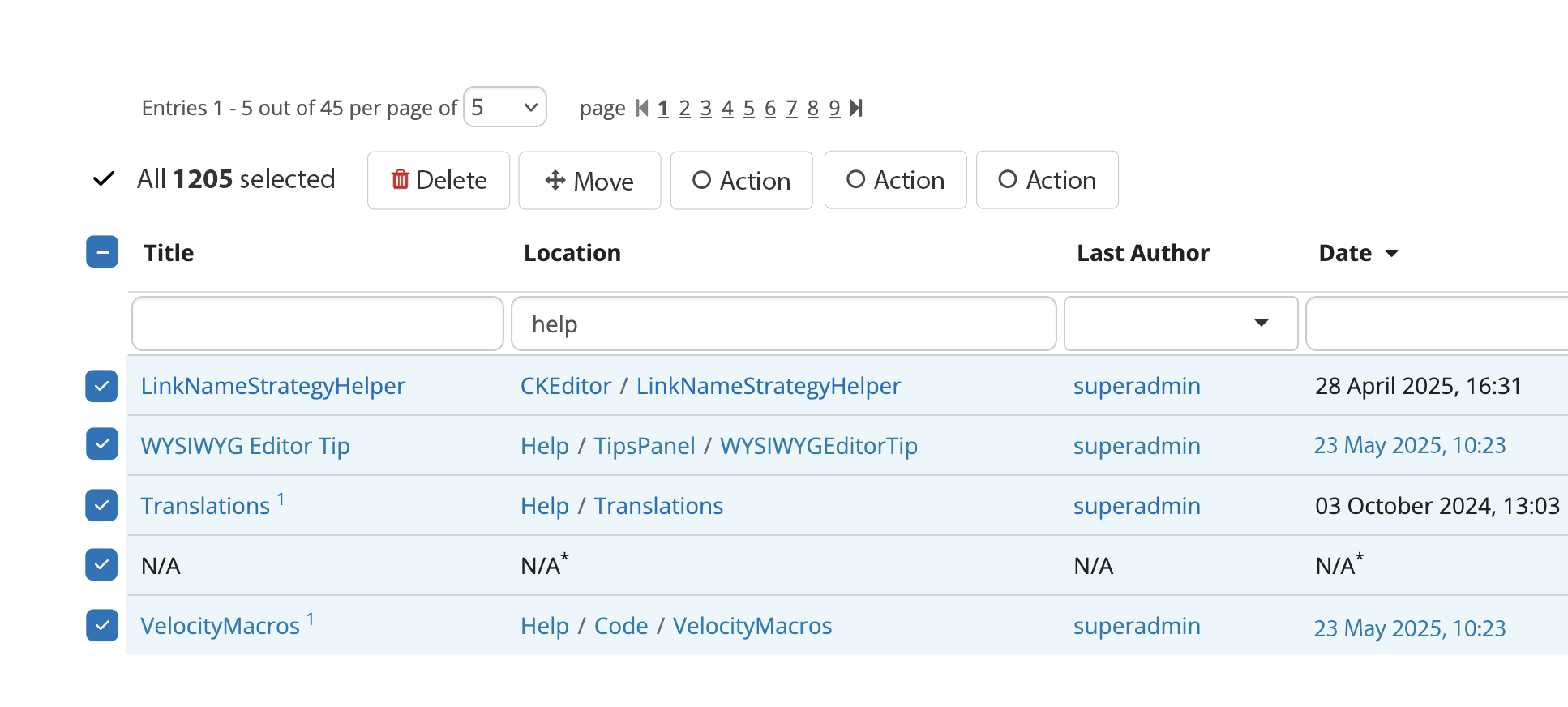
- Doing this will trigger a top banner “Do you want to select all 13,000 items in this table“ like in Gmail
#3 If the page is changed, the previous selection of items disappears
#4 If the sort or filter is changed, the previous selection of items disappears
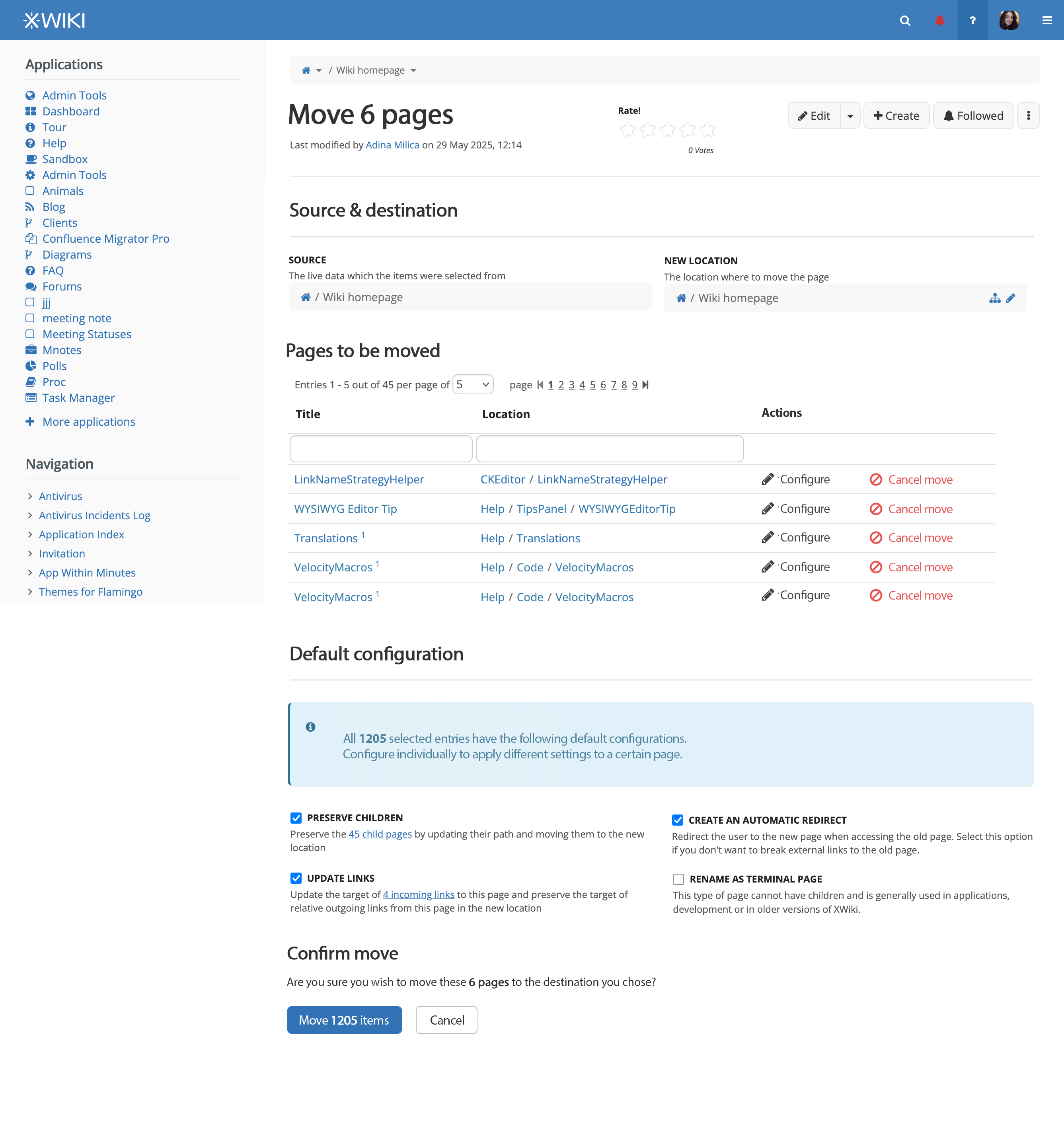
#5 In the screens that follow the selection for confirming the deletion or move of pages, we make the table that displays the pages be a live data one (filterable, sortable) to allow for massive selections
To be added based on this discusion
Really great suggestions from @surli :
#6 If the user doesn’t have certain rights over a page (for example, he can’t view it), he shouldn’t be able to select it for a batch action.
- we should think of what other standard rights would be included in this category (other than view) or if we should make this configurable.

- I vote for now that it isn’t configurable.
#7 If the user selects some pages and then performs a batch action, he will be led to another screen. He then realizes he forgot a page or several. He should be able to browse back to the previous page and the selection would still be preserved.
- Considering this suggestion, would it also make sense to add the preservation of choices when navigating through pages of the live data table? WDYT?
#8 We should have the possibility of removing a page from the selection in screens that confirm batch move or deletion.
Based both on @surli and @vmassol said:
#9 To make the Batch Move screen very similar to the Batch deletion screen. The pages to be moved would be shown by default (not collapsed) with available actions for each selected page. Rename as terminal page and Auto redirect should be available options in the configuration modal.
#10 Each action available on selection should look like a button (@CharpentierLucas suggestion)
#11 For ensuring good accessibility on batch actions, if they are hidden when nothing is selected, a message like “Batch actions: These actions are currently disabled because no entry is selected.” should be showcased. (@CharpentierLucas suggestion)
12 Based on @vmassol 's suggestion we introduce another config option (apart from the enabling/disabling of batch actions): the existence of actions
#13 Based on @vmassol and other platforms design patterns:
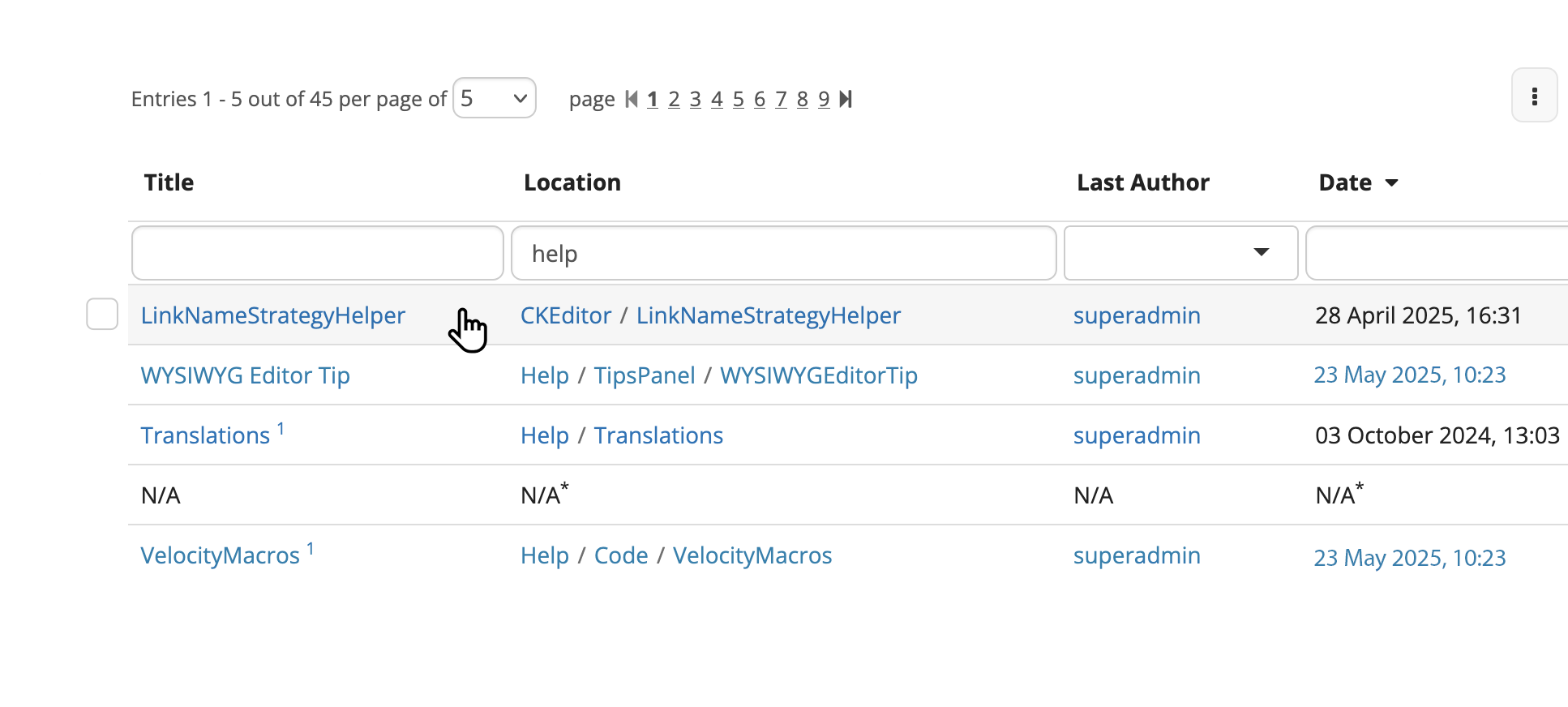
We shouldn’t display checkboxes in front of each row, but have a mechanism that shows the checkbox when an action is done by the user ( for example, hover or click on some other element)
- we need to establish which is that action to be able to use it on mobile too
What I’m not sure about
# 12
I think I wouldn’t include this info in the table, but leave it in the modal that opens when clicking “Configure” to not add extra detail in the table. Let’s see what others think about this
Updated proposal based on above
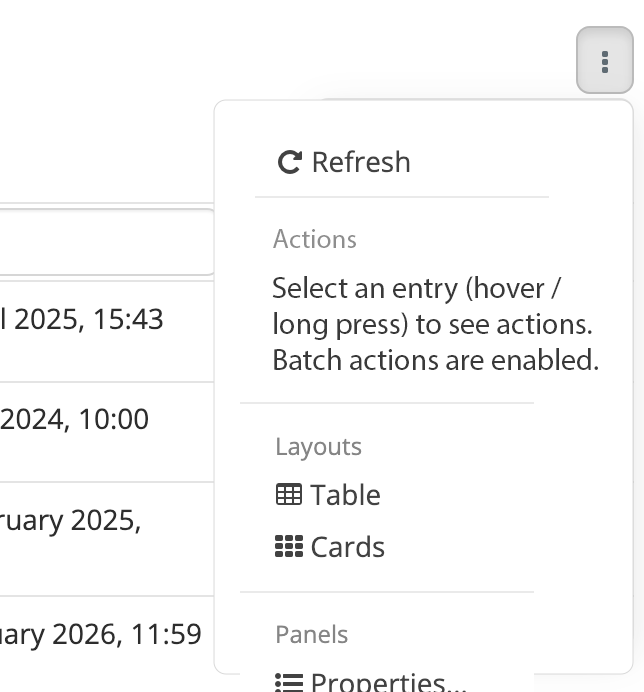
Updated 3 dot button menu
I want this update as a mean to letting the user know that there are hidden actions behind the selection of an entry, but without making the UI more cluttered. This is around what @CharpentierLucas said, and it does feel important to the accessibility of the feature (and even just plain usability). I’m just not sure if it’s enough though.
Initial live data - No item selected - Checkbox on hover
On mobile
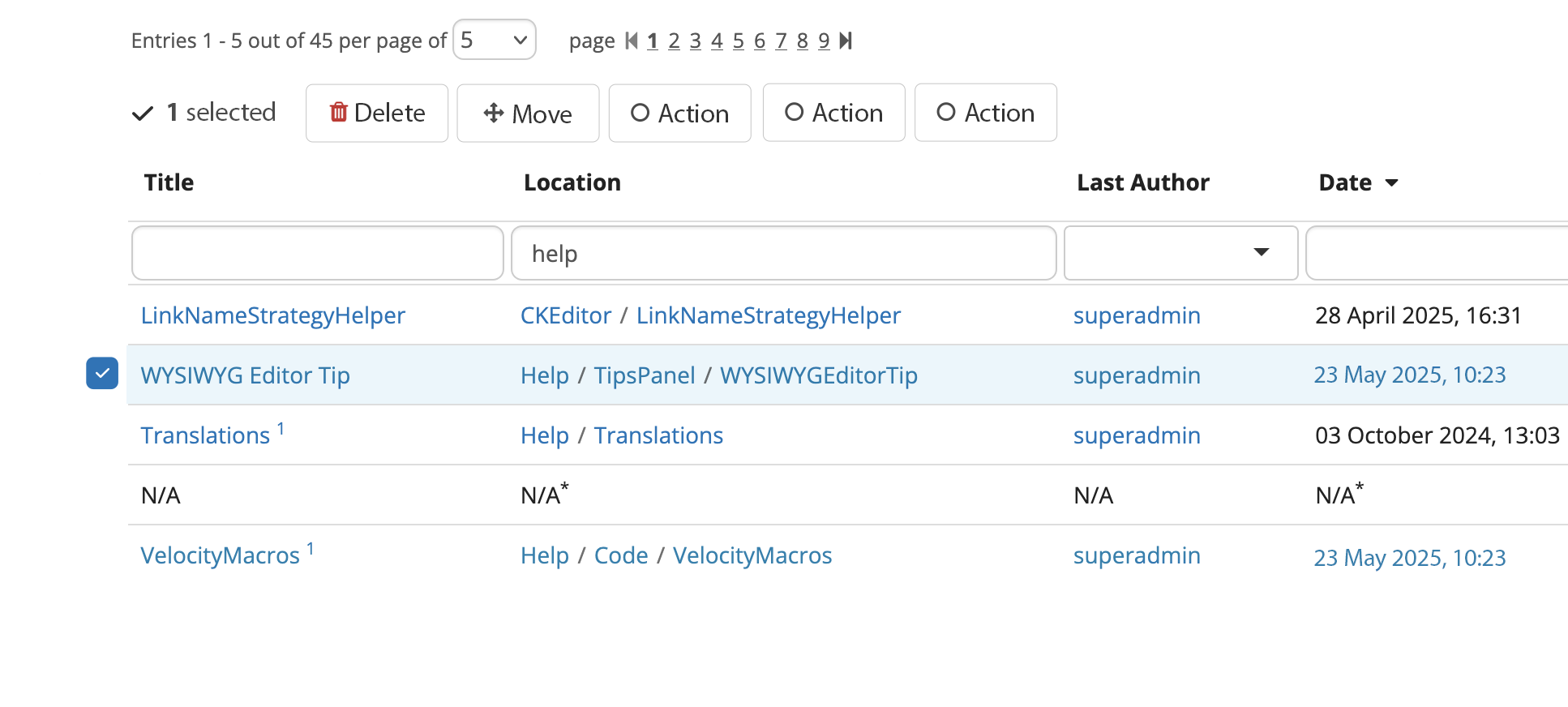
The selection of an entry cannot be done through hover on mobile, obviously.
We could go 2 routes here:
- The selection of one item is done through long press (2 seconds press)
- Only on mobile, all checkboxes get shown at the left of the table (similar to the initial proposal)
One item is selected
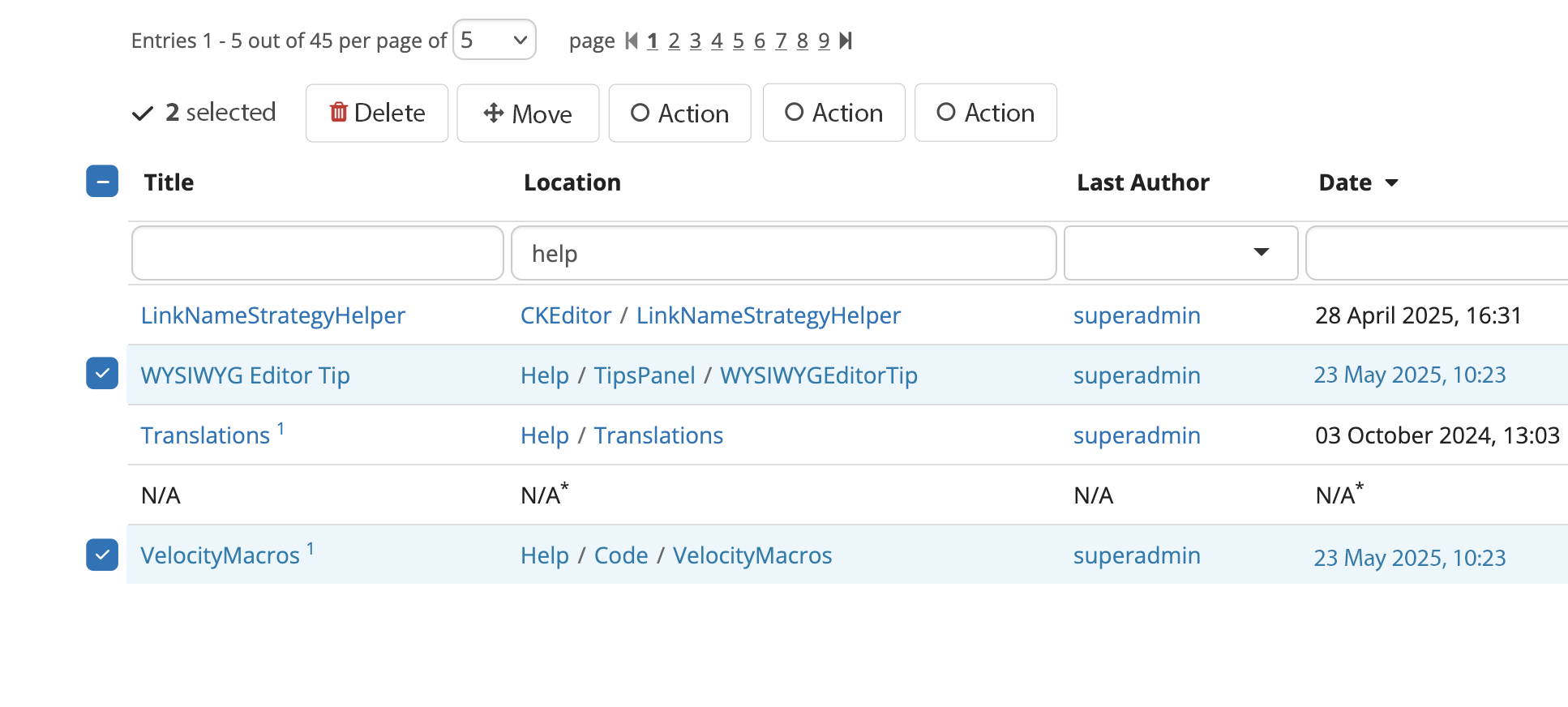
Two items get selected - global checkbox appears
All entries on current table page selected
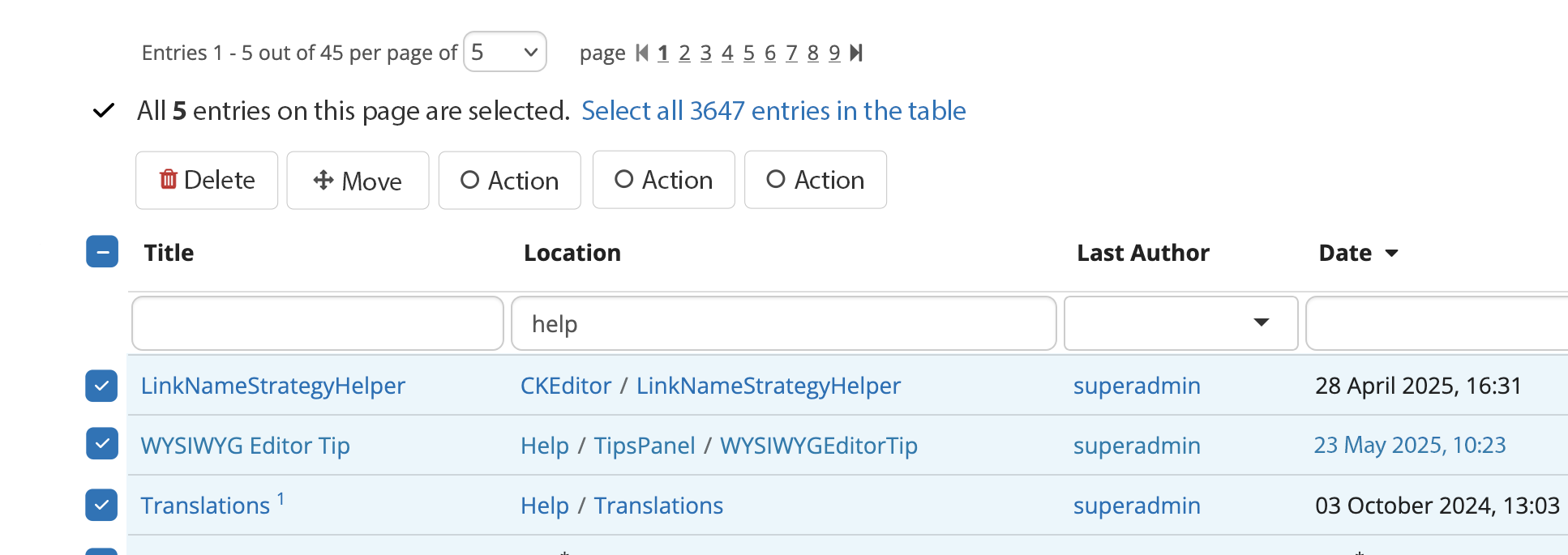
All entries in table selected
Initial batch move screen - all have default config
Clicking “Configure“ in batch move screen
A modal opens with the following choices, rendered either in standard macro-like layout (vertical) or on 2 columns (as they are currently).

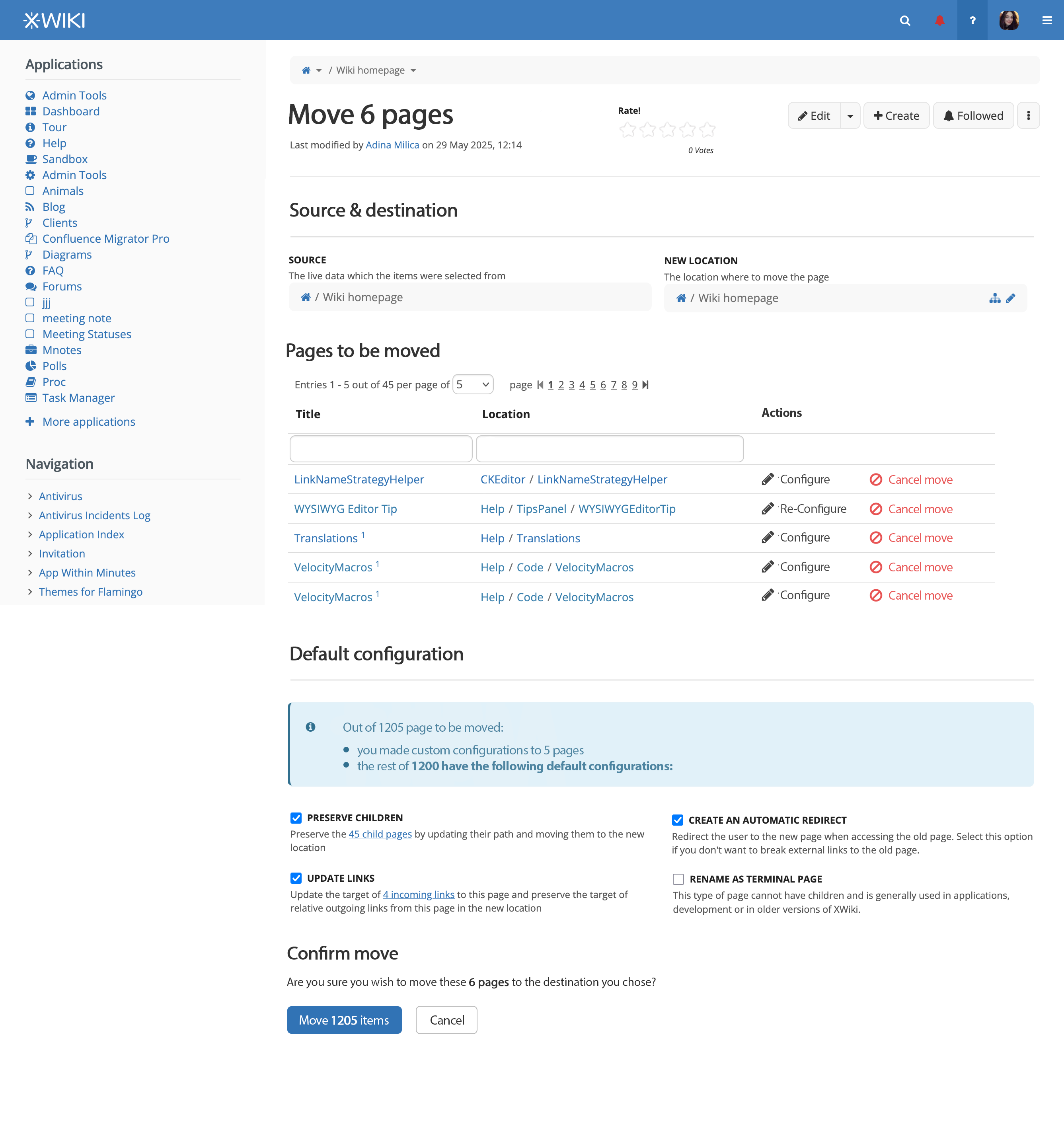
Batch move screen - entries have been given custom configs
The messaging in the “Default configuration“ changes
For any entry that has been configured, the action’s name is changed to “Re-configure“. I think it indicates past edition better than the change from “Configure“ to “Edit“ as it was in the initial version of the proposal
Batch Deletion
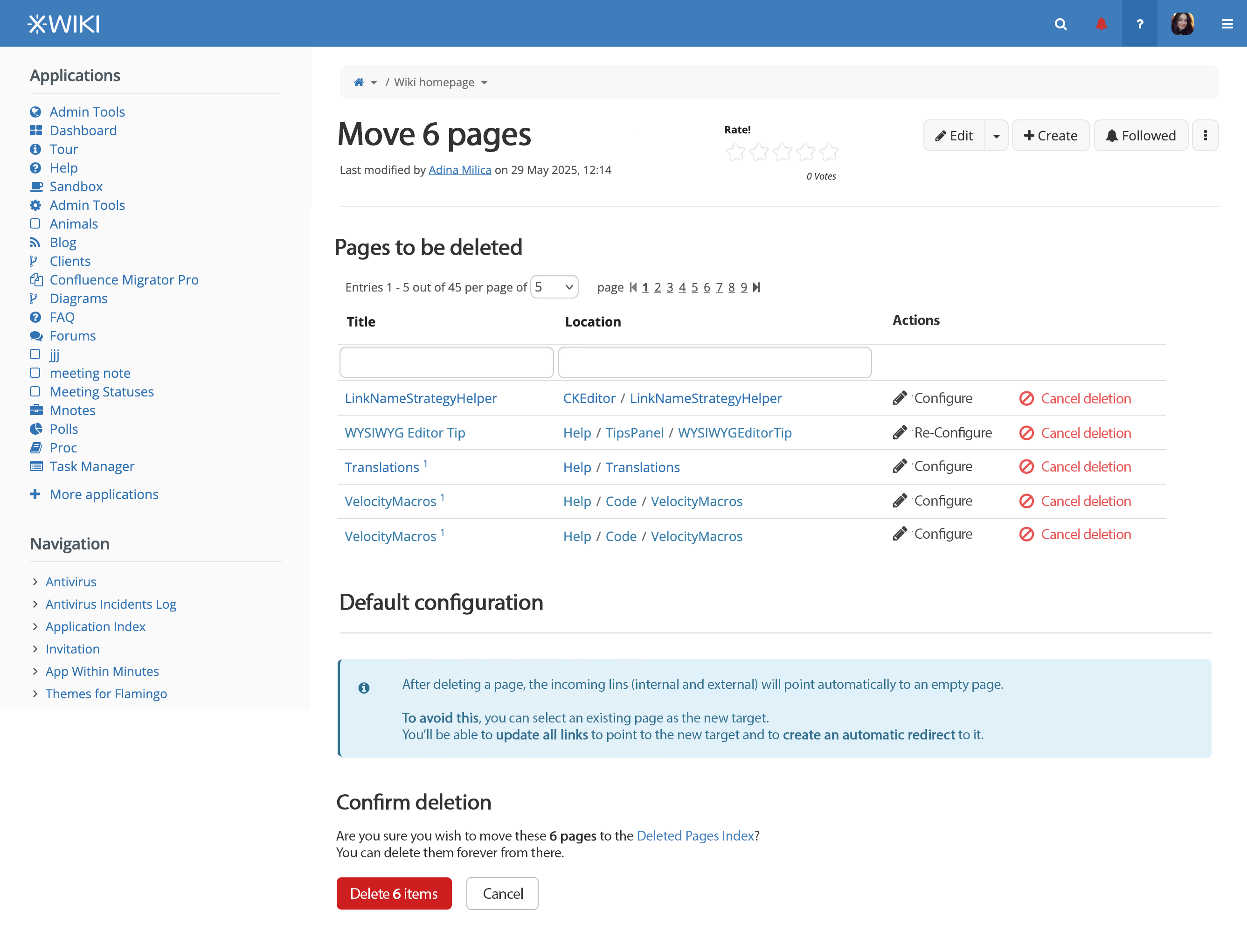
I will update the proposal page with what I just wrote and the visuals I provided.
Question to respond to and feedback
Anything that is marked with is a discussion to be had about the details of implementation
Please, if you any time, don’t hesitate to provide feedback on these conclusions 
@tkrieck , @vmassol , @surli , @CharpentierLucas + anyone that stumbles upon this proposal and wants to provide ideas, thank you!