Hi!
When implementing the design in Loading... , I came across a couple problems and I’m not sure about the solution. I’ll present the problems shortly, and the solutions I thought would be best so far. It would be great to get feedback right now so that we agree on the way to implement it 
Context
Right now, annotations are split into multiple HTML nodes. Each text node in the selected text is wrapped into an annotation node. This node provides the “highlighted” style, and the interactivity is done through the post-it button that appears at the end of the annotation:
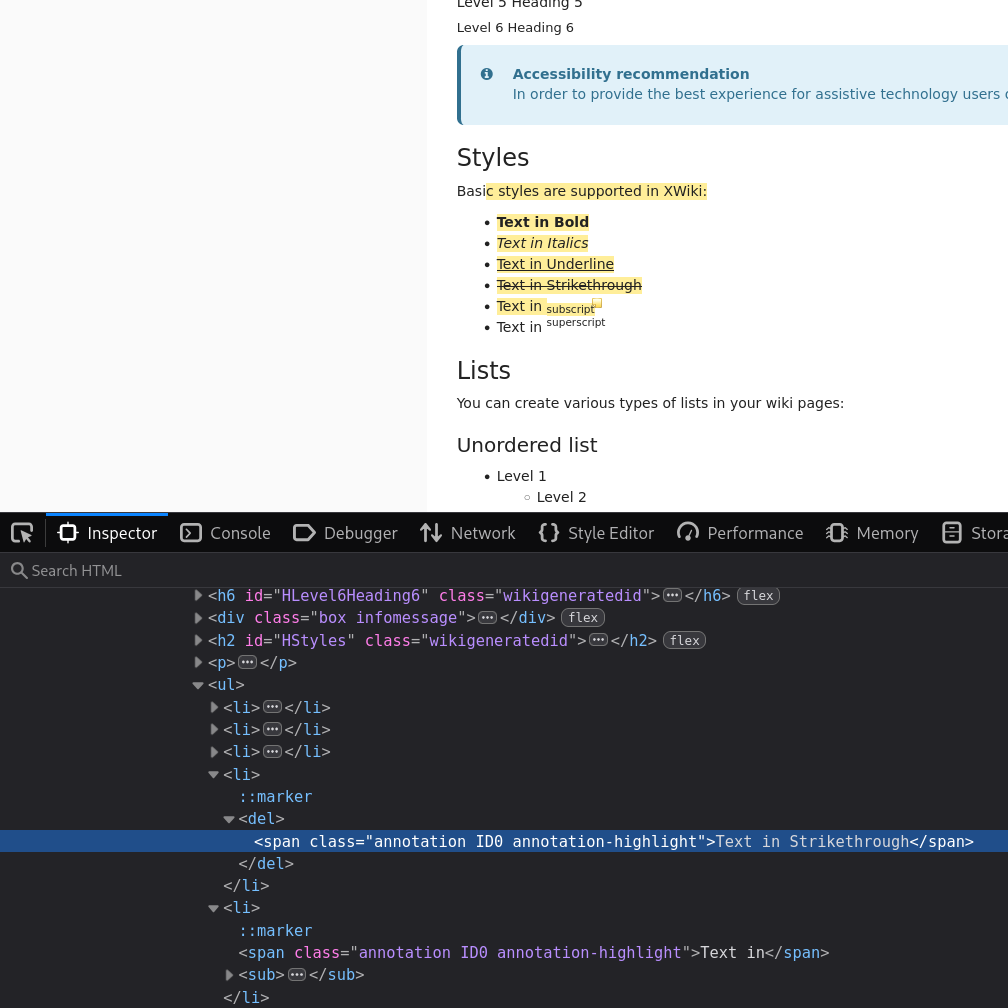
The goal is to get rid of the post-it button and do the interaction through the highlighted text itself.
I went with the postulate that the annotations must be mark HTML nodes (semantically it fits the best IMO).
Problem 1
How to make the annotation keyboard interactable?
We can just add the click listener that was on the icon to the different highlight pieces. But:
- The
marknodes are not in the tab index by default. We need extra markup to make it accessible using a keyboard. - Even when added to the tab-index, the
Spacekey does not trigger the click event like it would for a button naturally.
My solution to this is to nest a button inside each mark. This also makes it easier to provide a clear text alternative that describes the button action.
But there’s still a problem. In cases where the mark is split in a lot of parts (like the screenshot above), it would create that many buttons and crowd the tab index for little use (all the buttons do the same thing – open the annotation bubble). I decided to only add a button on the first mark of each annotation. The negatives left with this solution:
-
buttons will not wrap across lines. This means that if the first text node is long, showing the annotation will deface the content. I can’t figure out the style combination to avoid this… (assuming it even exists)
-
assistive techs will not see the whole annotated text content easily from this button, but IMO it’s a small enough problem to stop complexifying the system here.
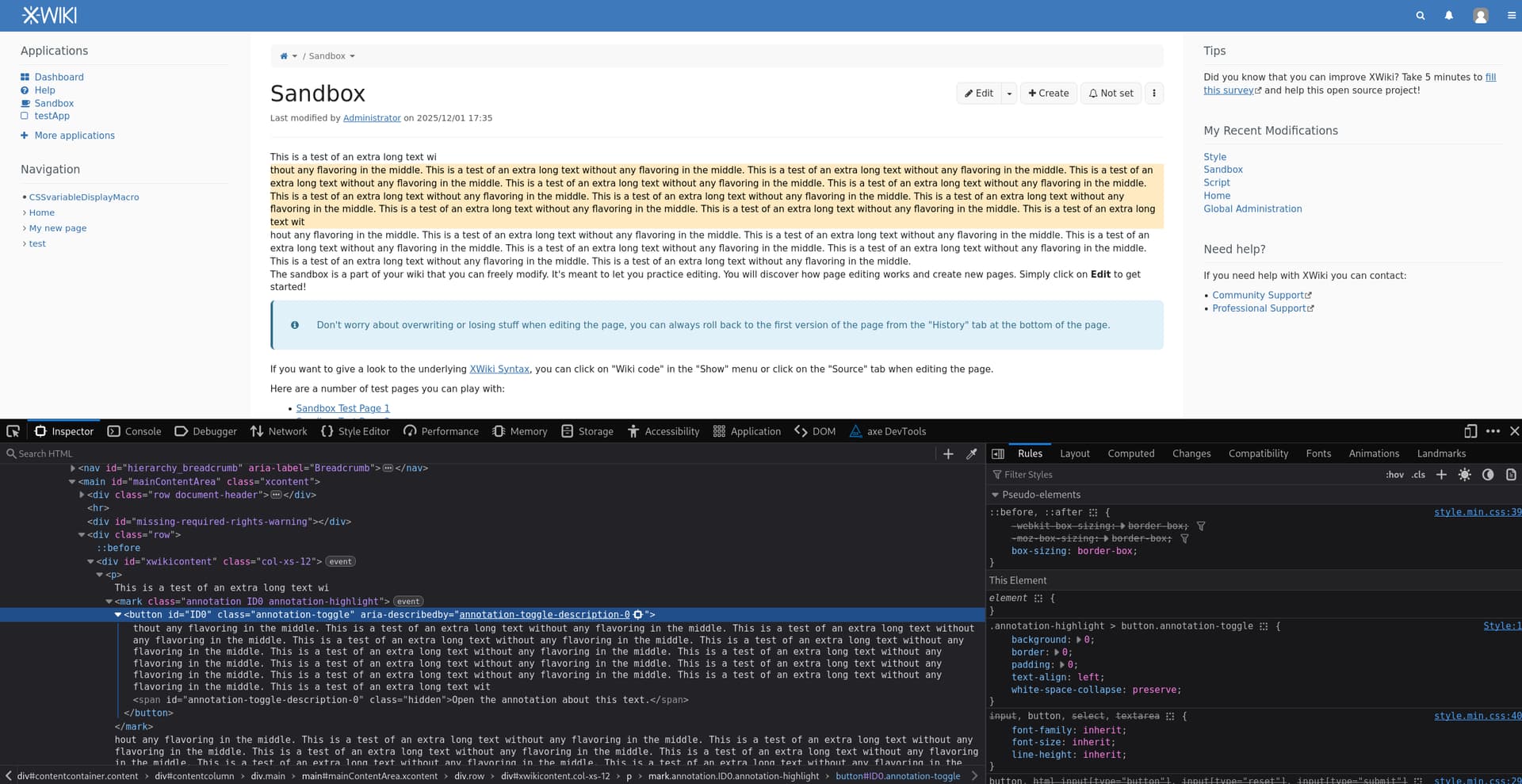
Here is what the DOM would look like:
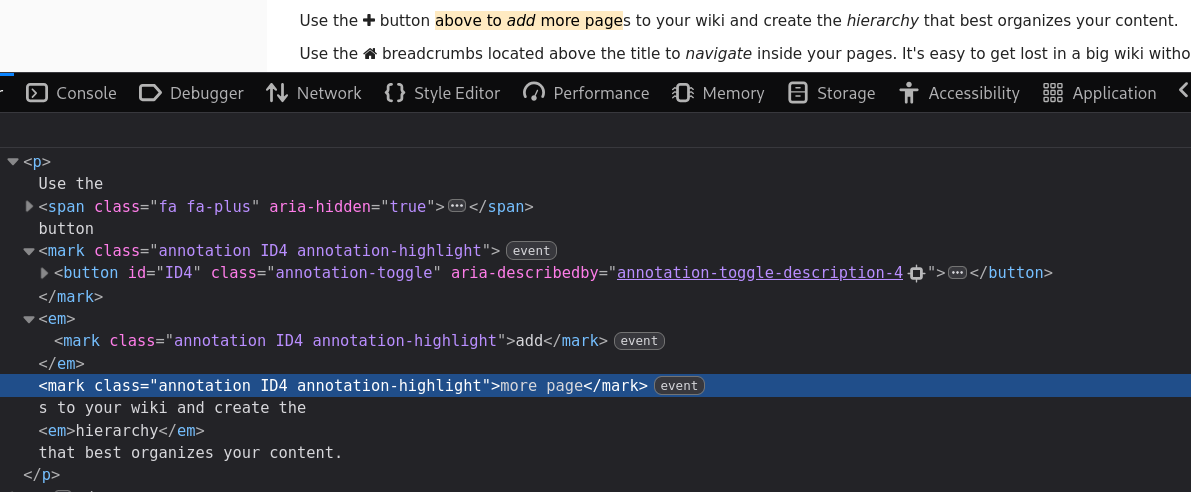
Do you see a better solution or an easy way to tackle the first drawback? The best solution to keep the style would be to mimic a button but we’d lose all the native features…
Problem 2
How to highlight the whole annotation at once?
A small part of the design is to change the color of an annotation on hover.
With the current DOM and the one showed to solve problem 1, it’s easy to get the link between parts of the same annotation in javascript, but in CSS it’s difficult/hackish at best.
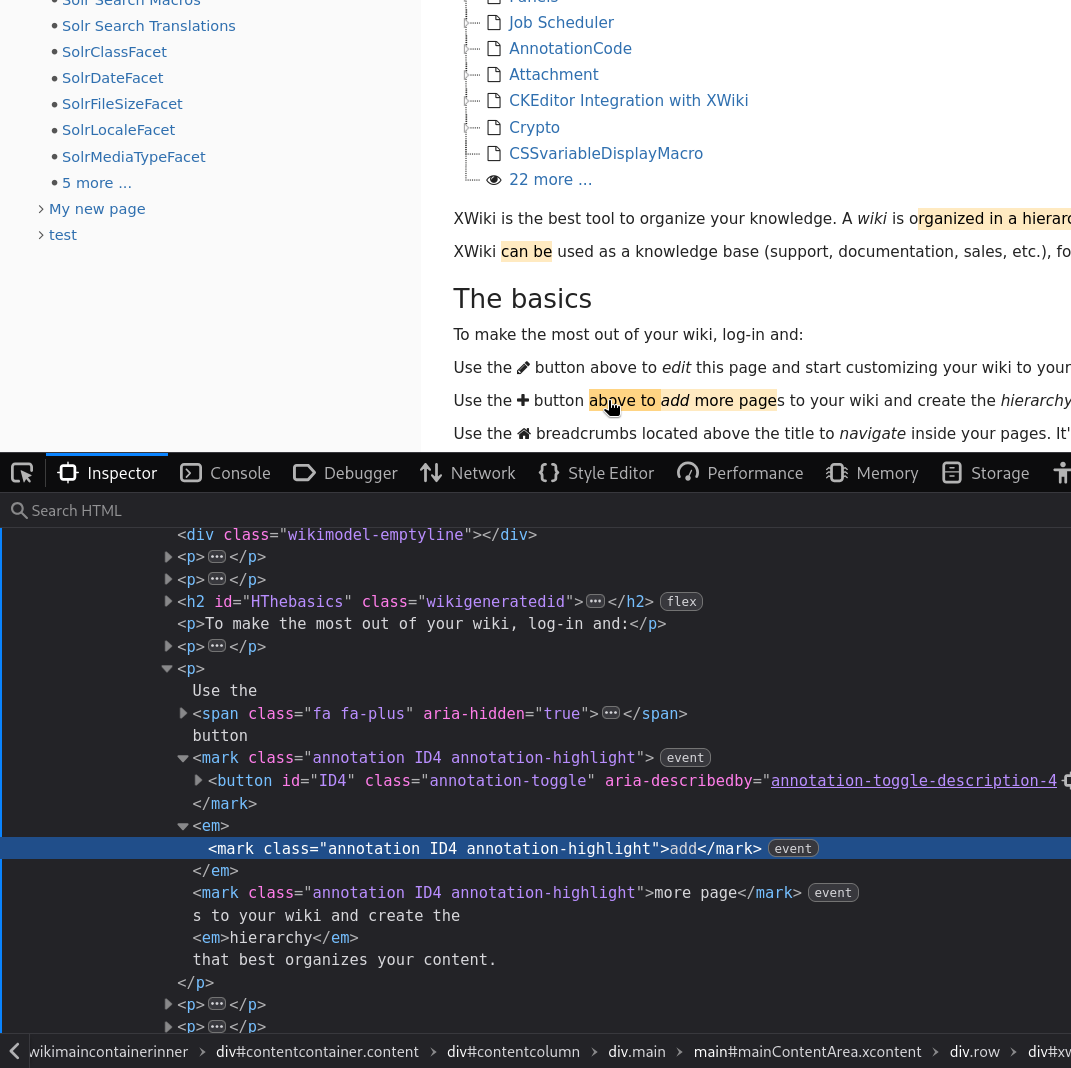
I searched through a few solutions:
- Change the way we generate the mark nodes to only have one. => In some case or another, what I tried would break. The way we do it right now is the safest and looks more sturdy than any other way I could think of.
- Replace our custom system with the CSS Custom Highlight API - Web APIs | MDN . Unfortunately it looks like this does not work well with interactivity. This would be a lot of time spent on moving things, and I fear that there’ll be something missing in this system for it to answer our use cases. It looks quite heavy to setup next to what’s existing just to get a hover effect.
The solution I figured would be best:
- set a hover/focus listener on each mark that adds a class on all of its siblings. The CSS can just check if the class is here to display the “hover” state, instead of using the standard
:hoverpseudo class. The drawbacks of this solution is that it’s more custom code so more bugs and computation cost.
This solution is definitely not the best and I feel like I’m missing something. Do you agree with using it or should I search for a different one?
Note that the design notes made it clear that “highlighting on hover” could be dropped if it was too complex to do. I’d like to avoid dropping it, it looks way nicer with it
Thank you in advance for your help!
I’ll resume implementing a proposal for this ticket in a few days if there’s no ongoing discussion.
Lucas C.