Issue with the new styles for the table pagination

Hi everyone,

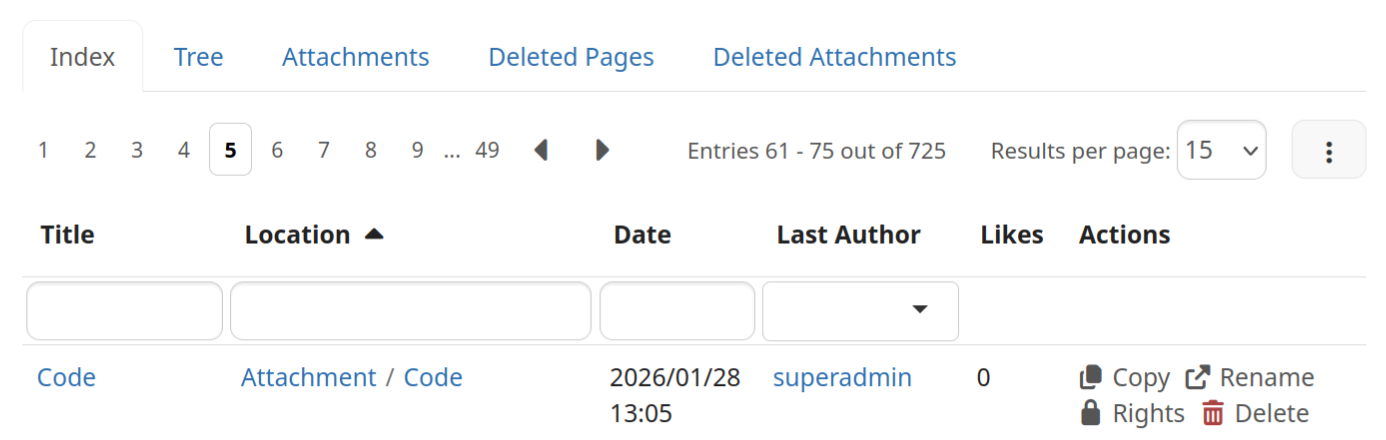
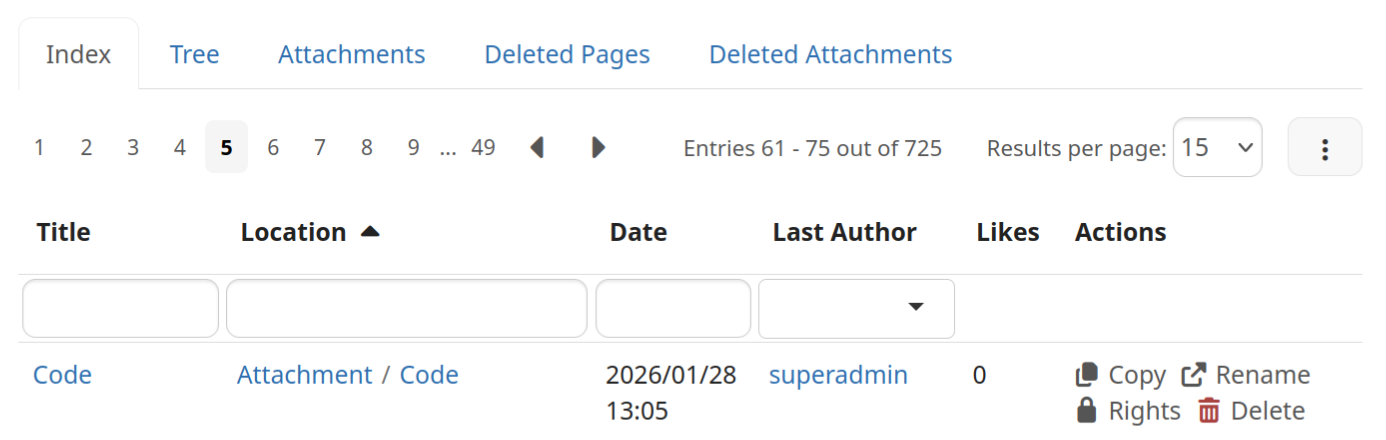
We have an issue regarding the new style for the pagination block on Live Data tables, available since 17.10.3. The issue specifically states that what we have now is overemphasized.

To give it some context, this is what we had before:

Screenshot 2026-02-05 at 14.11.01

After discussing the proposal the visual design was changed to this:

Screenshot 2026-02-05 at 14.12.49

The height of the selected page was changed a bit from the original proposal, but that it’s not the main issue.

Depending on the content of the page the blue boxes from the selected page might draw too much attention from the user from a secondary UI element, see the image below, taken from the Jira.
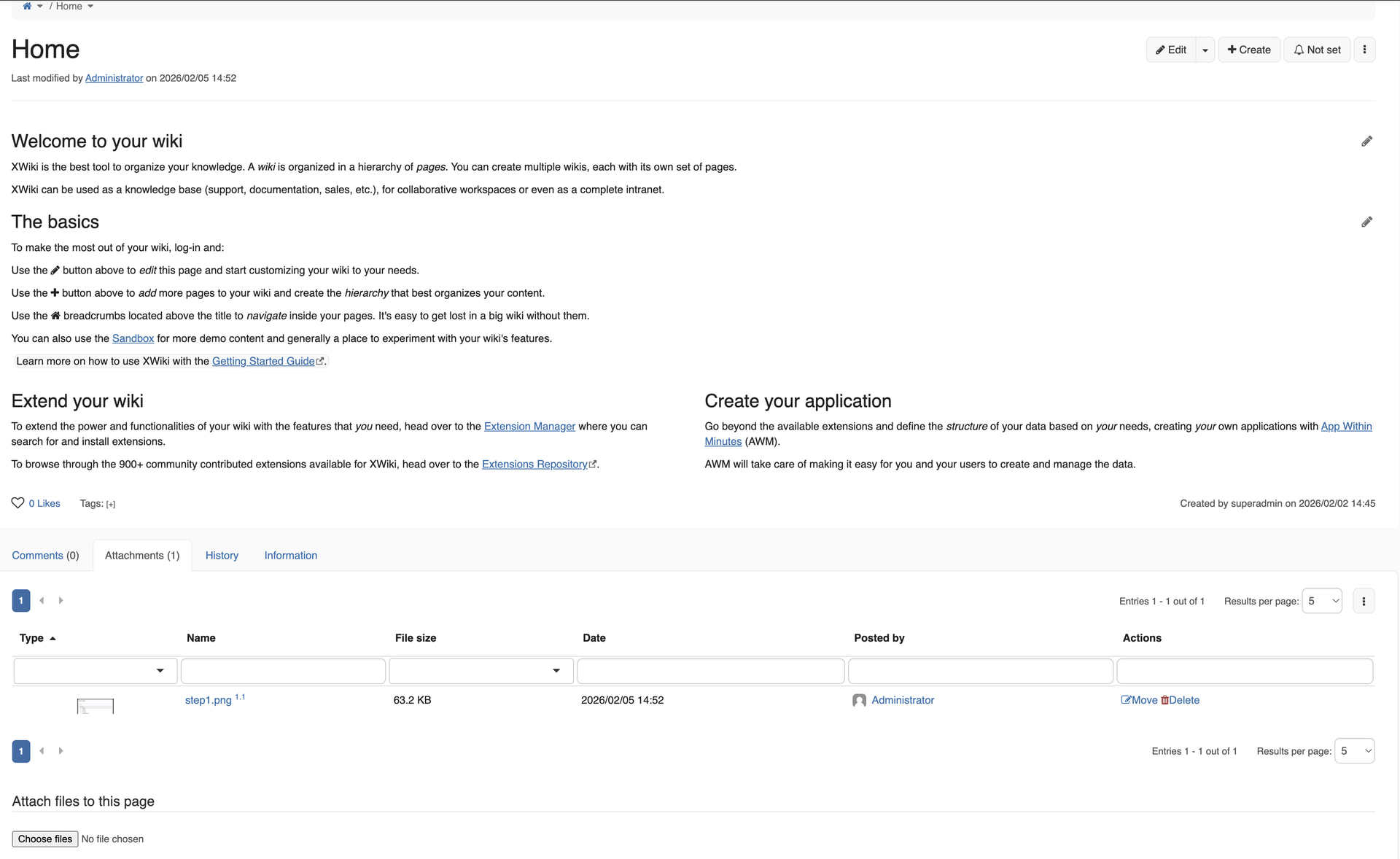
To alleviate this problem, we can change this element to something in between from what we had before (too light) to what we have now (too strong). See below some ideas.
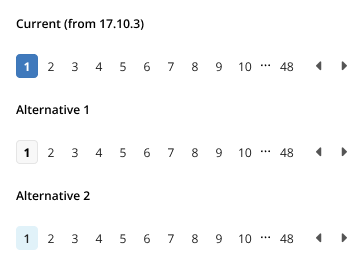
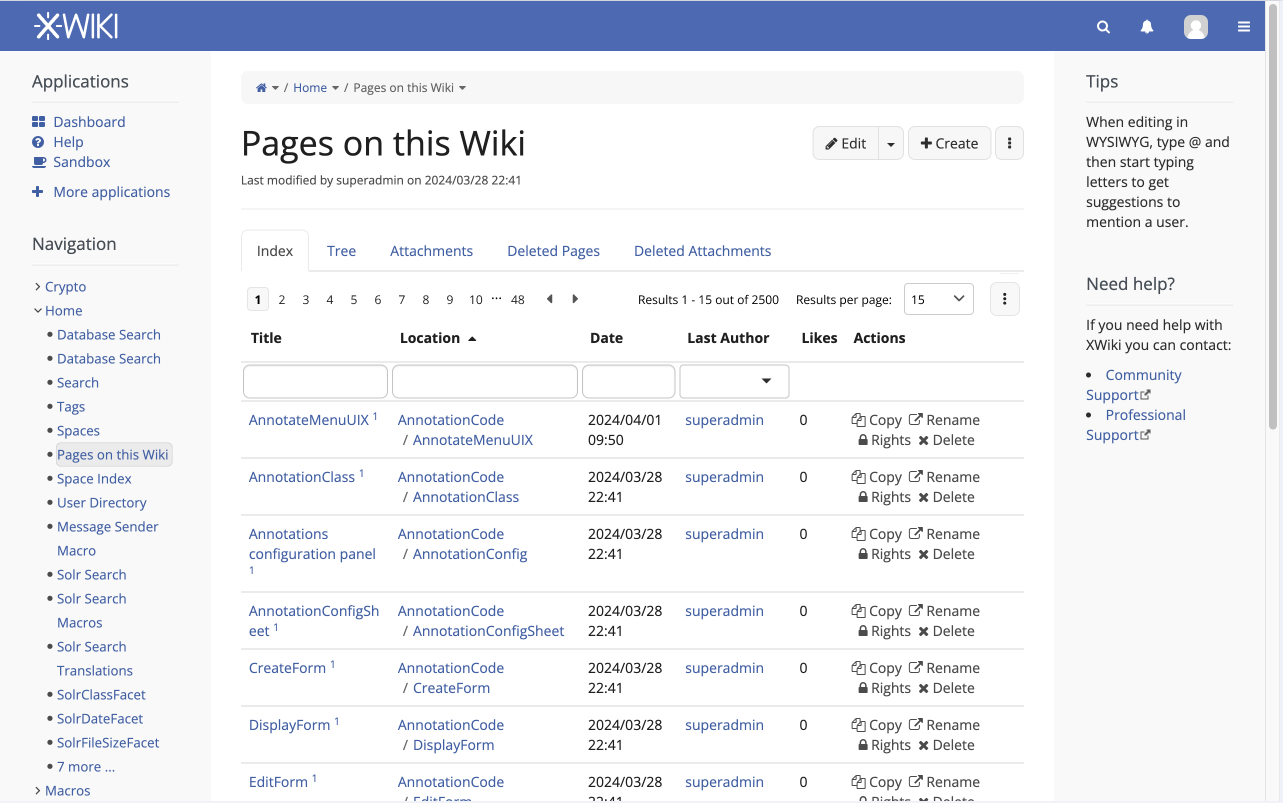
Alternative 1 takes colors from the main edit buttons and sticks with the bold font from the original component.

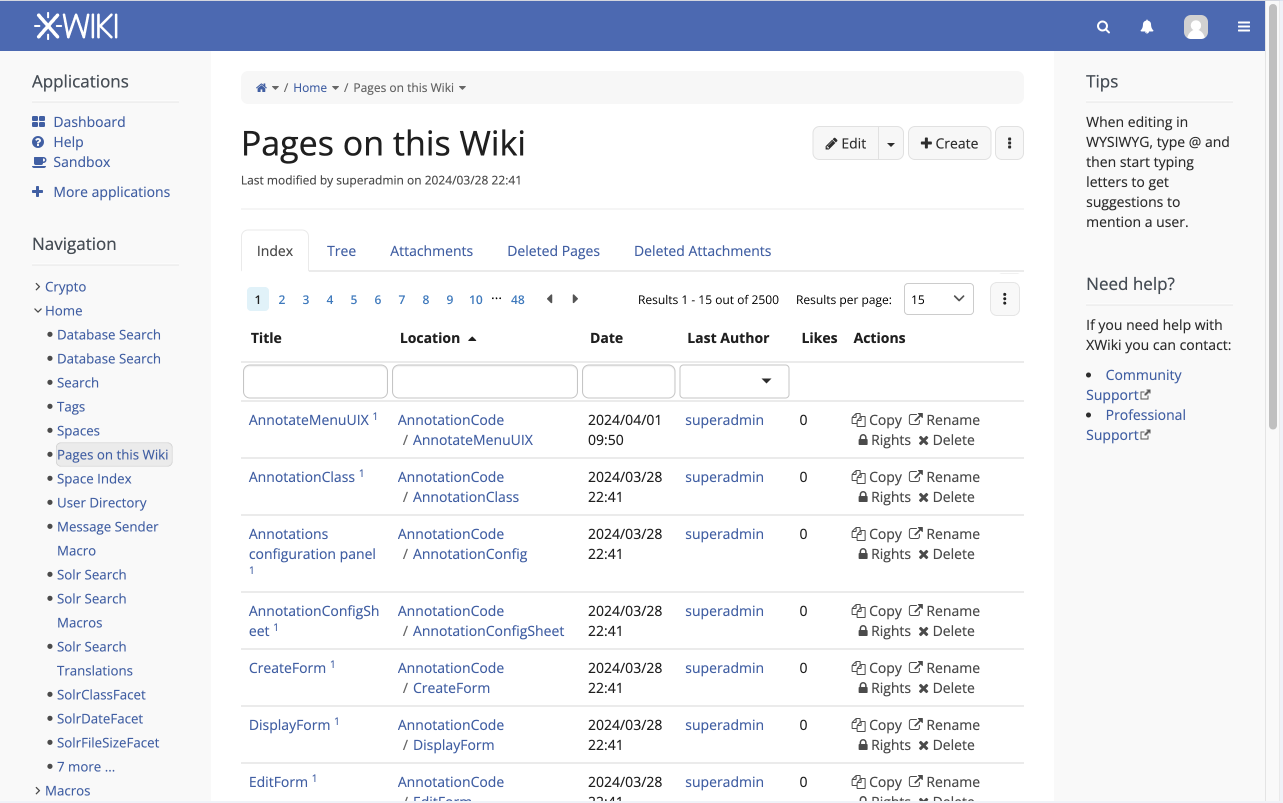
Alternative 2 uses the “info” colors from the color theme, the font is still bolder than the rest, but not as much as alternative 1.

See below these changes in context.

Alternative 1
Alternative 2
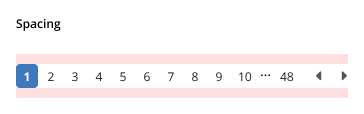
Spacing issues

Another point raised during conversation on # xwiki chat (and also on the original PR, which I failed to address) is that these elements lacks proper margins. I don’t know if this is new or not, but I suggest having @padding-large-vertical from the standard Bootstrap .less classes, this would translate to a 10px safe margin on top and bottom of the element.
Let me know what you think, do you prefer alternative 1, 2, something else perhaps?

Thanks!

1 Like

Thx Thiago. I like alternative 1.

The margins look ok but would need to see it in context in the User admin UI and the Page Index to be sure.

Thank you for working on this, Thiago!

For alternative 2, I think that the color of the info macro seem out of place in some contexts. The shade of blue used there is different from every link on the page, and since the pagination seems to usually be close to links, I think it still draws attention.

Meanwhile, alternative 1 just feel like it fits. It doesn’t add “unnecessary” colors that may not be present on the page otherwise. I also think that the bigger font weight makes it easier to spot at a glance what page you’re actually on.

So for me, +1 for alternative 1.

Thank you Thiago!
+1 to alternative 1 from me

Note that for alternative 2 it’d make sense to use the info box text color, which is dark blue when using the default colortheme. But in any case, I think it makes more sense to stick to a button color palette with this element :slight_smile:

I’m not convinced. It is styled like a button even though it is the only item from the “list” that the user is not supposed to click.

Thanks,
Marius

Good remark. I had also proposed an underscore to show the selected page but that could also be confused as something to click.

Do you have a proposal @mflorea ?

I noticed that when you hover a page number you get a border around it. So it would make sense to me that when you select that page number the border stays, maybe with a better contrast. Something like:

Some may argue that this is not consistent with the other places where we show the selected / active items, like in the Administration menu. There we use the (gray) background. In this case, we could go with something like:

i.e. drop the border. My worry is that is we keep the border it would look like a button. Now, to be fair, all those are buttons under the hood, but it feels strange to style as a button only the one that has no effect (you have no reason to click on it).

Thanks,
Marius

Personally, I’m fine with this option. We use gray on the main menu and breadcrumb page menu also.
@vmassol @CharpentierLucas @gabrielc WDYT?

LGTM

LGTM for the active page style :+1:
Should it be the exact same style as the hover? How do we differentiate the hover from the active page ?
Maybe we leave the hover as border only and fill it up for the active page.

3 Likes

Yes I think that’d be case. One thing to keep in mind when doing this is to not have the hovered element change position because of the 1px border to each side. A transparent border on all elements (hovered or not) should work.

1 Like

I think it looks just as good. Bonus points for consistency if this approach is used in other places as well. +1

So I think we have an agreement on style proposed by @mflorea

Thanks everybody for the participation, I’ll update the proposals and Jira with the result of this discussion.

2 Likes