Missing font awesom icons in navigation pannel

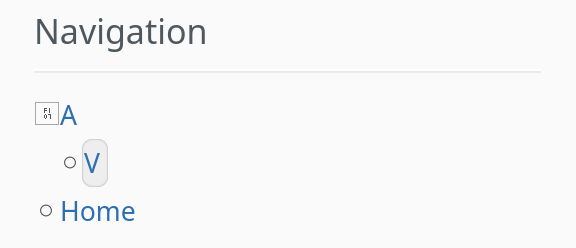
I just updated from 17.10 to 18 and I’m missing some of the Font awesome icons in the navigation panel. specifically f105 and f107. I suppose this is related to the upgrade to FA 7.0.1? I saw that there was some discussion in Jira XWIKI-15026 , but I don know if this is directly related.

Probably I did something wrong (or did not do something right) but I don’t quite know how to approach fixing this. I guess, I could make a style sheet extension replacing them with icons that are available, eg. f150 and f152, but I’d rather solve the underling issue.
Any help/guidance would be appreciated

Hello @SamuelGerster,

Thanks for your report.

Just to be sure we are on the same page, does your navigation panel looks like this after the upgrade?

I noticed this on 18.0.0 as well.

cc @MichaelHamann and @tkrieck

Oh no, looks like something went wrong during the last fixes for the Font Awesome icons in the navigation panel…

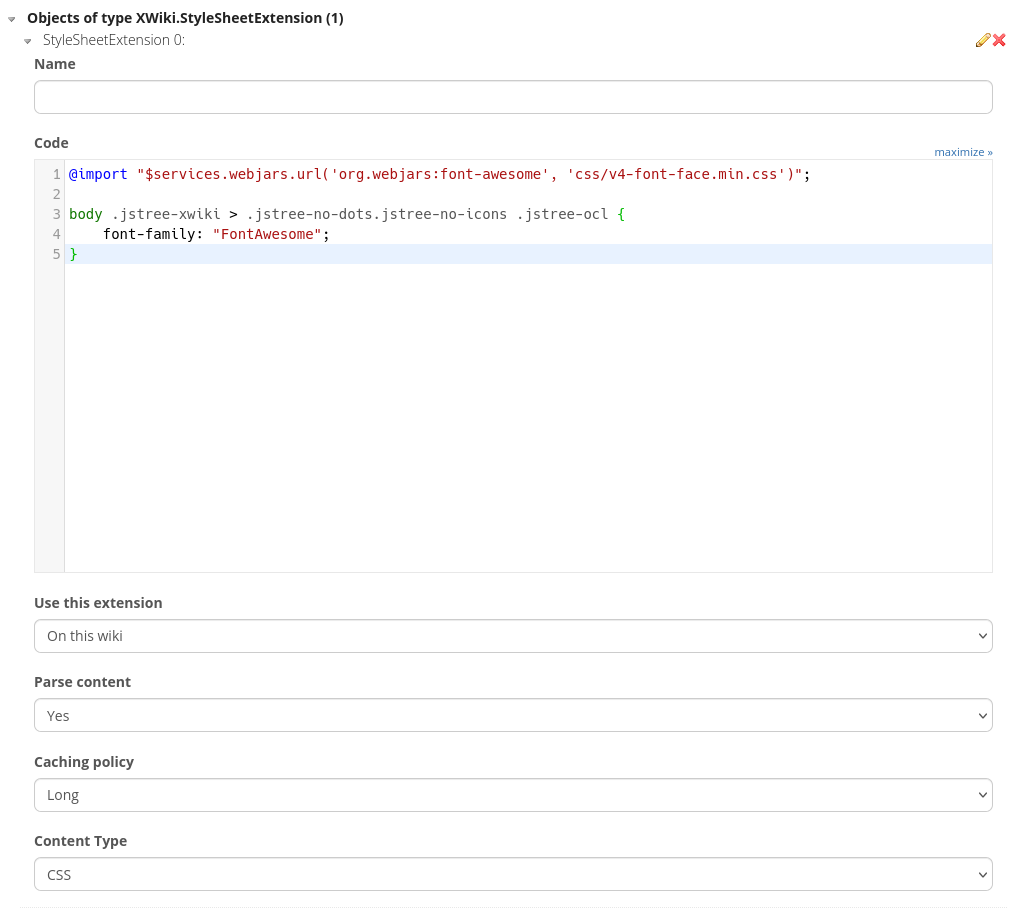
As a workaround, you can create a page with a style sheet extension with the following content:

@import "$services.webjars.url('org.webjars:font-awesome', 'css/v4-font-face.min.css')";

body .jstree-xwiki > .jstree-no-dots.jstree-no-icons .jstree-ocl {
    font-family: "FontAwesome";
}

“Use this extension”: “On this wiki”, “Parse content”: “Yes”, “Caching policy”: “Long”, “Content Type”: “CSS”:

At least for me, this fixes the issue.

We’ll look into properly fixing this as soon as possible, either replacing the icon references or loading and using the v4 font face.

I’ve reported XWIKI-23965 for this regression.

1 Like

Update: You don’t need the first line with the @import, the font is already loaded. You can then also change “Parse Content” to “No”.

yes, exactly. the circle is still here, the angle arrow thingies are missing

I’ll try it on Monday. Tank you so much for the prompt reply.

Worked beautifully.

Thank you

1 Like

XWiki 18.0.1 has been released including a fix for this problem (it’s basically the same fix). So you can upgrade and then remove the custom CSS.

1 Like