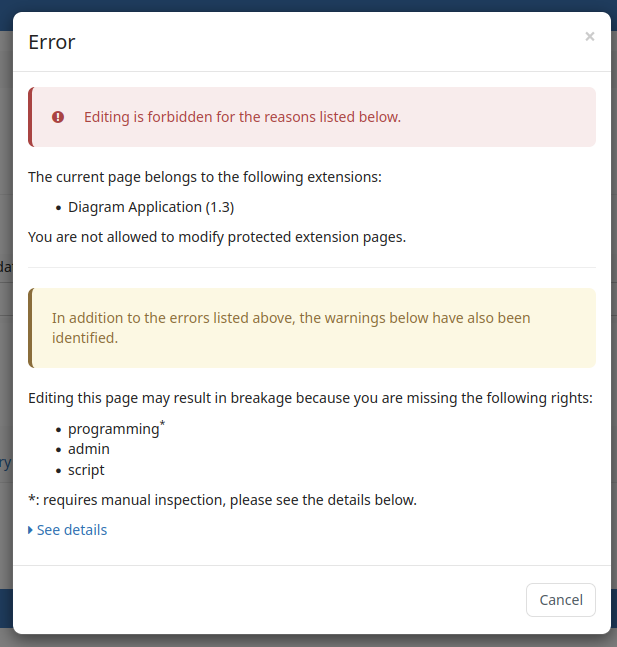
Hello, I looked through the pages with enforced rights in Admin-Tools and saw that most of them were editable by regular users. There is the warning dialog but users can confirm and break the underlying XWiki/Extension functionality like this because they lack e.g. programming permission. I had to check these pages and harden the permissions myself.
I did this on a clean install with default permissions, did I overlook a setting to harden permissions? I am feared users could break the instance when they can edit such pages by default.
Hello!
This is a topic we’re active on: Loading...
The idea is that extensions will eventually use this system too, but the update is in the hands of each extension contributors.
AFAIK you did not miss anything. This feature is quite recent so it’s still a bit rough around the edge on some aspects.
@MichaelHamann would definitely know if there’s a way to apply required rights quickly or if there’s any plans for this
There is actually a setting in xwiki.properties for this:
#-# [Since 10.5RC1]
#-# Indicate how extension documents are protected.
#-#
#-# The possible choices are:
#-# * none: no protection at all
#-# * warning (the default): everyone get a warning when trying to edit a protected document
#-# * deny = EDIT/DELETE right is denied for everyone except for admins who just get a warning
#-# * forcedDeny = EDIT/DELETE right is denied for everyone, admins can't force edit/delete
#-# * denySimple = EDIT/DELETE right is denied for simple users except for simple admins who just get a warning
#-# * forcedDenySimple = EDIT/DELETE right is denied for all simple users, simple admins can't force edit/delete
# extension.xar.protection=warning
Setting this to deny or forcedDeny should give you quite some more protections, but I fear this hasn’t been tested much - let us know if you should run into any issues.
There is currently no way for this, I’m currently working on a simple admin dashboard (see Loading...) but it won’t be a quick fix for this. Unfortunately, it is quite some work to check all pages what rights they actually need and to make sure that nothing is broken - and it competes with other important topics on the roadmap. As mentioned above, this setting in xwiki.properties could give you a quick way to protect all extension pages.
Thanks for the quick answer. We will be using XWiki as an private wiki in the company so the users could be trusted. I still think that the standard behaviour is potentially risky.
The extension.xar.protection setting is very promising. It locked down all pages except the Home page (likely not an extension page but required as WebHome and has children pages from extensions, e.g. document index), Dashboard (makes sense to be editable) and Mail.MailResender.
The UI when trying to edit protected extension pages is inconsistent but functional. I have seen both a popup and a page related to the protection and a mix of the protection and warning (see below).
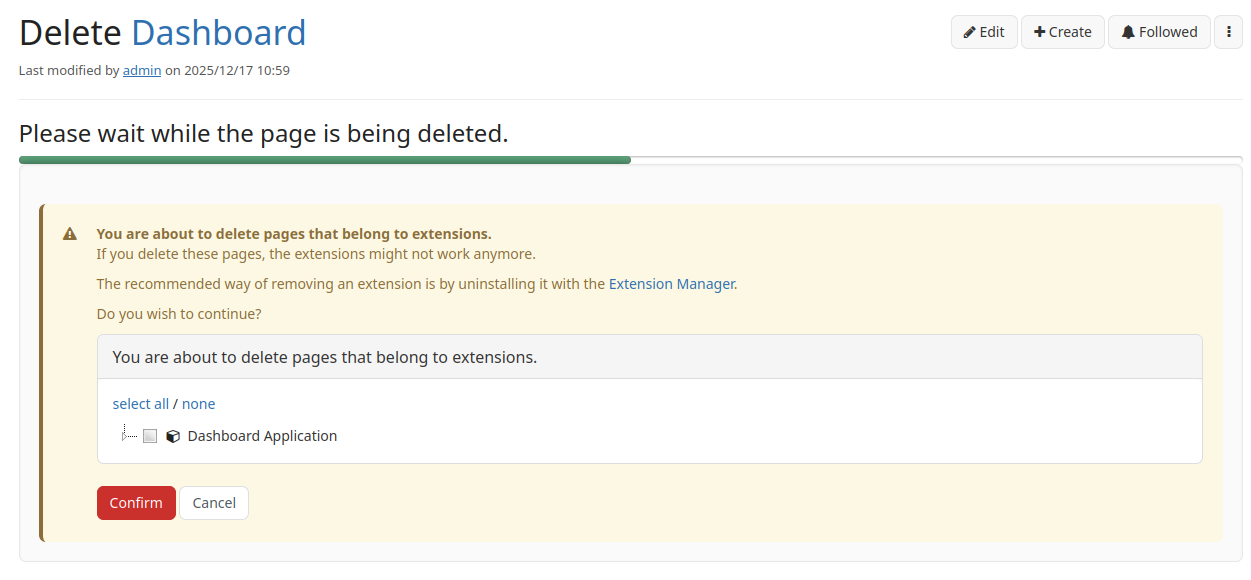
The deletion of the protected documents does not seem to be protected. Unless the page contains a class object, I can easily delete even protected pages by confirming the warning (see below). It shows progress and a success status after but the page still seems to exist (I cannot see a recreation/recovery in page history).
By the way, is there a reason the default WebHome has children pages from Page Index, User Index, Application Index and Solr Search Application? Extensions should not put their documents anywhere and hide it, except when it is related to content or required.
It is an extension page, but it’s one of the extension pages which is explicitly configured to be customizable (so it does not get the extension page EDIT protection).
That is a bug to me and should be fixed. If you could report a bug with some reproduction steps at https://jira.xwiki.org/ that would be great. Taking editable pages as example like Dashboard might not be the best, though.
I agree that it’s not nice that home page has children pages, but it’s unfortunately hard to fix that as it would break links to those pages.
And as @tmortagne noted, some pages are explicitly marked to be editable. For example, the main page can be modified as you wish, as long as you don’t move it with its children, nothing should break.
We were not very good at clearly separating extension code and pages like extension configuration so we unfortunately have some pages that contain both. We will possibly fix some of those when working on enforcing required rights, for example, from a short check the Dashboard can’t really stay that way.