As part of a recent usability pass, I identified several areas where the current navigation experience could be improved. This post outlines the key issues and presents my proposal to address them.
Top Issues
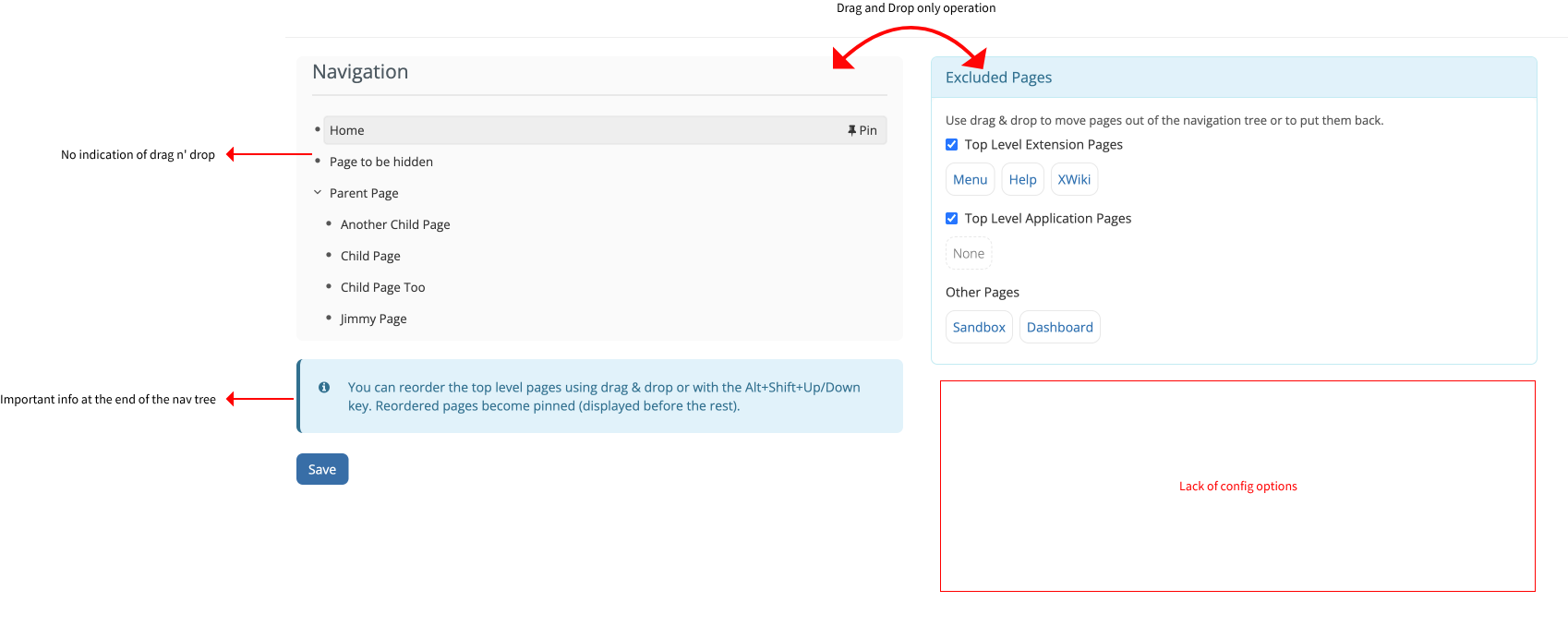
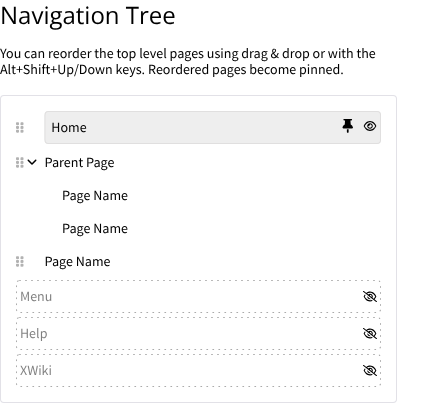
Drag-and-drop only actions: These interactions are not always intuitive or accessible.
Lack of visual aids for drag-and-drop: The current interface relies solely on text, which limits discoverability.
Important information that can be hidden by very tall navigation trees.**
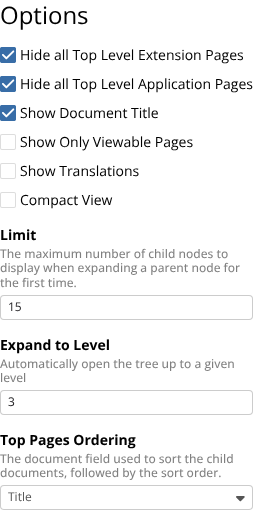
Missing configuration options: Several useful settings available in the Document Tree Macro are not included in the default navigation.
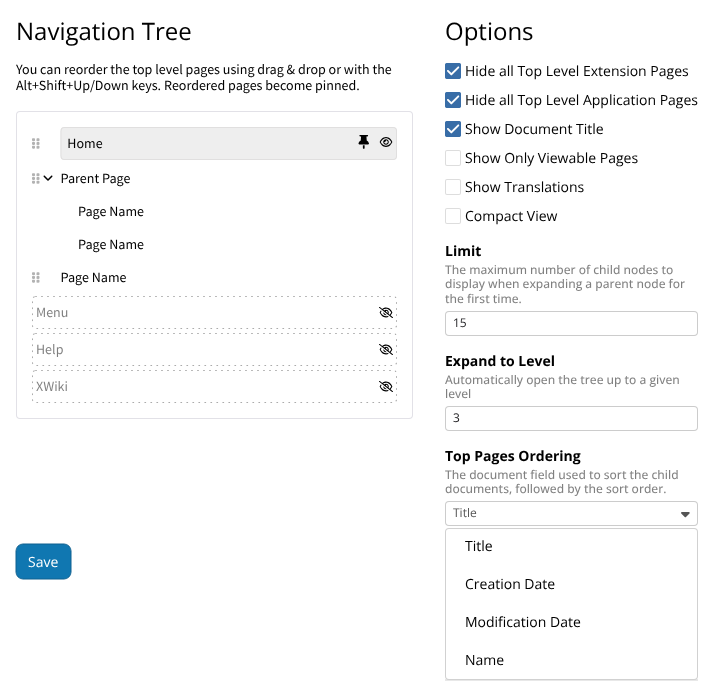
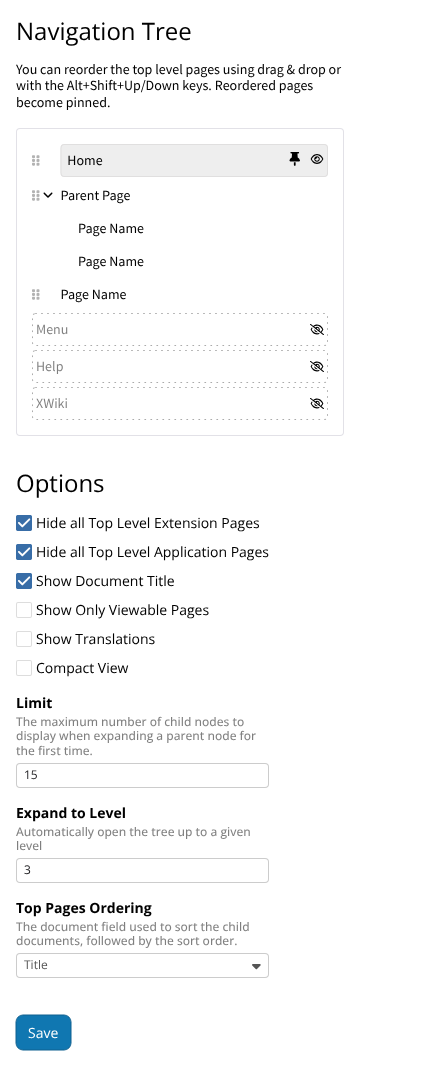
To support more flexible customization, especially for admins, I’m proposing the addition of a selected set of parameters from the Document Tree Macro. Some of these were requested in tickets like XWIKI-21841.
New Options Focus
I prioritized on/off switches that are easy to understand and configure.
The focus is on options that directly improve the experience of using and managing the navigation tree.
I also renamed all “exclude” parameters to “hide” to align with the updated UI language.
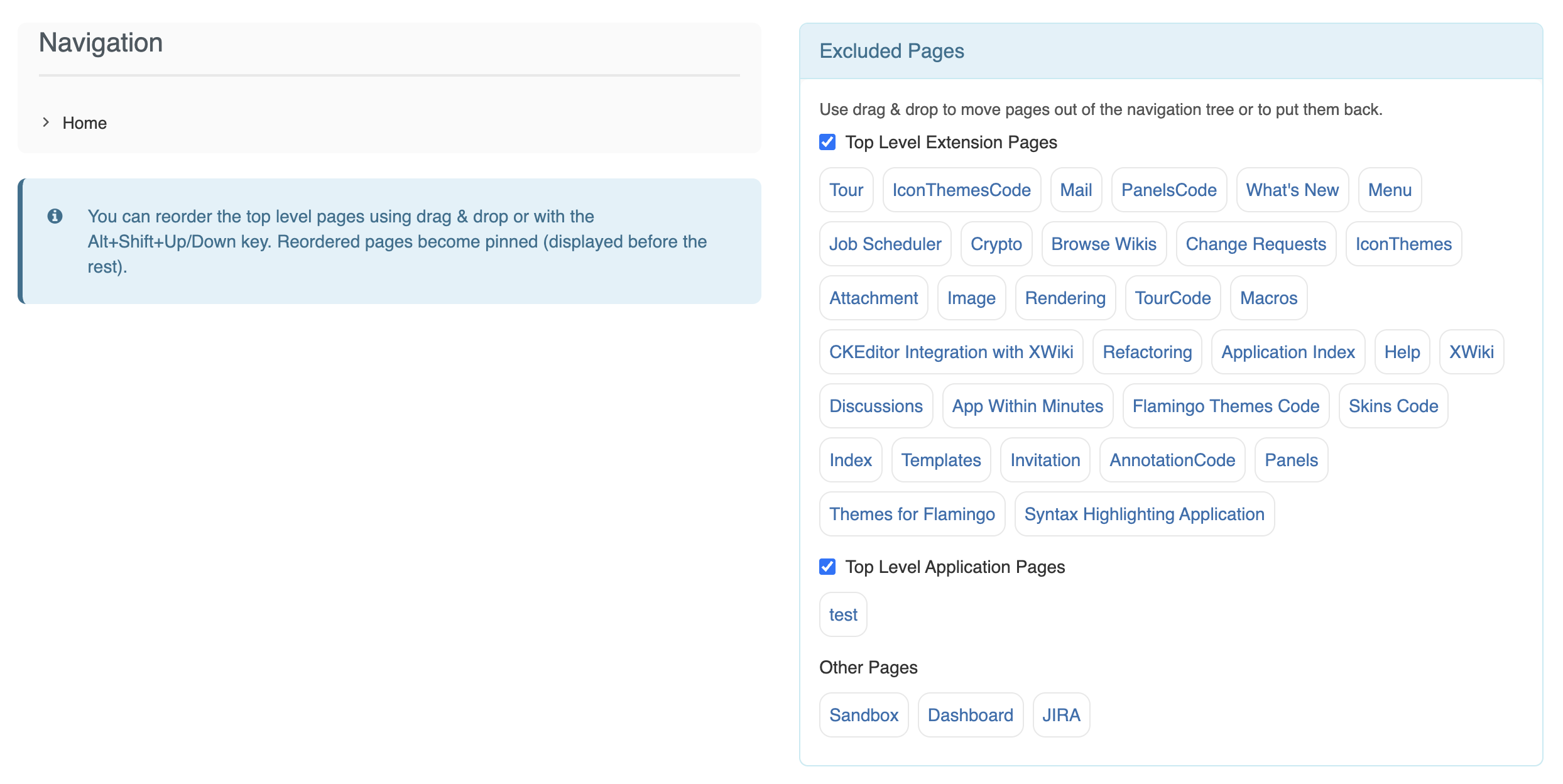
My only comment is that this tree can become very large. For ex on this very simple wiki with very little extensions installed, there are 36 entries that would appear in the tree:
Same comment. I don’t think “Hidden” is the proper terminology here.
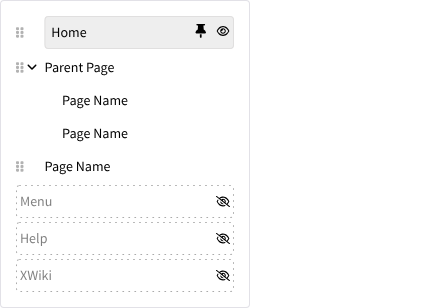
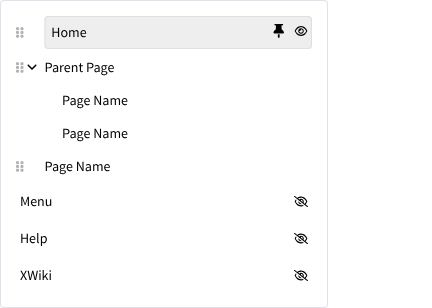
We’ll have to see how easy it is to add that drag icon to the jsTree layout, which is not very flexible.
You lose the WYSIWYG aspect. One of the goals was to have a quick preview of how the navigation tree will look like without reloading the page.
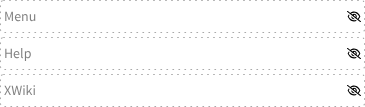
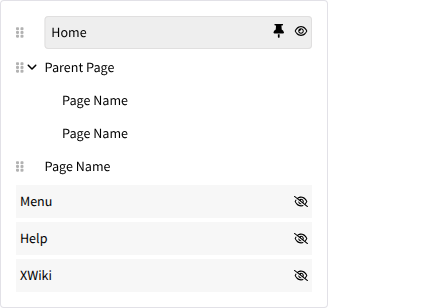
I find the dotted border a bit confusing. This kind of border is often used to designate an area where you can drop something, or the item that is currently being dragged.
In addition to the dotted border mentioned by Marius, I wonder if the gray text lacks contrast with the background, which could lead to accessibility issues.
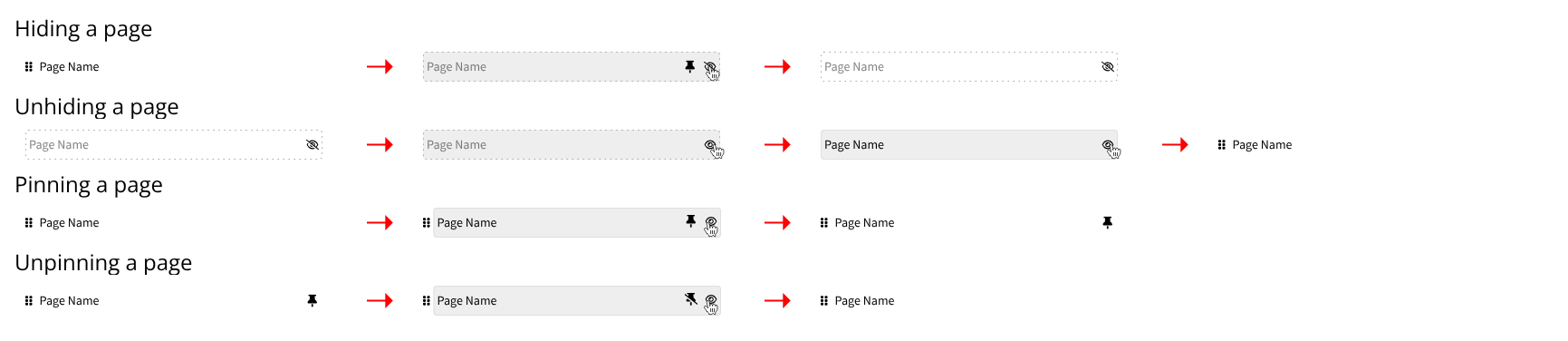
About hiding pages in XWiki, how do I turn them to visible pages again?
If it’s something that’s not possible to do, we can try to find something that works. It’s hard to do right now though, not knowing the limitations.
Regarding the text color, indeed, I changed them to the same color of the other pages.
The dots are there mainly for cohesion and visual align with the eye icon on the right. I did an example without them, but the icon feels kind of lost when there are a lot of pages removed.
To wrap up the proposal, here is a quick recap of the main topics we are keeping based on the feedback:
Terminology: Keeping “Excluded” instead of changing it to “Hidden”.
Visual Feedback: Use the solid background variation to indicate excluded items, removing the dotted borders (to avoid drop-zone confusion) and keeping the standard text color for accessibility contrast.
Interactions: Adding visible action buttons to replace drag-and-drop-only operations. Investigate the feasibility of the drag icon with jsTree during implementation.
Configuration: Adding the selected on/off parameters from the Document Tree Macro to improve customization.
Let me know if everyone is on board with these final definitions. Thanks again for the feedback.
If there are no objections by August 14th, I plan on solving this topic and marking the proposal accepted with the feedback above.