I remember moving away from the distribution-provided Tomcat packages because the Linux distribution’s support policy and XWiki’s support matrix no longer aligned well. I don’t recall the exact reasons, but I believe security considerations played an important role. If I remember correctly, I needed to migrate to Tomcat 10, which was not readily available through the distribution packages at the time.
The current software stack is composed of:
rjr@e220i057h096l:~$ cat /etc/lsb-release
DISTRIB_ID=Ubuntu
DISTRIB_RELEASE=22.04
DISTRIB_CODENAME=jammy
DISTRIB_DESCRIPTION="Ubuntu 22.04.5 LTS"
rjr@e220i057h096l:~$ sudo /opt/tomcat/bin/version.sh
Using CATALINA_BASE:   /opt/tomcat
Using CATALINA_HOME:   /opt/tomcat
Using CATALINA_TMPDIR: /opt/tomcat/temp
Using JRE_HOME:        /usr
Using CLASSPATH:       /opt/tomcat/bin/bootstrap.jar:/opt/tomcat/bin/tomcat-juli.jar
Using CATALINA_OPTS:
Server version: Apache Tomcat/10.1.60
Server built:   Sep 9 2026 22:35:59 UTC
Server number:  10.1.60.0
OS Name:        Linux
OS Version:     6.8.0-138-generic
Architecture:   amd64
JVM Version:    21.0.12.1+1-1-22.04.4-Ubuntu
JVM Vendor:     Ubuntu
APR loaded:     false

Third-party libraries:
  jakartaee-migration-1.0.12-shaded.jar: 1.0.12
  ecj-4.27.jar:                          3.33.0.v20230218-1114
rjr@e220i057h096l:~$ mysql -u xwiki -p -N -B -e "SELECT VERSION();"
Enter password:
8.0.46-0ubuntu0.22.04.4
rjr@e220i057h096l:~$
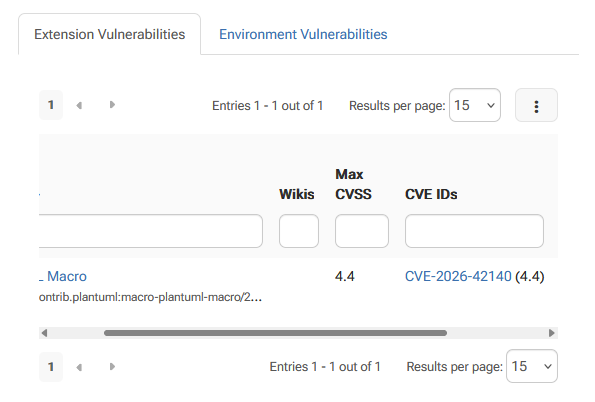
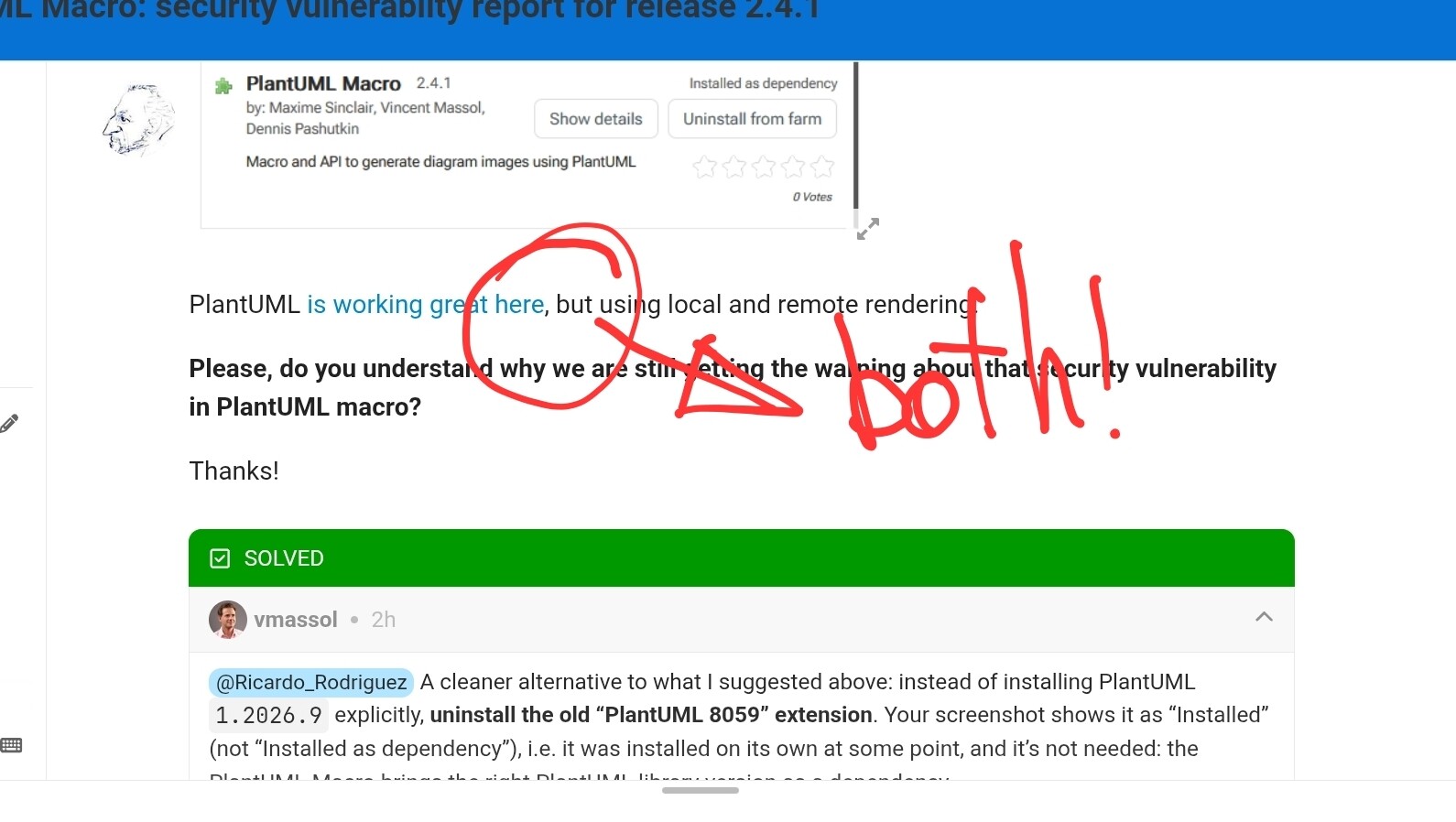
I’m preparing an update to 18.8.0, but before I would lilke to eliminate or at least understand all security vulnerabilities warnings offered by the Security Vulnerabilities extension. I understand that it is currently experimental.
The list in the Extension Vulnerabilities tab contains only one entry:
Could you help me, please? I won’t try anything like uninstaling/reinstalling the extension until I get a better understanding of what is going one here. I’m happy to get an updated XWiki instance, and an updated PlantUML Macro. And I was really happy to have started creating nice PlantUML diagrams! I hope I can soon recover that functioning!
Thanks for the detailed report and screenshots, they made the diagnosis easy.
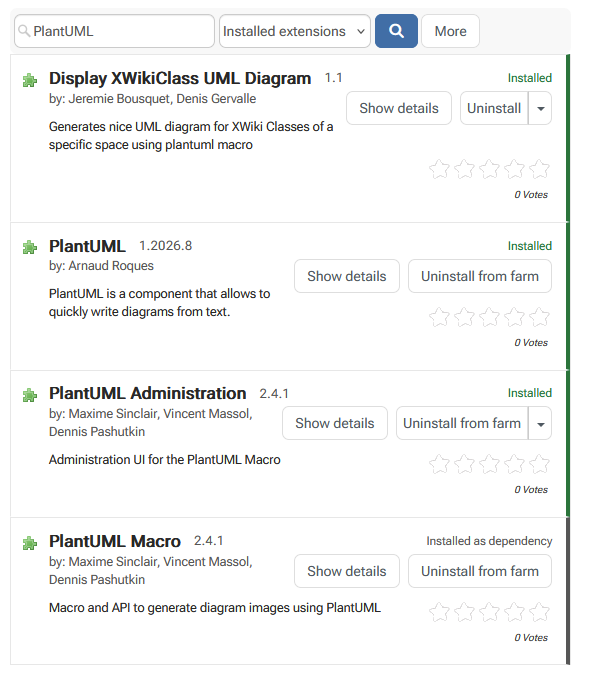
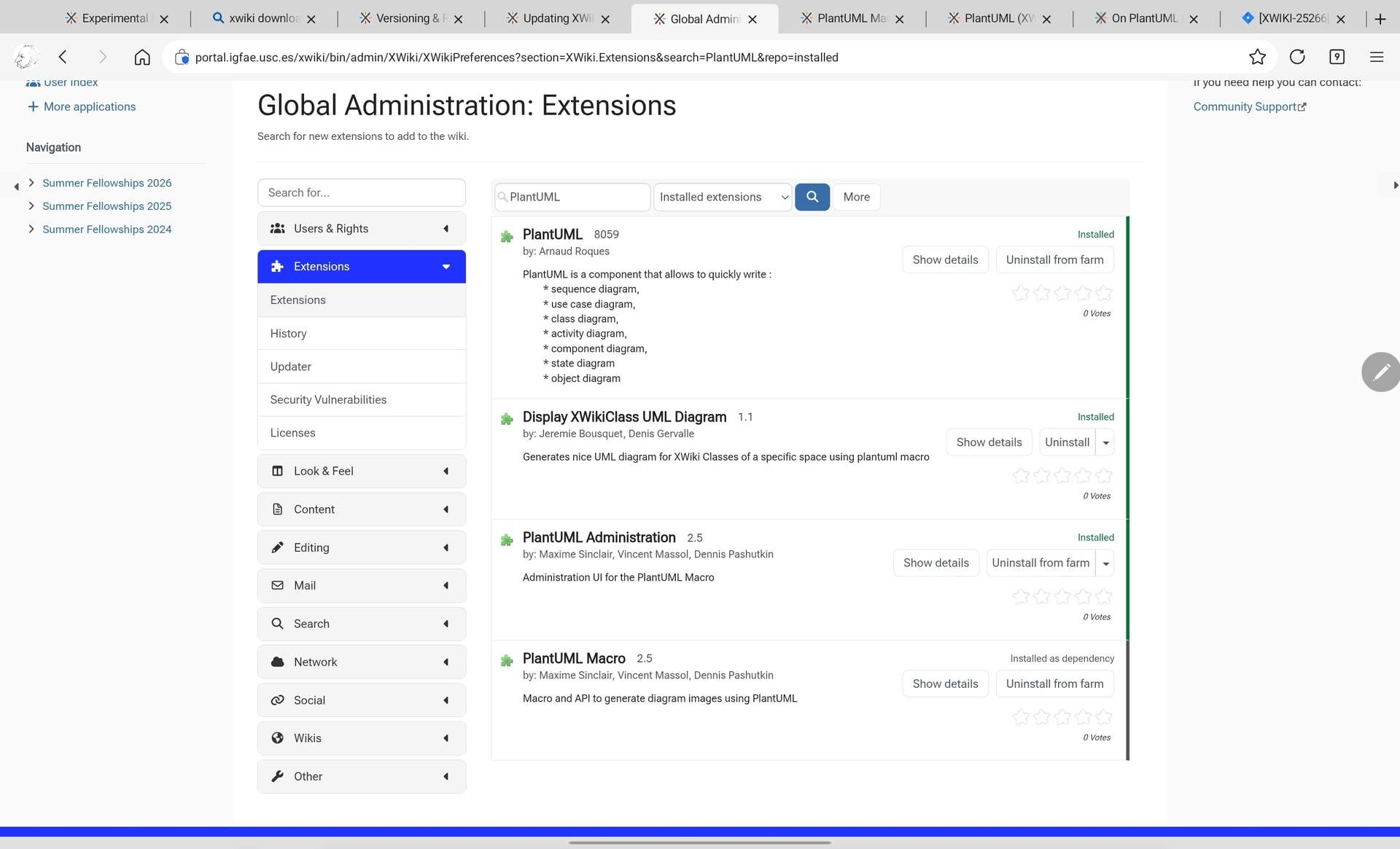
The problem isn’t XWiki 18.9.0 or PlantUML Macro 2.5 as such. Your wiki has a very old version of the PlantUML library installed: PlantUML 8059 (from 2015). It’s the “PlantUML 8059 by Arnaud Roques” entry in your second screenshot.
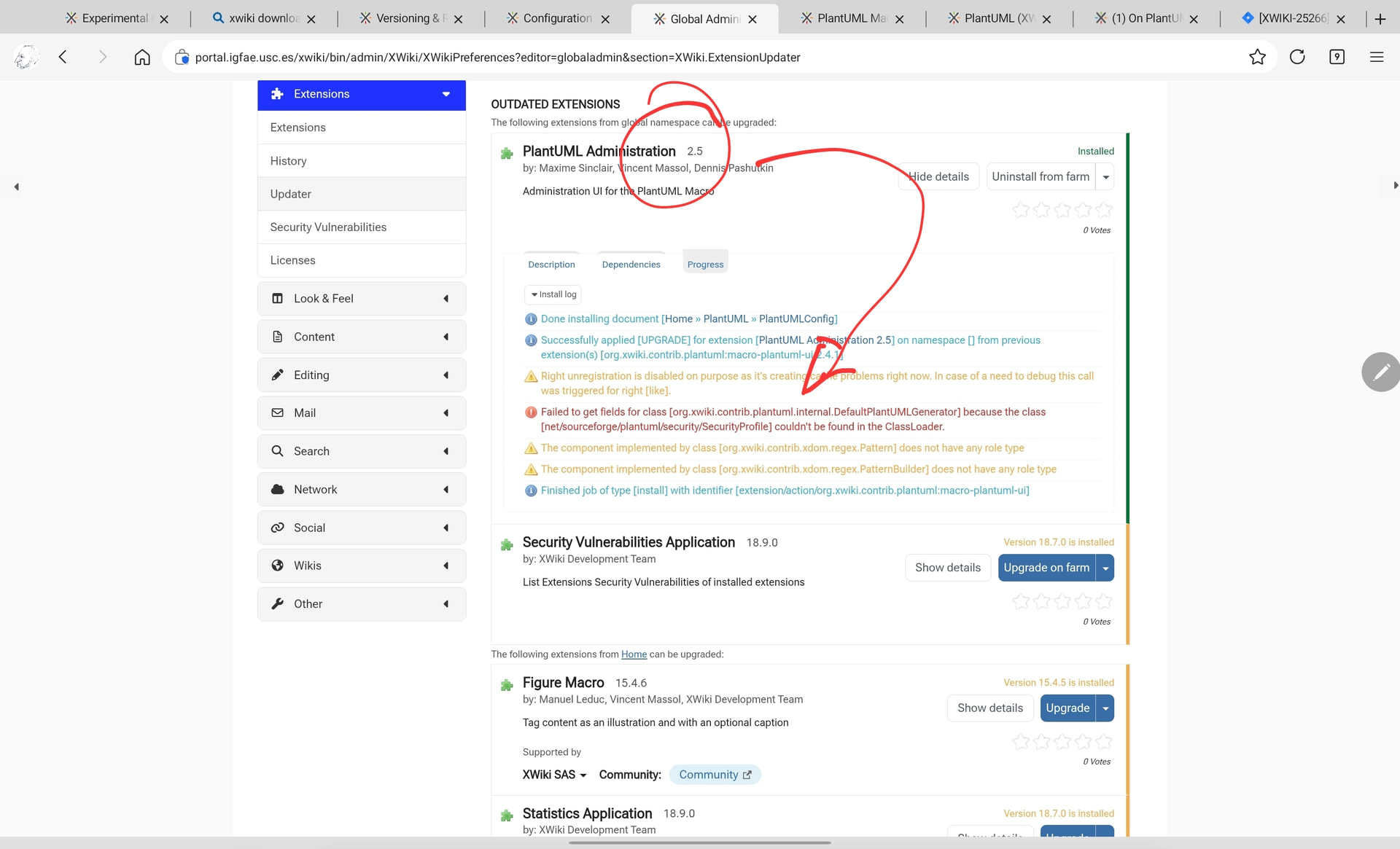
PlantUML used to have 4-digit version numbers (8059) and later moved to 1.YYYY.N (the macro 2.5 needs 1.2026.9). The Extension Manager compares versions numerically, so it thinks 8059 is newer than 1.2026.9 and keeps it instead of installing the version the macro needs. PlantUML Macro 2.4.1 happened to work with that old library, but 2.5 uses newer PlantUML APIs (the configurable security profile) that don’t exist in 8059. That’s the red error in your install log (SecurityProfile couldn't be found in the ClassLoader), and it’s why the macro isn’t registered anymore (“Unknown macro: plantuml”).
To fix it, replace the PlantUML library with the right version, on the farm (root) namespace:
Go to Administration > Extensions, click More > Advanced search and enter:
Extension id: net.sourceforge.plantuml:plantuml
Version: 1.2026.9
Install it. This should replace version 8059.
Restart your servlet container so the macro is loaded against the new library.
Before doing it, it’s worth checking what requires 8059: open the “PlantUML 8059” extension details and look at which extensions depend on it. If the Extension Manager reports a conflict during step 2 (for example with “Display XWikiClass UML Diagram”), please post the message here and we’ll look at it.
Note also that, because of this, your diagrams were rendered by the 2015 PlantUML library even with macro 2.4.1, so it’s good to fix this anyway.
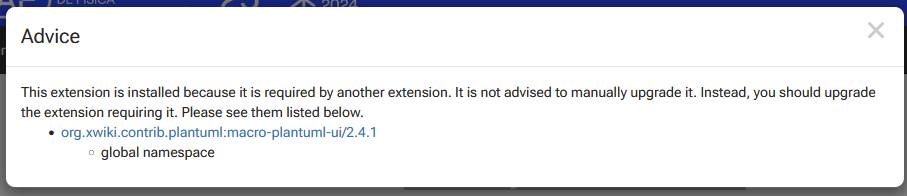
@Ricardo_Rodriguez A cleaner alternative to what I suggested above: instead of installing PlantUML 1.2026.9 explicitly, uninstall the old “PlantUML 8059” extension. Your screenshot shows it as “Installed” (not “Installed as dependency”), i.e. it was installed on its own at some point, and it’s not needed: the PlantUML Macro brings the right PlantUML library version as a dependency.
A few things to know before doing it:
The uninstall will cascade. Since PlantUML Macro 2.5 currently relies on 8059 for its PlantUML dependency, the Extension Manager will also propose to uninstall PlantUML Macro 2.5, PlantUML Administration 2.5 and probably “Display XWikiClass UML Diagram”. It shows you the list before applying anything, so this is expected.
Keep your configuration. Uninstalling PlantUML Administration touches the PlantUML.PlantUMLConfig page, which holds your settings (e.g. your PlantUML server URL, since you use remote rendering). When the Extension Manager asks what to do with modified pages, choose to keep them, or note your settings beforehand.
Then reinstall PlantUML Administration 2.5. It will bring PlantUML Macro 2.5 and the PlantUML 1.2026.9 library. Reinstall “Display XWikiClass UML Diagram” too if you use it, and check that it doesn’t pull PlantUML 8059 back (if it does, tell us here).
Your pages are safe. The diagrams in your own pages are content and aren’t affected by the uninstall.
If the uninstall turns out to be a problem, the explicit install of 1.2026.9 described in my previous post remains a fallback.
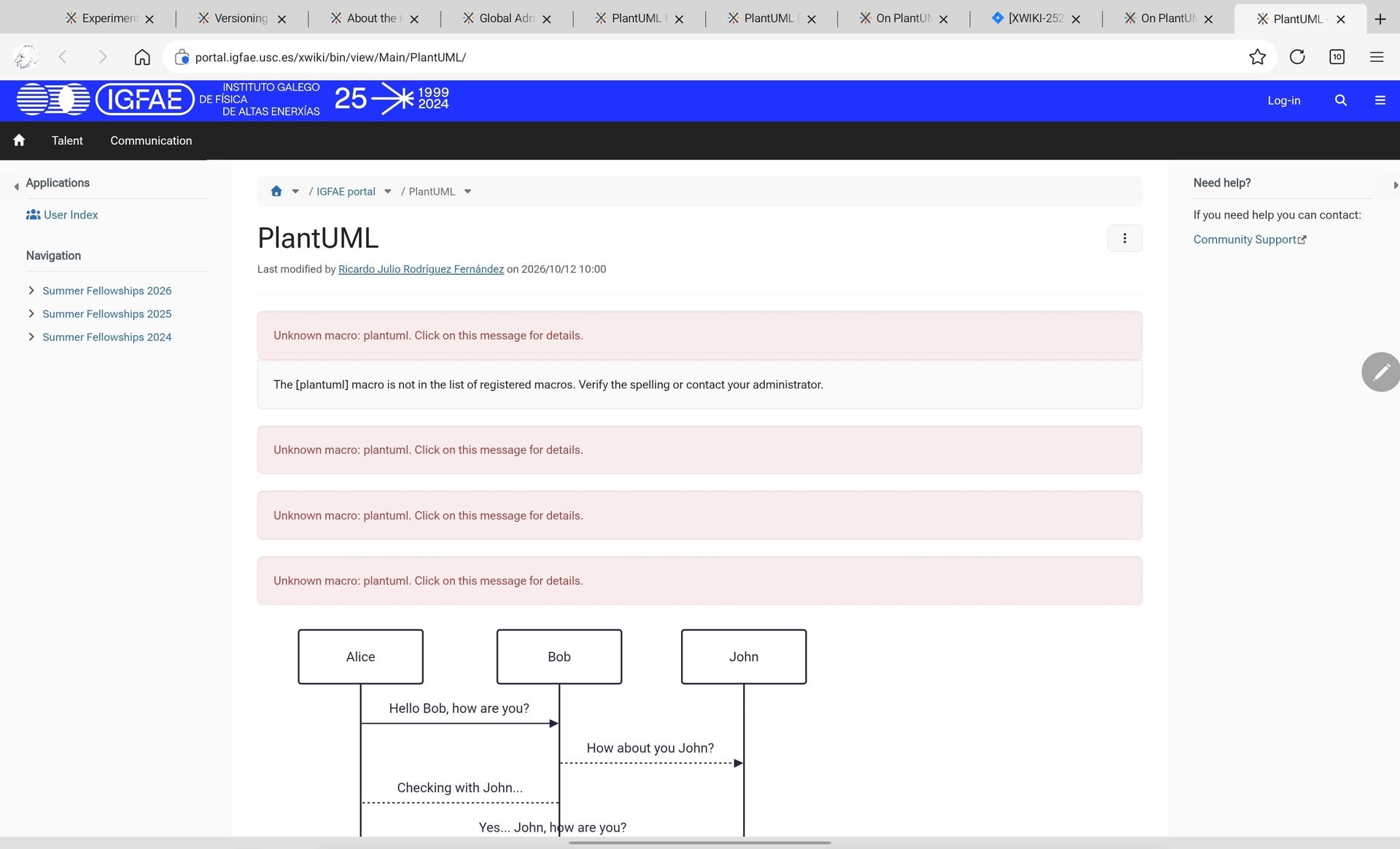
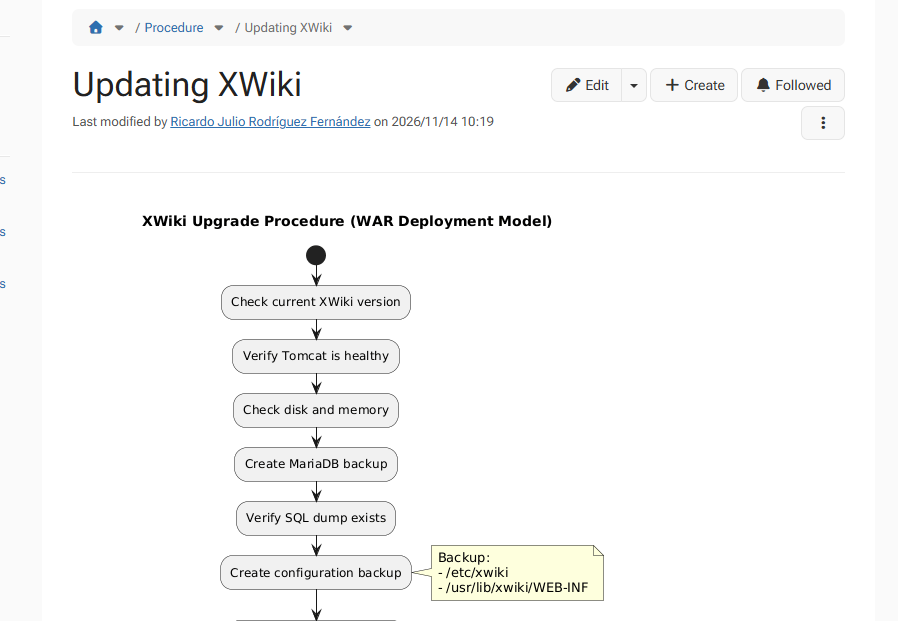
Up and running! Thanks! Allow me to reflect a bit before completing the answer. By now, a link to a working PlantUML page: Updating XWiki - XWiki
And a screenshot as evidence of proper functioning:
After reviewing the process, nothing fancy to add! We, including Claude and Copilot, transformed an old XWiki instance into an up-to-date 18.9.0 one. As always, I’m more than happy to have the opportunity of learning with the XWiki Team! I’m doing my best to apply XWiki oppeness to my own environment. It is not just a matter of what you are doing. For me, it is even more relevant “how” you are doing it. As usually, thanks!