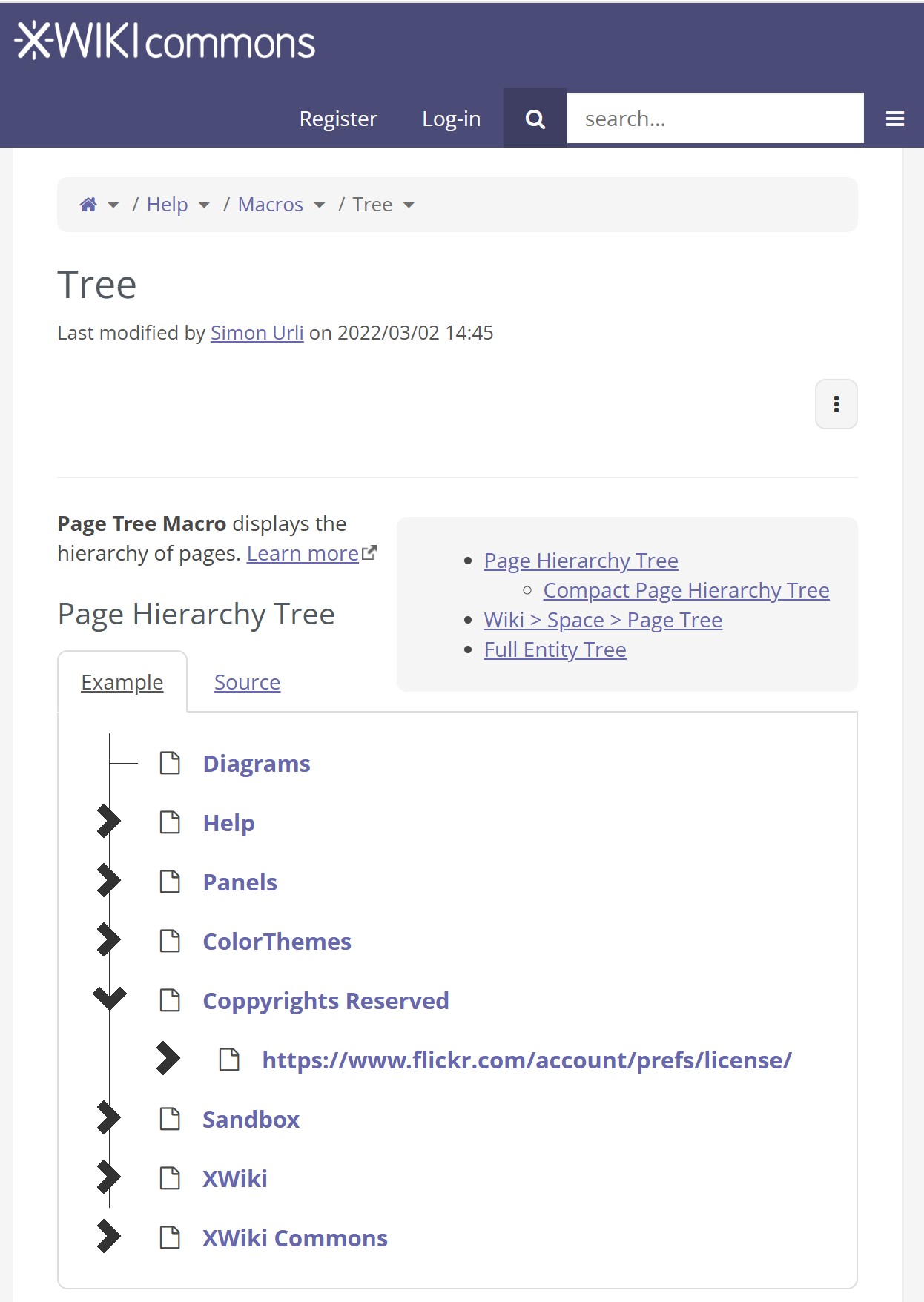
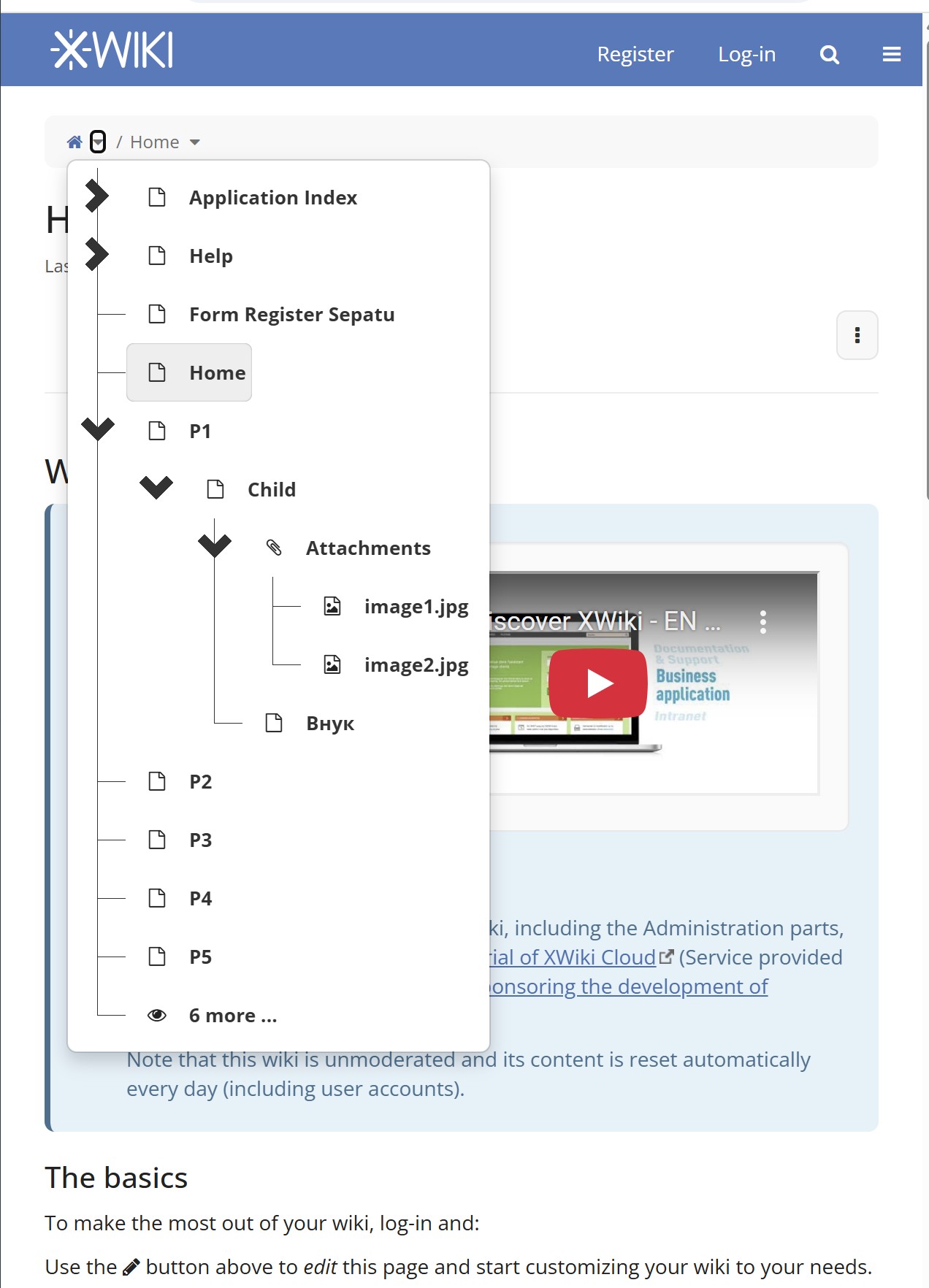
I apologize if this issue has well known solution, still after extensive search I have not found the guidance why Page Tree branching chevron icons get oversized on all devices and browsers when viewport gets reduced to Mobile width. This happens not only in mobile OS browsers, but in desktop browsers as well, when viewport with gets reduced. It happens on my PC and iOS and Android…
On the other hand, base Page Tree chevron icon, when in desktop viewport width, is very small and hard to spot for average user.
I hope that someone will be kind to direct me to proper guidelines on how to make XWiki visually more coherent.
Thanks for the report!
I agree that it’s not normal that the low screen-width icons are so much bigger than the regular ones.
It seems that it’s been like that since we decided to include jstree LESS files in XWiki back in 2014 at:
@mflorea Do you remember if it was intended, or if something was different with how this tree looks back then?
Note that in any case, this is a XWiki custom icon that does not use the iconTheme, we need to update that. Quite a few icons in the tree use @image-path to display from the CSS, ideally we replace them with actual DOM nodes with icons that change depending on the iconTheme. I’m not sure how much of this can be done because messing with the DOM from jstree can be a pain…
Thanks for the feedback. Having in mind that “Quite a few icons in the tree use @image-path to display from the CSS”, is there someone who would be interested to produce “temporary” solution by modifying current XWiki custom icons to appropriate size in low-widht viewports?
I myself am not sufficiently skillful to fiddle with the code, still I am ready to support solution by modifying graphic files to specification that someone kindly provide (I am proficient in computer graphics).
Hoping this might help, I will be waiting for additional feedback and directions.
For a temporary solution with graphic tool experience, I guess you could update the 32px.png and 40px.png files in the xwiki-platform-tree-webjar JAR your instance uses. It’s definitely not a clean solution that we’d want to share with everyone but it should be good enough to fix your problem.
As far as I understand, the small screen icons are the 40px ones:
AFAIK, that is the default responsive theme of jsTree, see https://jsfiddle.net/3q9Ma/221/ for instance. It uses large icons in order to be able to click on them more easily on smaller devices. So this behaviour is expected / by design.
Thanks a lot to all of you for the feedback and guidance.
Having in mind that, in the Breadcrumbs section, arrow icons for levels are of regular small size even when viewport is low-width responsive, and that other Page Tree icons (for page and documents) are of the modest size as well - it took me by surprise to learn that much larger chevrons are there by design only for page tree branching - kindly compare elements in the images of original post.
Kindly note that icons for the page elements that I can see at https://jsfiddle.net/3q9Ma/221/ are not the same as ones that I usually see in all XWiki instances that I have reached so far (.org and .com as well as personal tests) - kindly compare to images in original post.
I guess that visual coherence of all the respective elements would greatly contribute to smooth user experience and usability of Breadcrumbs and Page Tree, even more if all the respective elements (text size, chevron size, icon sice) get sized similarly to the elements of mainstream UIs (Android, iOS, etc).
I stay hopeful that comprehensive UI cleanup will get its part in the future projects, and in the meantime I will try my “local temporary .png” mod. Thanks!
The node icons are part of the tree data, controlled by the tree data source. The node icon depends on the semantic of the node. If a node represents a person, you might want to show a person icon.
The open / close / leaf icons are part of the tree theme / skin. This is something you rarely customize.
XWiki provides a tree data source, with dedicated icons, but doesn’t change the default jsTree theme. The link I gave https://jsfiddle.net/3q9Ma/221/ was intended to show the open / close / leaf icons, i.e. to show that the big chevron icon is specific to jsTree not XWiki.
did you find a solution for your issue. We have the same matter. It is a good idea to make it easier to navigate on small screens, but that looks ähm,… unusal?
Has somenone else a solution, how to get the icons and the menu-titles smaller (prefered by using less-code in the theme).