Hello, friends! I asking for advice and help from the community.
I have developed a photo gallery macro using Cursor AI code editor. Yes, I know there is a Gallery Macro, but it does not output beautiful previews on the page and it needs to be customized.
Based on my requirements, Cursor Ai created a macro that automatically displays a set of thumbnails for uploaded images on a wiki page. It can be used to display attachments from the current page, other page, or from the entire wiki. The choice is available in the gallery menu. All thumbnails have the same proportions and simple animation, which allows them to look good on the page.
In the gallery menu, you can set the size and number of thumbnails, the size of the viewing window (lightbox), and sorting.
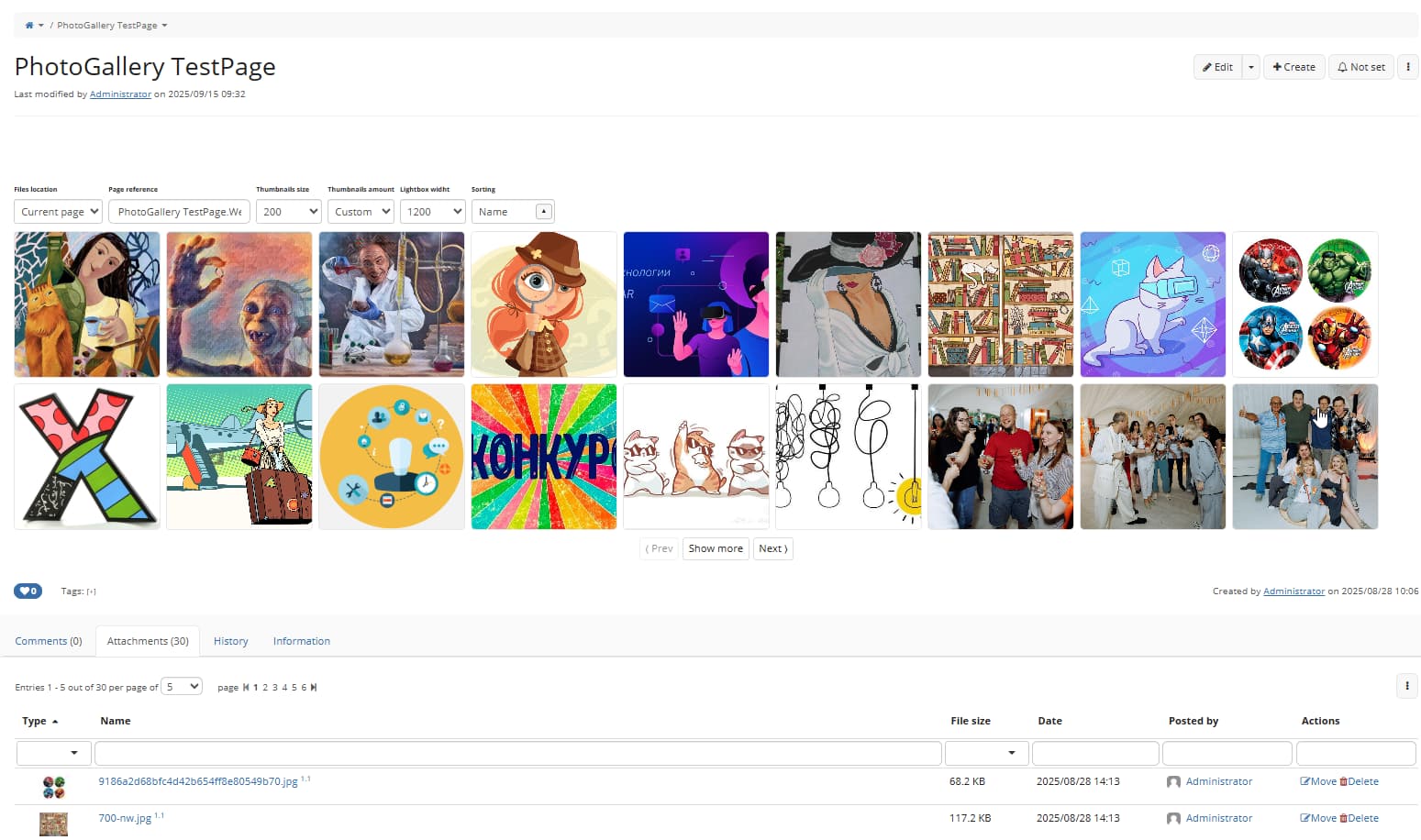
Click on a thumbnail opens the lightbox window. In the lightbox window, you can download the original image or get a link to it.
The macro works great, but there is one bug that Cursor AI can’t fix.
In WYSIWYG page editing mode, when we insert a macro, CKEditor adds a line with an icon  (handle.png) after the macro.
In source mode it looks like this: after the macro code:
{{photogallery/}}
the following block of code is automatically added:
(% style="background:url(~"http://localhost:8080/xwiki/webjars/wiki%3Axwiki/xwiki-platform-ckeditor-webjar/17.4.4/plugins/widget/images/handle.png~") rgba(220, 220, 220, 0.5); left:0px; top:-15px" %)[[image:data:image/gif;base64,R0lGODlhAQABAPABAP///wAAACH5BAEKAAAALAAAAAABAAEAAAICRAEAOw==||height="15" role="presentation" title="Click and drag to move" width="15"]]
And with each subsequent saving of the page, a new icon is added and, accordingly, a new block of code in the markup.
This error only appears if we save the page in CKEditor. If we save in Wiki Editor, the macro remains clean, nothing is added.
Please tell me what could be the problem and how to get rid of this behavior of CKEditor?
I would be very grateful for your help!
The macro itself is a page with velocity code and uploaded .JS and .CSS files.
XWiki version - 17.4.4
I can export the macro page to XAR and post it here for analysis if that helps.
 Yes, the macro now works without errors, as intended. A thousand thanks! I can share this macro with the community if anyone is interested.