Here’s a quick proposal to better differentiate between deleted and non-existing pages. This comes as a result of XWIKI-19068 and my own observations.
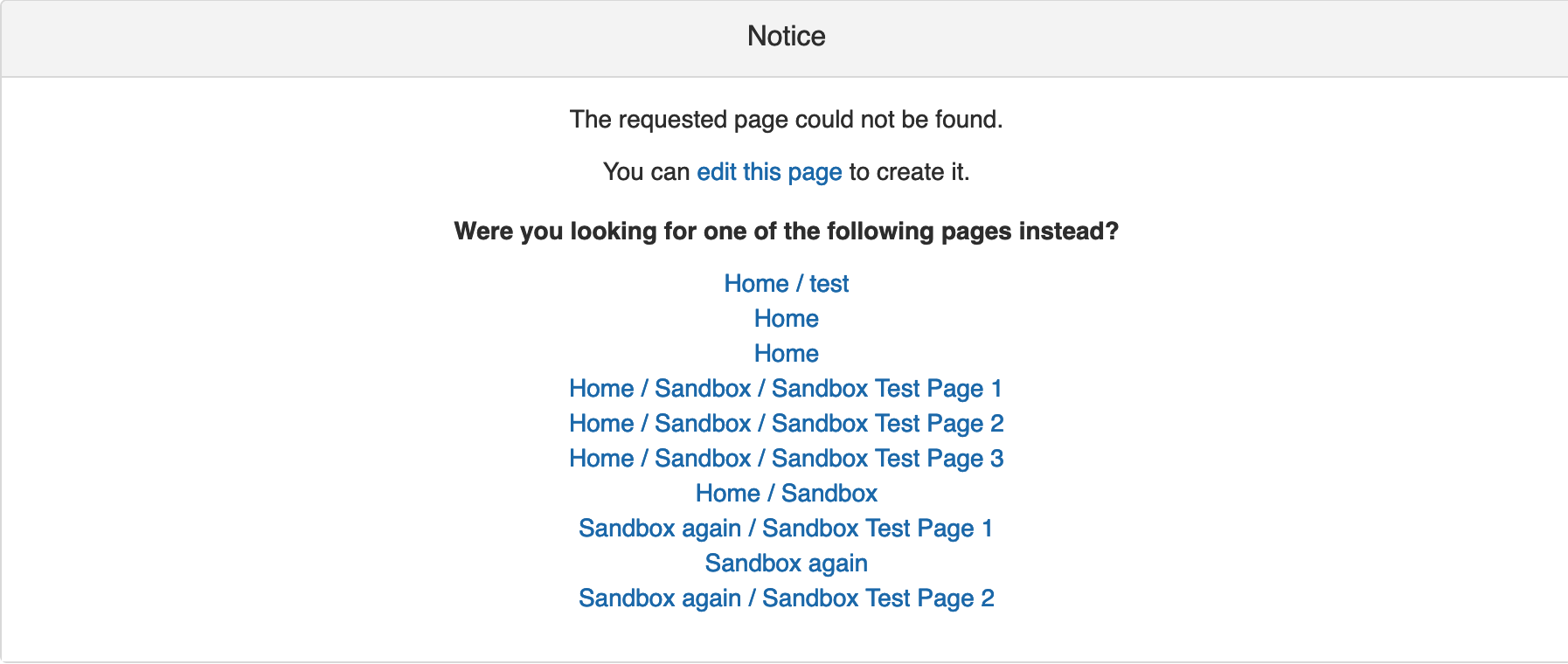
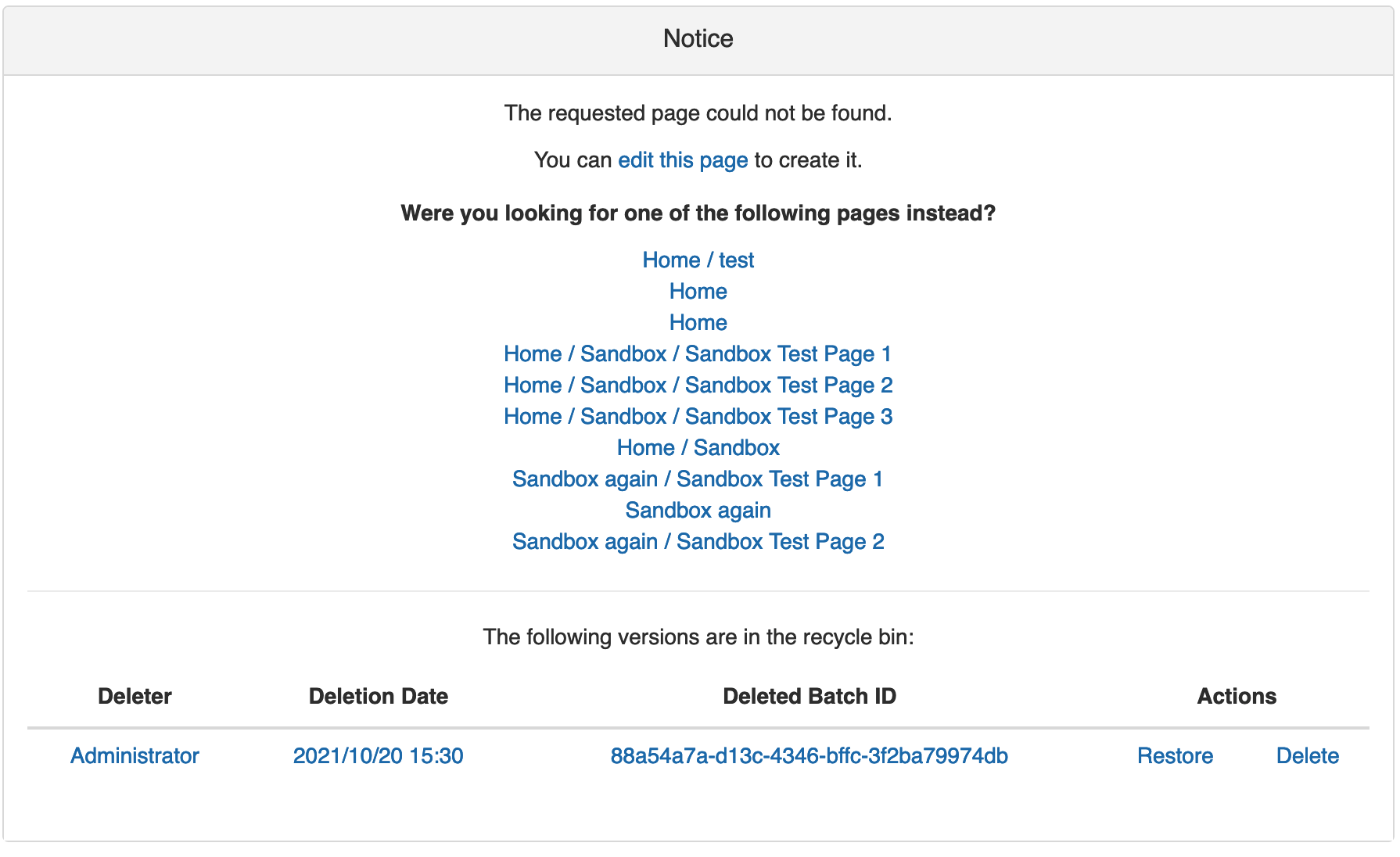
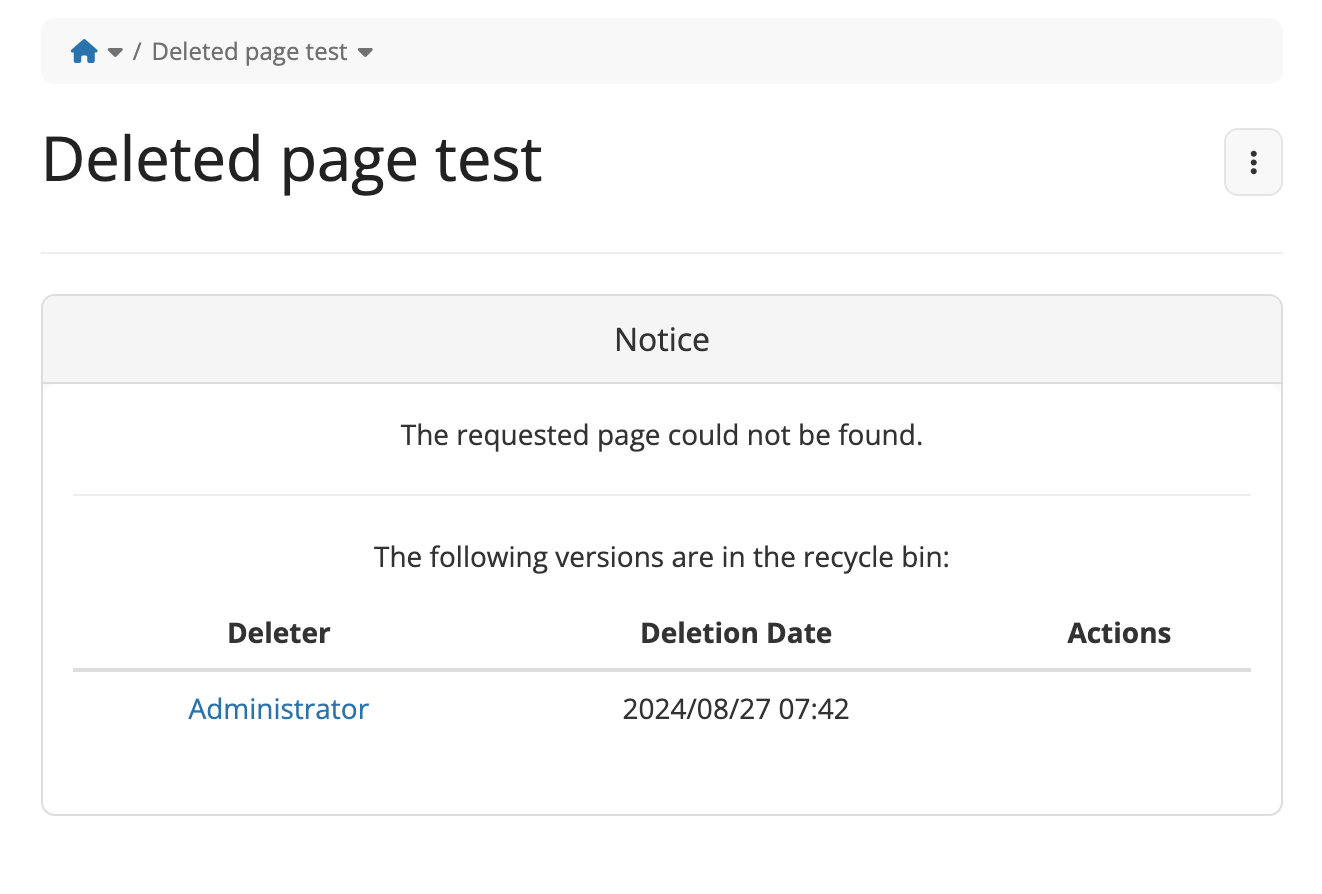
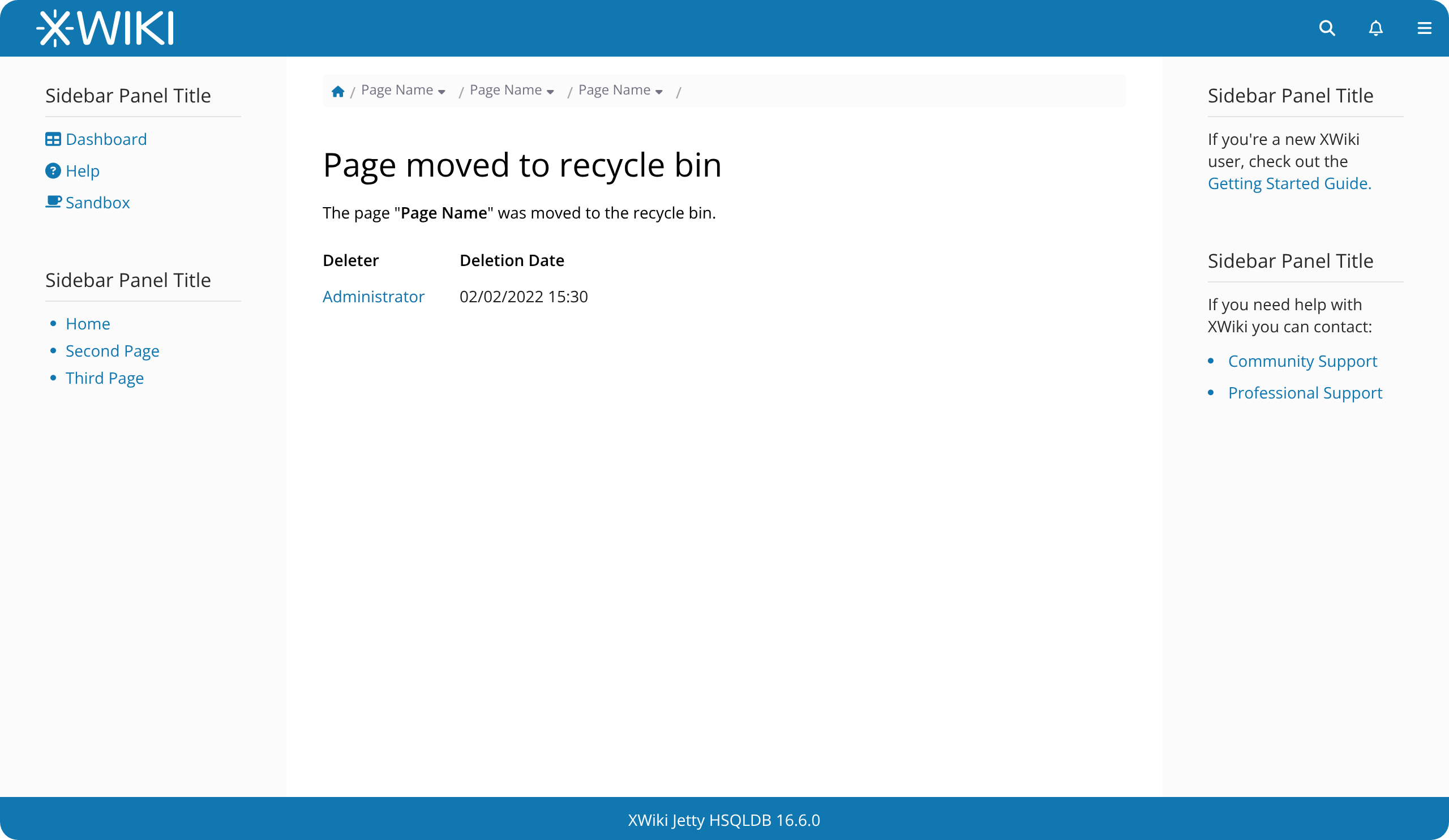
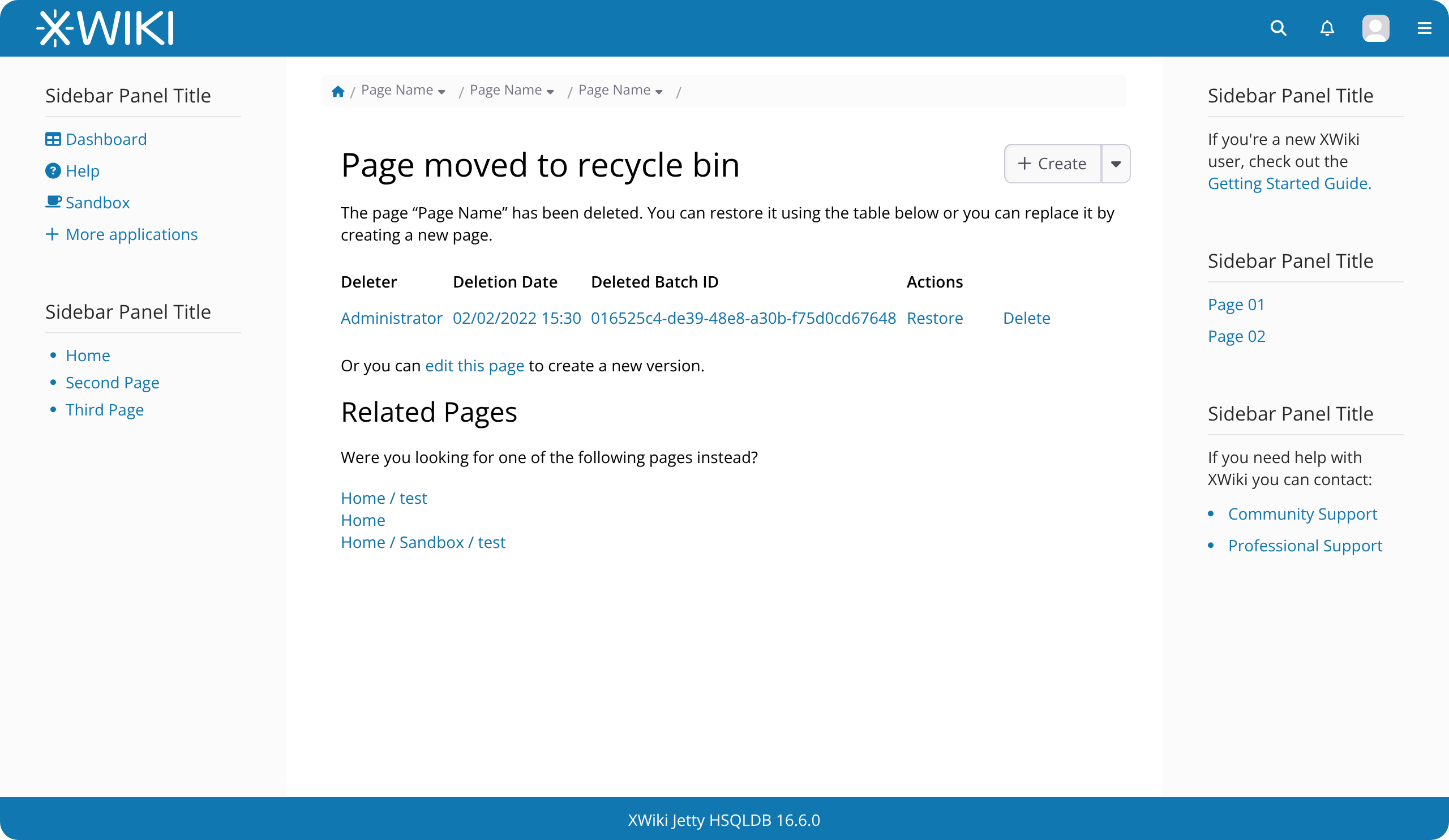
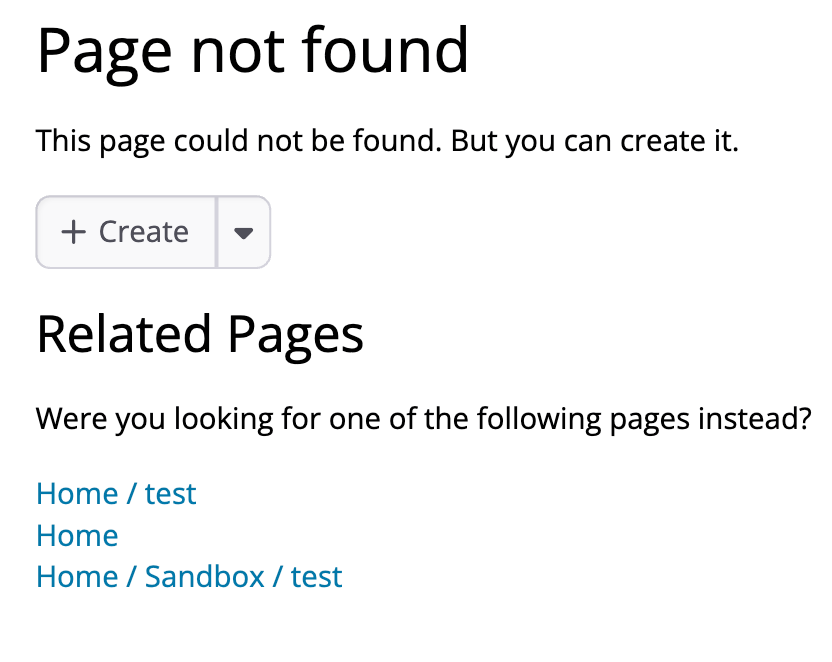
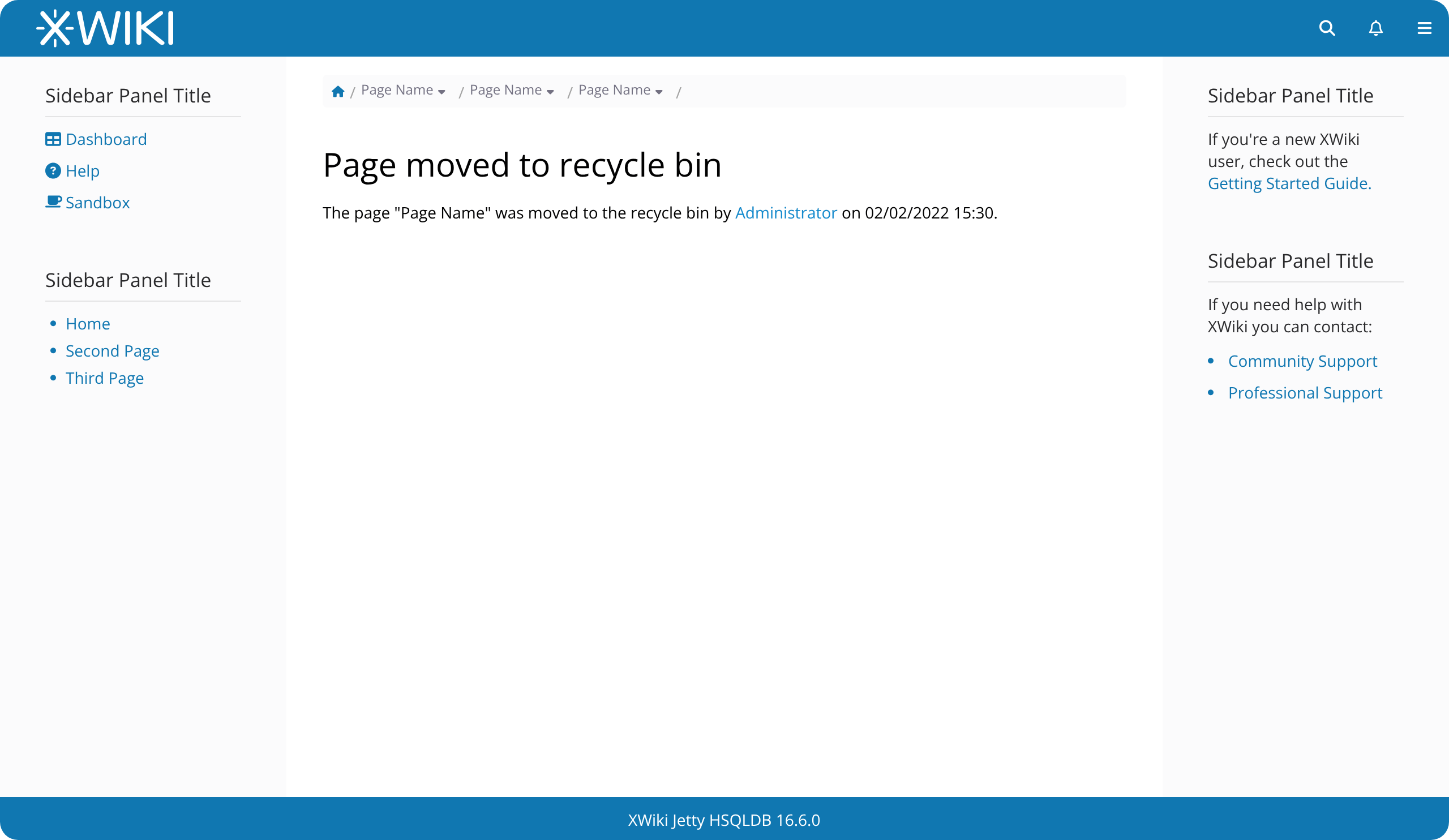
Currently, these two types of pages are different but quite similar, as shown below. The main difference between them is the table with past revisions at the bottom of the deleted page.
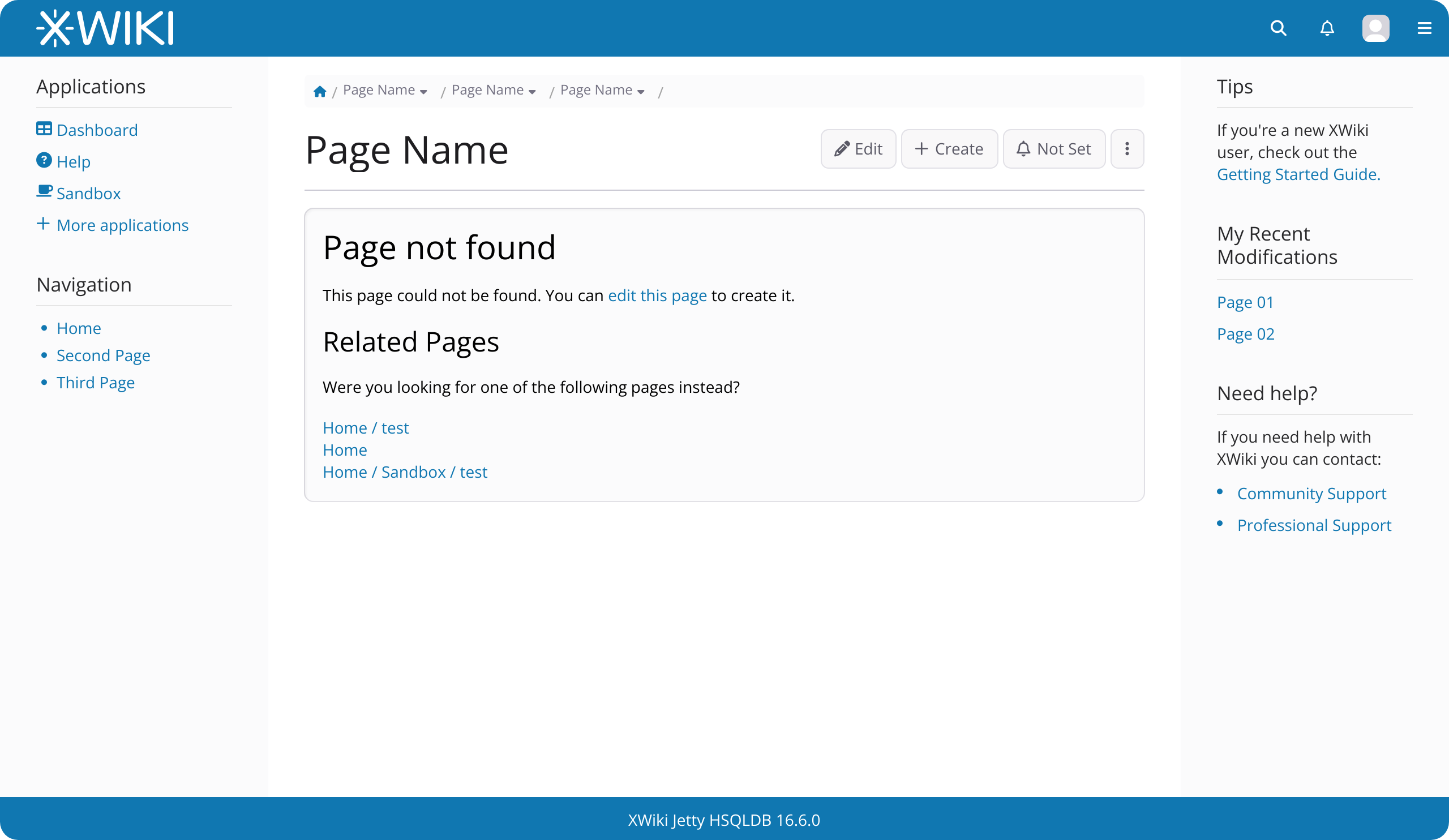
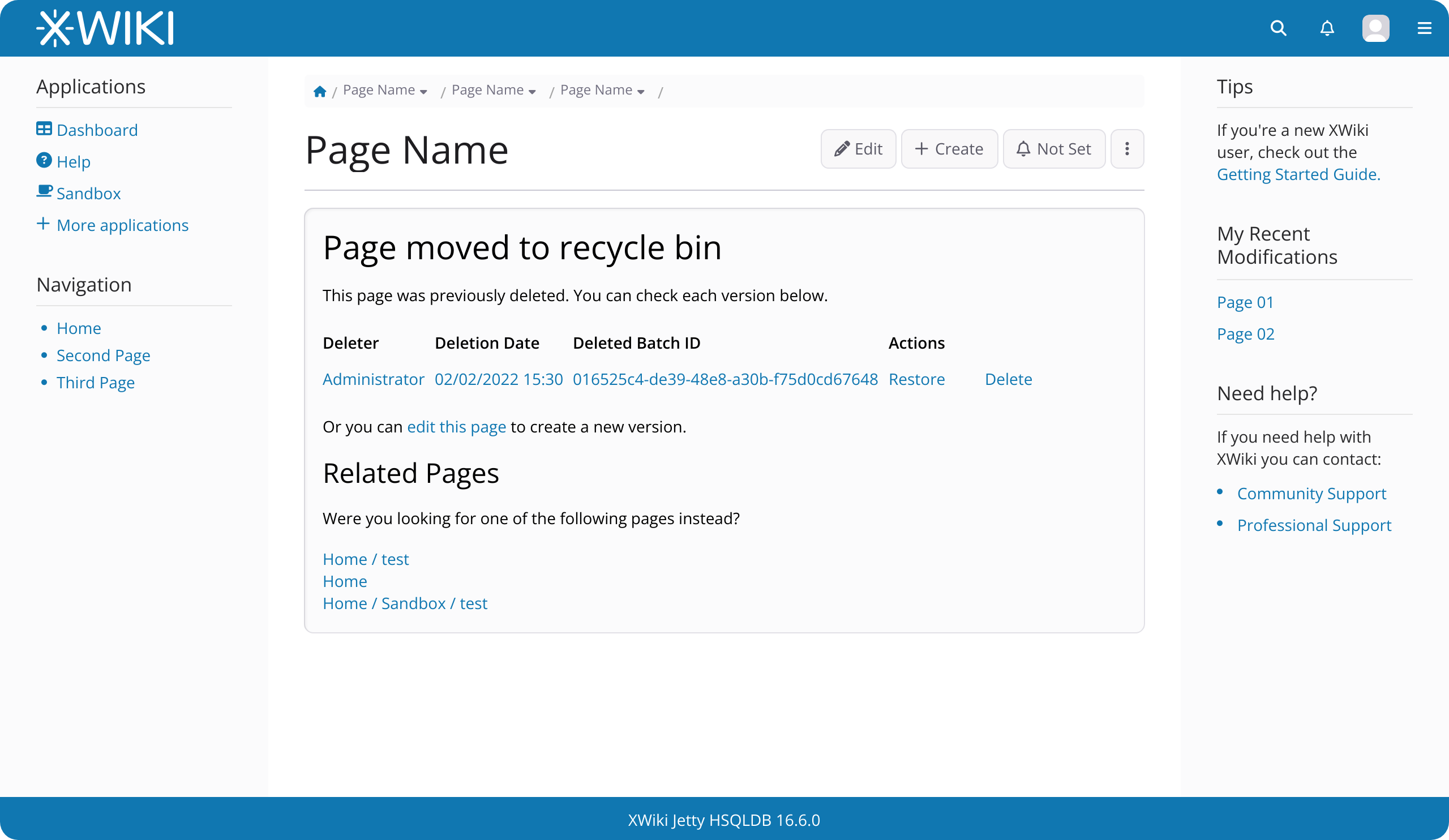
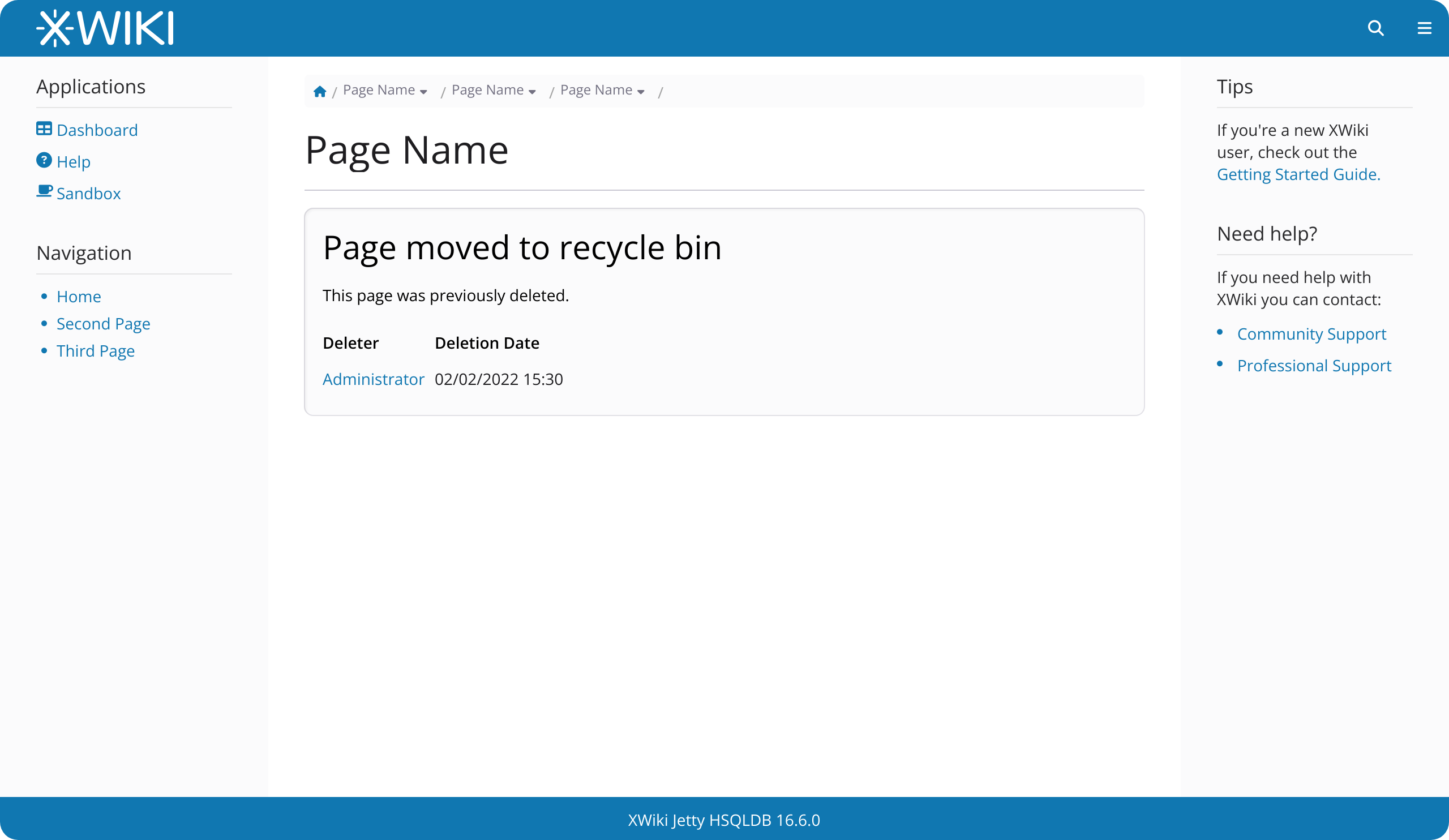
These are primarily adjustments to existing typographic styles already present in XWiki.
Main Points of This Proposal:
The text is aligned to the left to improve readability and maintain consistency with standard document formatting.
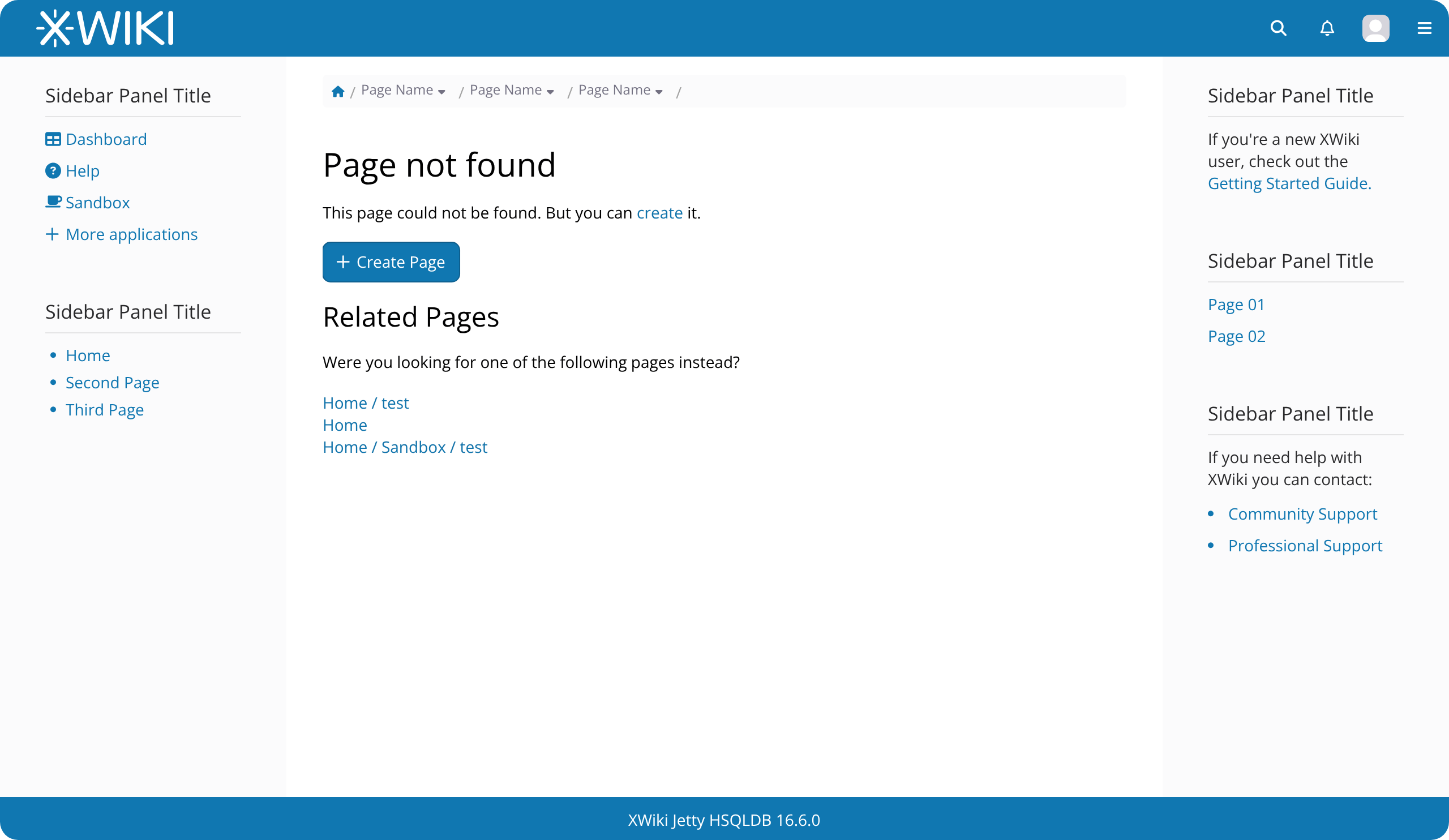
The text content has been broken down into smaller parts and summarized. For example, “The requested page could not be found” is shortened to “Page Not Found.” Ancillary text is kept to reinforce the main title, along with the “edit this page” action.
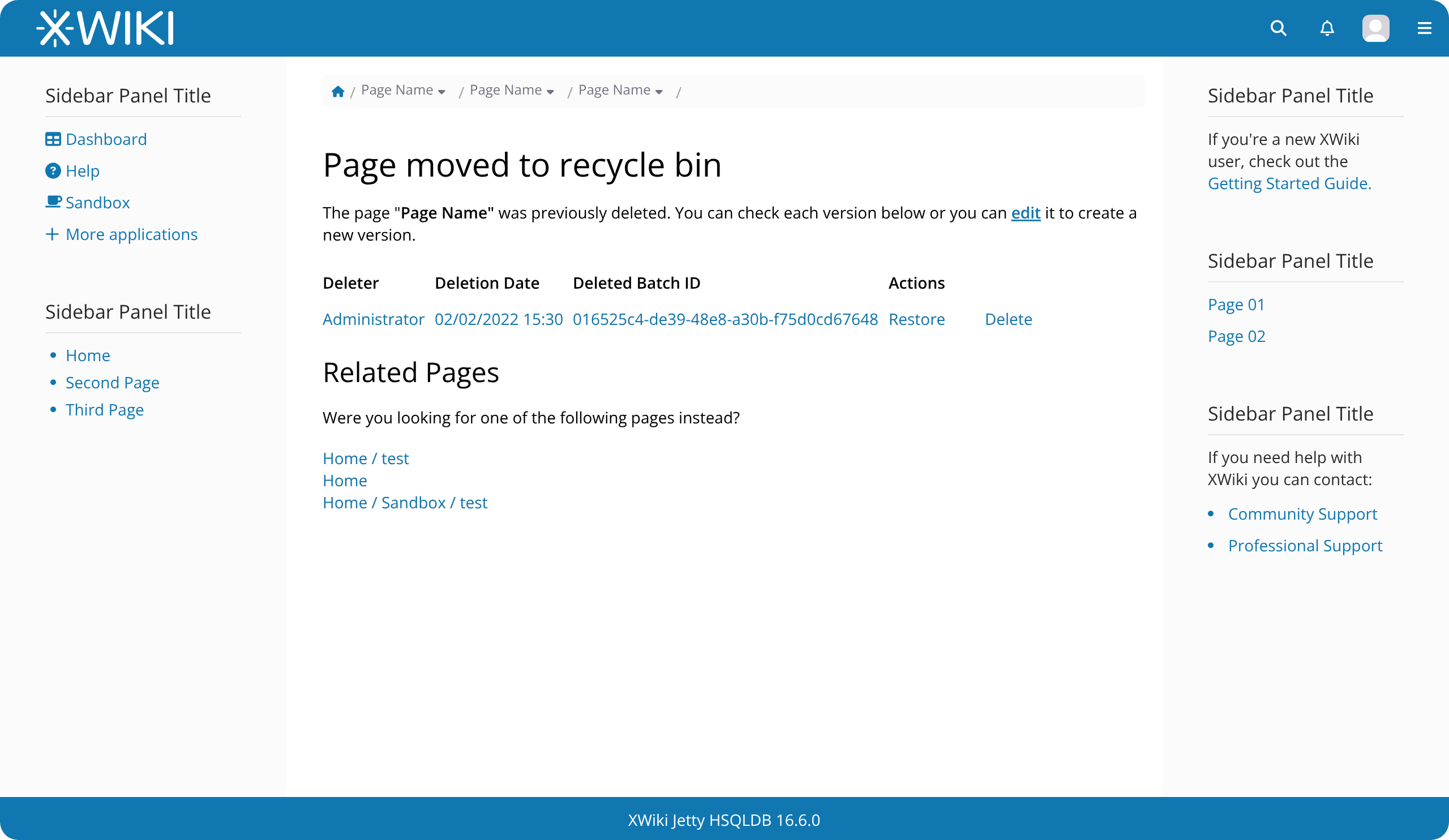
A new subtitle has been added to provide context for related pages.
The outer box (using the box style from CKEditor) is applied to make it more obvious that this content is not part of the document itself.
I would like to know from you. What are your takes on this? Are there more types of pages that resemble the current ones for deleted and not found?
I am specially interested in @oanat 's opinion, since the original Jira is from her.
Thanks for reading!
Edit: Changed the deleted page proposal after @mflorea suggestion
Edit 2: Changed images because of inconsistencies on page title
How would this look for users who don’t have access to the recycle bin? Only the user who has deleted the page and admins have access to the recycle bin.
It shouldn’t be too different from what it is today, apart from the proposed typography and text content changes.
This is the page currently, I took the screenshot in a deleted page with a guest user. Note that we have a mention of the recycle bin so I think is ok to keep that reference.
Thanks for working on this. I’m a bit confused in your screenshot where the title “Test Page” comes from since the breadcrumb says “Page Name”, I guess it’s just a mistake?
That being said I’m wondering if it wouldn’t be more clear to not display a page title at all but to display directly “Page not found” or “Page moved to recycle bin” as title, instead of putting the reference. wdyt?
It was a mistake, thank you! I corrected it in the images above.
Without the page title, the only reference to this element would be in the breadcrumb, and I think it can be easily missed by the user (small size). With the page title, we provide a reassurance to the user about what the message is referring to.
I agree that displaying the title looks a bit weird as it seems to indicate indirectly that the page exists (why would there be a title if the page doesn’t exist?). In addition, displaying the title makes the message below feel that it’s part of the page content and not a generic message. Maybe there’s some L&F tweak to make it clear that this a generic error/warning message?
Also, while you’re working on that UI, do you think it’s clear to users if they should click the “edit” or the “create” button if the page doesn’t exist?
This is something that felt weird, for sure, but I didn’t want to change the doc header as I thought that there was a good reason for it to exist here. The create button makes sense for a resource that do not exist, but not the edit one.
A good compromise would be to bring elements from the doc header to the message. In that case, we could completely hide the header (this would also take @surli feedback into consideration) and still show context to the user, something like below:
Case A: Page Not found
Page not found
The page you are looking for does not exist, but you can create it. [ + Create ]
Related pages
Home / Page 1
Home / Page 2
Case B: Page Previously deleted (user with recycle bin rights)
Page moved to recycle bin
The page “Page Name” was previously moved to the recycle bin. You can check each version below, or you can edit it to create a new version. [ Edit ]
(version table)
Related pages
Home / Page 1
Home / Page 2
I will work to get these proposals more refined like the other mockups, but I wanted to get something out quickly.
Is everyone okay with this? If there are no further objections, I’ll consider this as accepted by the end of the week and close this topic (further feedback will be taken into consideration).
So this is for a user that can restore or create a new page in this location, right? It’s not consistent with the “Page not found” screen where there is a visible Create button. I’m pretty sure users will spend a few seconds wondering “How can I create a new page in this location, to replace the deleted page?”. The message can be improved I think, something like:
The page “Page Name” has been deleted. You can restore it using the table below or you can replace it by creating a new page.
Note that from a missing / deleted page I can currently choose, as an advanced user, what editor to use to create the page, using the Edit button drop-down. We would lose this ability if we show only the Create button, like in the “Page not found” screen. It’s not a big deal, but it may annoy power users.
This is for users that can’t create a new page in the current location right? The message under the title is kind of redundant (doesn’t bring any new information compared to the title). We should either rephrase it to bring some value or drop it.