Please let me know what you think, I’ll update this page also with new links to the Try Now and Download pages as well.
All these pages depend a lot on external pages, so progress is a bit slower because I have to be careful with them. For now I’m making copies of the external resources and pointing the new page to them. When it’s time to update the live version, I’ll have to update all the originals also.
The blog post area looks weird. Blog post titles are large compared to the section heading size and the last blog post is cut.
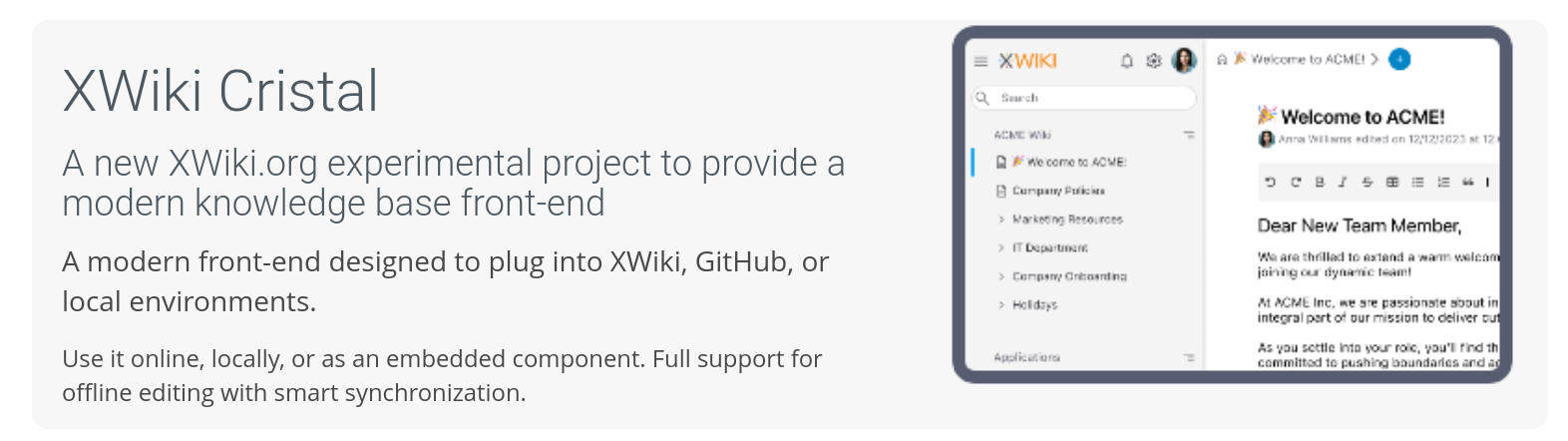
The Cristal section should just say “XWiki Cristal” to me since it’s supposed to be the name of the product, similar to XS above with “The Advanced Open-Source Enterprise Wiki” (and not “What’s XWiki?”). Note that I find it nicer to use the full name, i.e. “XWiki Cristal” rather than just “Cristal” for 2 reasons: it’s an XWiki project so it’s the right name and it’s more consistent with the other sections: XWiki Projects, XWiki Extensions.
I think it should say that it’s experimental
Not sure about “A new”. That requires maintenance and what is the definition of “new”? It’s already been there for several months.
I wouldn’t put a link to the cristal doc on the word “project” since we already have the notion of Projects in the horizontal menu. Maybe on " modern knowledge base front-end"? or maybe the link could in the section title? BTW we don’t put any link to the top of tje doc of XS at the top.
I wouldn’t use bold as we don’t use that elsewhere on that page
PS: I think it’s good that it’s the last section ATM since it’s still experimental and we don’t want to promote it too much just yet. Later on, we could move it up, maybe just after XS.
In the XS section there’s strong rights management which wraps and shouldn’t probably.
For the “XWiki Extensions” section, I think we should refresh the list of extensions we promote there.
Thanks
PS for @elenicojocariu . When we’ll have progressed more with the new doc, we’ll need to update the links on the home page.
Fixed, it was a missing piece of CSS from the original page.
I’ve made some changes to this banner and implemented these changes and suggestions.
I found the problem locally, it’s a piece of wiki syntax in the banner code (it’s been like that for a long time, apparently). Since I lack programming rights, the page throws me a warning when I try to edit it. I’ll leave it at that for now.
Also, since this a frequently visited page, a low-hanging fruit it to always define width and height attributes for all images. In addition, is it interesting to make sure the loaded image is served at the same size as the defined dimensions. Let me know if you need clarification for that one.
I also don’t like it very much, but I’d need to make a new slide to fix this. I’ll try to do it without messing with the current ones on the live homepage (right now they are the same).
Yes, fixed now. Thanks for the pointer.
I guess this is for performance reasons, right? I’ll make a pass on the images and see what can be optimized.
Performance is one aspect.
By explicitly defining the image dimensions, the browser renderer can also pre-allocated the right “box” for the image, even before it is loaded.
When the dimensions are missing, the image “box” is guessed and resized once the image is actually loaded. This can lead to vertical or horizontal shifts that can decrease the user experience.
Hi everybody, it’s been a while on this topic. Currently I think we are mostly good for publishing the homepage with minor adjustments. I’m just facing a few issues though:
I lack programming rights on the website, which in by itself wouldn’t be a problem but that means I can’t edit pages that have some sort of advanced code in them (velocity, javascript), like the main banners.
I need to get this page live without disturbing the current one, ideally this would be just a switch.
For publishing, I’m thinking about following one of these proceses:
Remake all the changes made in the draft pages (copy/paste code). This would keep the history of the homepage intact but the website layout would be wonky for a few minutes as I copy my changes from the draft into the live.
Export my local copy and someone with the proper Right could import it.
Keep two versions of the homepage available at all times and just switch from one to another using this option on Administration -> descriptor ->Homepage field.
Personally, I would be more inclined to #3 since this brings me closer to having a draft of changes to the homepage (and we will have more of those) and for visitors of the website this is transparent. The downside is that it splits the page history into two pages (Version A and B) constantly.
Before discussing options further, do you really have lots a changes to make at once to lots of pages? Is it not possible to do small changes one after another so that you do them live? (giving you PR ofc).
On my side, I could do it in small batches, yes. The thing is that while I’m doing them, the homepage might be defaced and possibly weird for a few moments.