Hello,
today I finally upgraded our XWiki Server from 17.10.2 to 18.3.0 (at same time Debian 12 to 13…)
What immediately sprung to my attention: When resizing images like a screenshot the image quality is quite bad now. 
This is despite already having:
#ENV replaces ‘xwiki.plugin.image.defaultQuality’ in /etc/xwiki/xwiki.cfg
Environment=“XCONF_xwikicfg_xwiki_plugin_image_defaultQuality=1.0”
First I suspected that maybe the xwiki.plugin.image.defaultQuality property not being processed as Environment Variable mapping so I configured it in xwiki.cfg like the old fashioned way - still no change.
But this also seems way worse than what I remember the default (0.5) was - as far as I remember that only was visible on natural photos - not screenshots.
It is very easily observable with screenshots and the quality changes always happens once you hit save. Editing again will continue to show the same bad quality.
Steps to reproduce:
- Make a Screenshot of something simple like text and GUI elements
- Paste it via Ctrl+V into the WYSIWYG Editor (looks good)
- Resize it smaller in editor (still looks good)
- Press save/finish - Quality Drops SIGNIFICANTLY immediately.
- Edit again, same bad quality
- Resize larger - quality really bad but larger now
- Save/finish - quality better again
Is xwiki.plugin.image.defaultQuality deprecated and replaced and I just need to configure another property? Did XWiki received a new Image engine in 18.X? Can you guys reproduce the issue?
Example Screenshots
Original Screenshot:
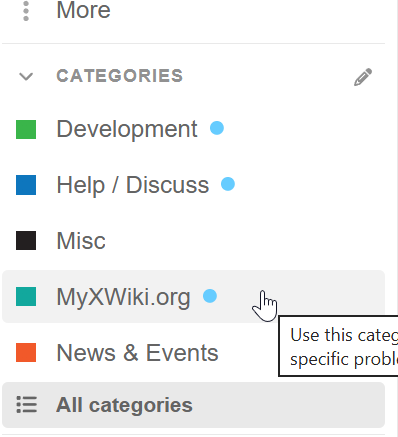
Simply pasted into editor looks good:
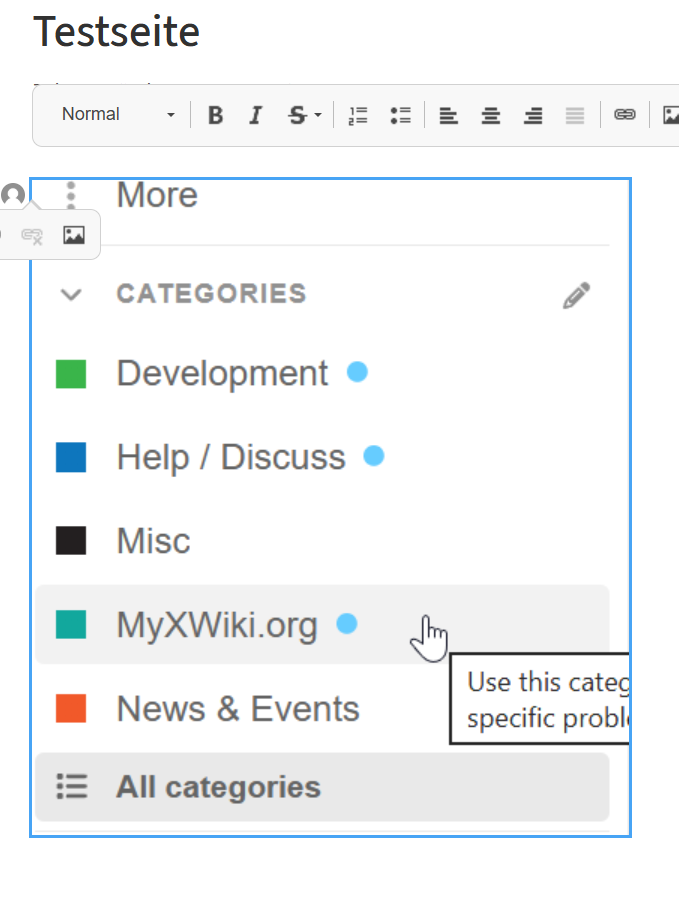
resized a lot down bit but still in edit mode, very good quality:

Saved/finished in view mode, it gets a LOT more blurry:
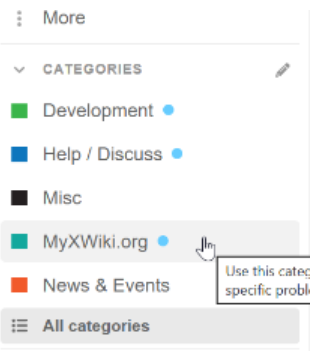
At least how I remember this was not the case with 17.X 
Oh also the translation of the Image Edit Dialoge got broken with some version inbetween 17.10.2 to 18.3 - before it was 100% translated to German, now it falls back to 75% to English.^^
Thank you for your efforts and best regards
Tom