we experience big problems with performance when editing documents with the realtime WYSIWYG editor (CkEditor). It is working just fine for smaller documents, but for anything with a bit more content the editing experience is painfully slow. Sometimes it takes multiple seconds for key inputs even on documents that I would not consider to be “unusually large”.
My first thought was that it is probably caused by the realtime session. But using browser debugging tools, it looks like the slowness and lagging originates from the JavaScript execution time. I know that the performance of the CKEditor integration has been discussed before (for example in this post) but it always seemed like the problems have been resolved or were not that severe in the first place. I also know there are plans for a new editor, but it looks like it will take some time for that to arrive.
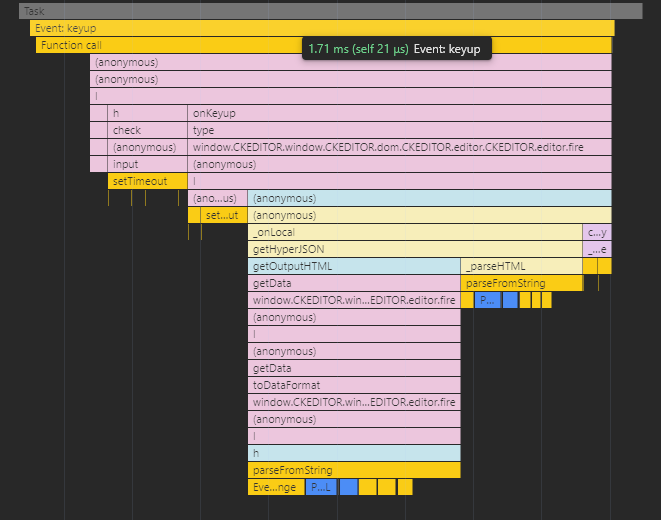
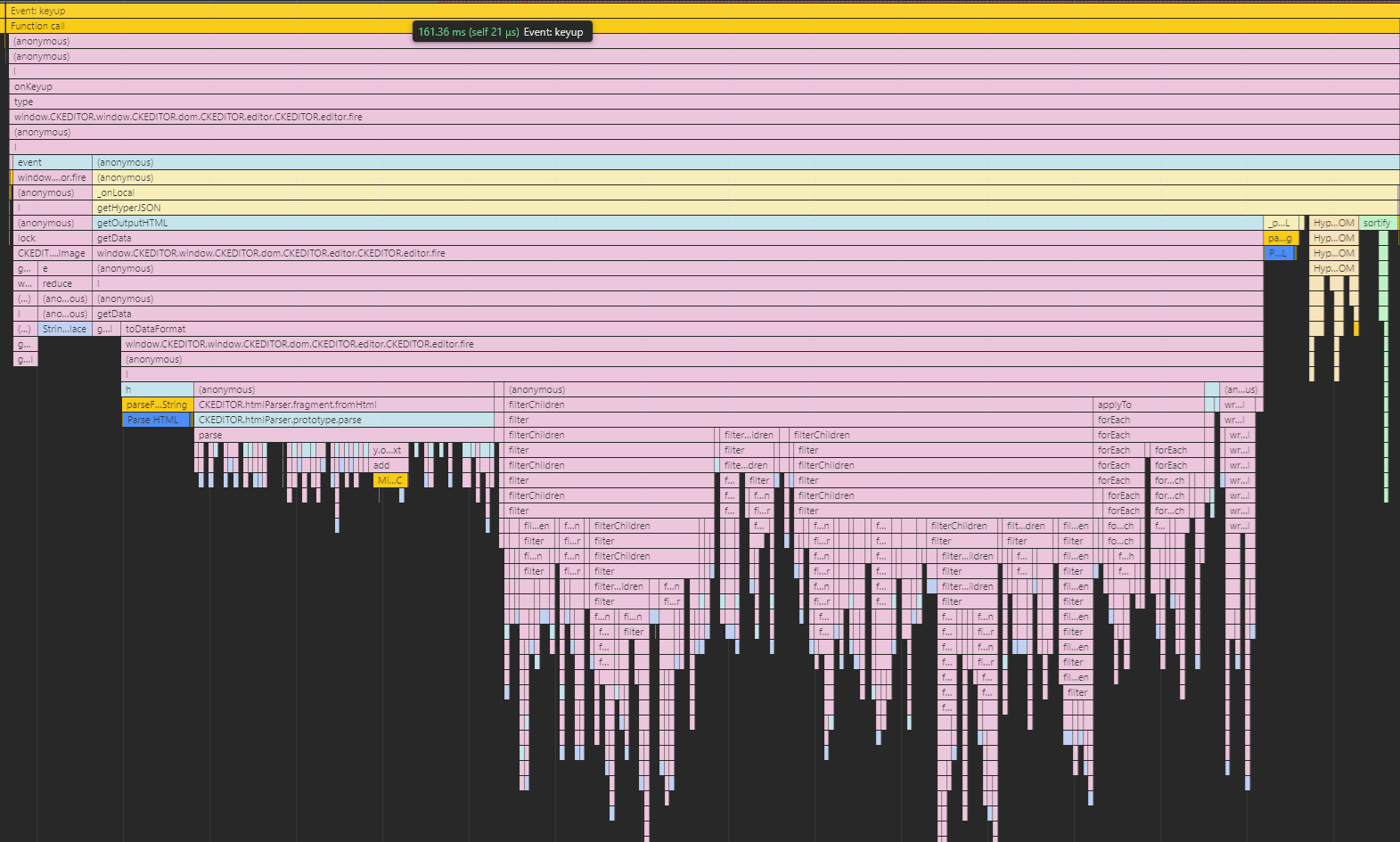
This is the performance trace of a keyup event on a mostly empty wiki page:
A single keyup event takes more than 160ms of processing time. And that is not even the worst I have seen. Task manager shows super high CPU usage when typing at regular speed and scipt execution times pile up to multiple seconds. Most of the time is spend in ckeditor.js and various recursive function calls, most of the call stacks ending with String.replace.
I have a sample document: Download Link
I started with a blank document and progressivly added more content and tested the typing performance. At first, everything works just fine but at some point it starts slowing down. The document is now at the point where you can feel the editor start lagging when typing at regular speed.
I am wondering if that is really just the way the editor works and we have to get used to the performance it or if there is something wrong or something could be optimized. As of now, the editor is not usable for a large portion of documents in our wiki, even ones I would consider medium sized.
@hammi Unfortunately no, I have no solution.
I tried disabling a couple of CKEditor plugins, but that did not really improve the performance. And it causes problems with some functions because most of the plugins that are enabled by default are actually required (surprise surprise).
Interesting to hear that you experience similar performance problems. I would have expected there was a bigger discussion in the community around this topic. If you search for it, there are some tickets and posts regarding the editor performance, but less than I would expect. Therefore, I am still unsure wether we are just an edge case or if it is just the known normal state and everyone accepted that.
For us, the editor is pretty much unusable in many documents. While I really like a lot about XWiki, the performance problems when editing are somewhat of a downer after our migration.
Hi, I just checked the list of realtime editing issues that have been closed after 17.6.0 and I noticed this one Loading... (“Performance issues when editing a page with many tables and macros, especially while using Realtime Collaboration”) that was fixed in 17.7.0. Would be great if you could test with a more recent version of XWiki that includes this fix. But note that even with that fix the result is not perfect, as I commented on Loading...
I did some optimizations on our side, but it’s not perfect because:
getting the CKEditor data is slow when the edited content is large (and we need to get the data when there are local changes)
doing the diff / patch with DiffDOM can be also slow on large content
I did try this now and it editing without a realtime session does indeed result in a massive performance improvement in the same document. I did not test this before because I assumed the issue was caused by WYSIWYG editing in general.
We invested some time yesterday and updated our test/development system from 17.6.0 to 17.10.2 (LTS). An improvement in WYSIWYG editing performance with realtime session is definitely noticable. It is indeed not as smooth as in other editors, but it is much more usable now. We will update our production system within the next couple of days and check how the performance improves there. Thank you for your work on this topic.