Hi everyone,
The standalone WYSIWYG edit mode (edit action, page creation, TextArea properties, comments, annotations) currently uses an iframe-based CKEditor, while the in-place edit mode has used an iframe-less version since 12.3. The iframe causes the problems listed in XWIKI-25433:
- Macros that need JavaScript (Live Data, charts, async macros) aren’t rendered properly while editing: XWIKI-23947, CHARTJS-39.
- Enabling “Load JavaScript Skin Extensions” only partially helps, and can prevent the editor from loading in Firefox (XWIKI-23338).
- The edited content doesn’t look and behave like in view mode.
Proposal
Create the standalone editor with CKEditor’s own inline editor (CKEDITOR.inline()) instead of CKEDITOR.replace().
- We keep the text area: CKEditor creates the editing area as a div next to it, and the text area is still what the form submits. Saving, preview, back/forward restore and any code reading the text area keep working.
- This is not the “change the root editable to a div” approach rejected in Load JS skin extensions in standalone WYSIWYG editor by default: we don’t patch the iframe editing area, we use CKEditor’s own inline editor.
- The standalone edit mode itself stays (it’s still needed, for instance to edit the content of a page that has a sheet). Only the editing area changes.
I have a working prototype (about 100 lines changed in the CKEditor integration). It works for the page content, comments, object properties and inline forms: typing, Source mode, Save & Continue, Preview, back/forward.
Similar to the in-place editor
The standalone editor then works like the in-place editor:
- Same CKEditor creator and same code paths in our plugins.
- Same floating toolbar.
- The edited content gets the same styles and scripts as in view mode.
- JavaScript from the content runs in the edit page.
- Macro output renders and its scripts run, but interacting inside a widget (e.g. Live Data) stays limited.
Other consequences
- The “Load JavaScript Skin Extensions” option becomes useless (XWIKI-25434), and some iframe-only workarounds (RequireJS HEAD hijack for XWIKI-21351) can go.
- Form controls inside macro output end up inside the edit form, as with BlockNote today. They need to be kept out of the submitted data.
How it looks
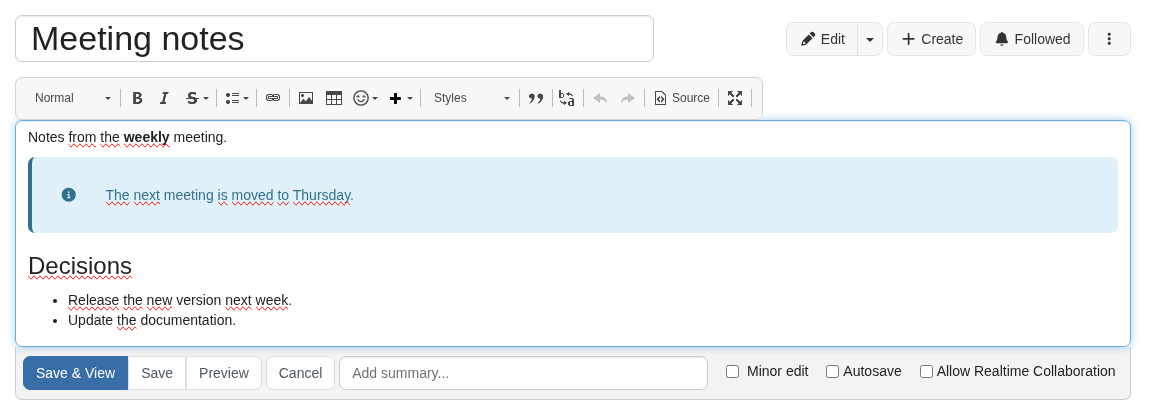
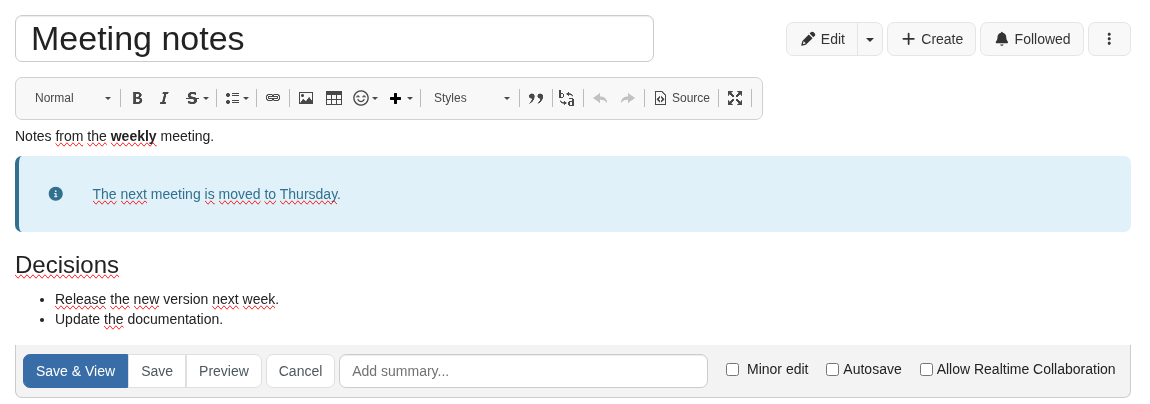
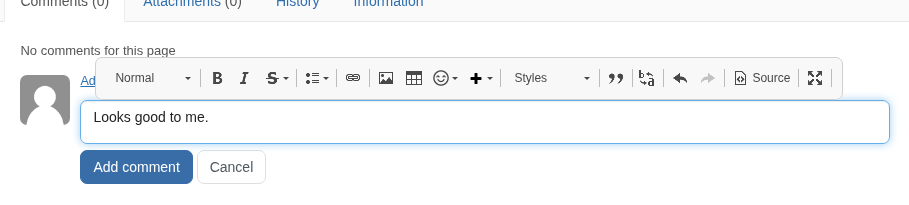
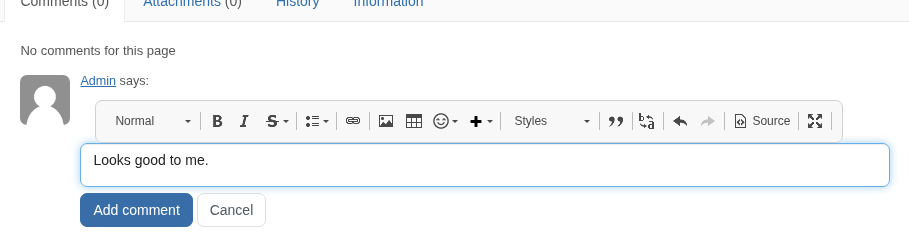
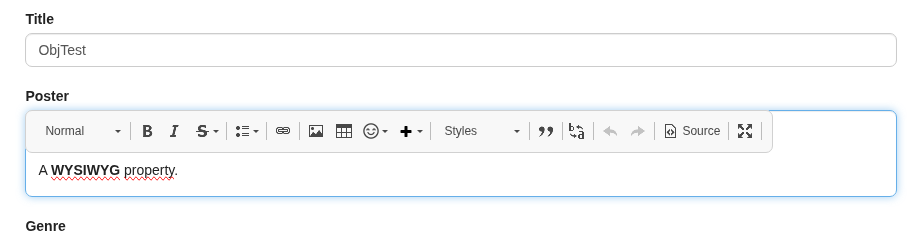
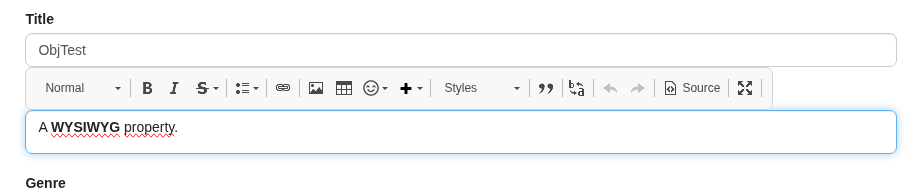
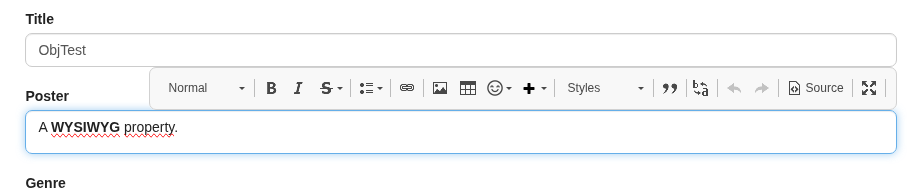
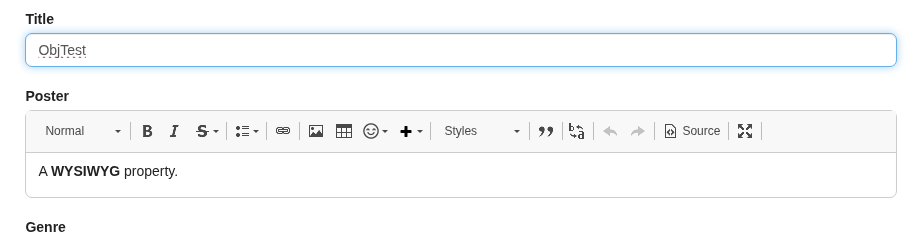
I tried several variants for the editing area and the floating toolbar. The screenshots show each one while editing. In the WYSIWYG edit mode, the editing area is separated enough from the rest of the page that we always leave room above it for the toolbar, so that it doesn’t cover the title.
1. Border
- A. Yes: a form field look (border, rounded corners and focus glow), like the title input.
- B. No, like BlockNote.
2. Specific case: comments
- A. Toolbar on top: the toolbar covers the author line while writing.
- B. Space before the toolbar: room is reserved above the comment field for the toolbar.
3. Specific case: XObject editor
Object properties, also when they’re displayed in an inline form. A reserved space between each label and its field separates them too much, so:
- A. The toolbar is shown inside the field, at the top, while it’s focused. The label stays visible, but the field grows when focused.
- B. The toolbar covers the label while editing.
- C. The toolbar is aligned to the right, so the label stays visible. It works, but the toolbar is no longer where users expect it.
- D. The toolbar is always shown inside the field, like the current editor. According to Claude Code, this needs a CKEditor plugin we don’t bundle yet (
sharedspace).
Alternative: keep the current editor style
We could keep the iframe-based editor and fix its behavior instead: load the skin extensions inside the iframe by default (as tried in XWIKI-22781), fix XWIKI-23338 and the async macros, and keep the RequireJS HEAD hijack. That’s iframe-only code to maintain on an EOL CKEditor, and the content would still likely not behave like in view mode.
Questions
- Should we switch the standalone WYSIWYG edit mode to the iframe-less editor, or keep the current iframe-based editor and only fix its behavior (more maintenance)?
- If we switch, which variants do you prefer? Personally I would go with 1.A (making the change less abrupt), 2.A (I don’t think the header with the author is important enough to add a gap) and 3.A (which seems like a decent middle ground to me).
WDYT?
Thanks,
Pierre