Hello,
I’m new here and unfortunately I’m not yet sure where this topic belongs, but perhaps someone can help me anyway. We’ve set up xWiki and have already created a few entries. Unfortunately, the URL for each page always ends up containing lots of special characters. Can anyone tell me why this is happening or how to fix it?
Here is an example:
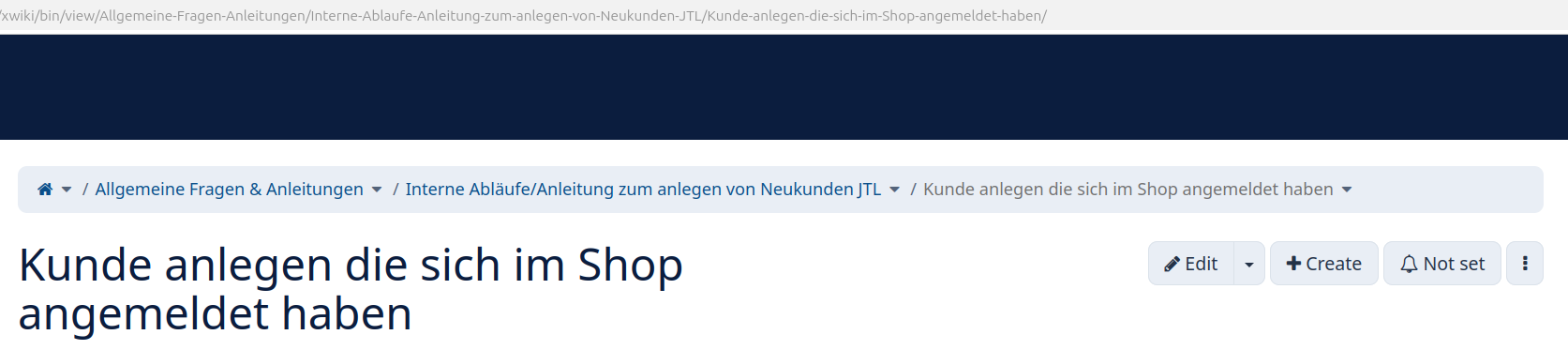
view/Allgemeine%20Fragen%20%26%20Anleitungen/Interne%20Abläufe/Anleitung%20zum%20anlegen%20von%20Neukunden%20JTL/Kunde%20anlegen%20die%20sich%20im%20Shop%20angemeldet%20haben/
Hello, this is not related to XWiki , it’s a feature of your browser, which encodes spaces as %20 characters.
Hi @Manu_SET,
What you are seeing is normal URL encoding. In XWiki, when a page is created, the page title is transformed into a document/page name, and this name becomes part of the page reference and therefore of the URL. The title remains the human-readable label shown to users, while the generated page name may contain spaces or special characters that must be URL-encoded. This is why spaces appear as %20, & as %26, and so on.
You can configure a Page Name Strategy under Administration → Editing → Name Strategies. XWiki provides, among others, a Preformatted Name Strategy, which normalizes page names by removing special characters and accents, and a configurable Character Replacement Strategy. These transformations are applied when pages are created through the XWiki UI.
This allows you to keep a human-readable title while using a cleaner technical page name / URL.
For pages that already exist, the page reference can be changed using the Move / Rename operation; changing only the page title does not change the URL.
So, especially before creating many more pages, configuring the desired naming strategy is a good approach.
Hope it helps,
Alex