I’m still new and I’m lost with this wiki still.
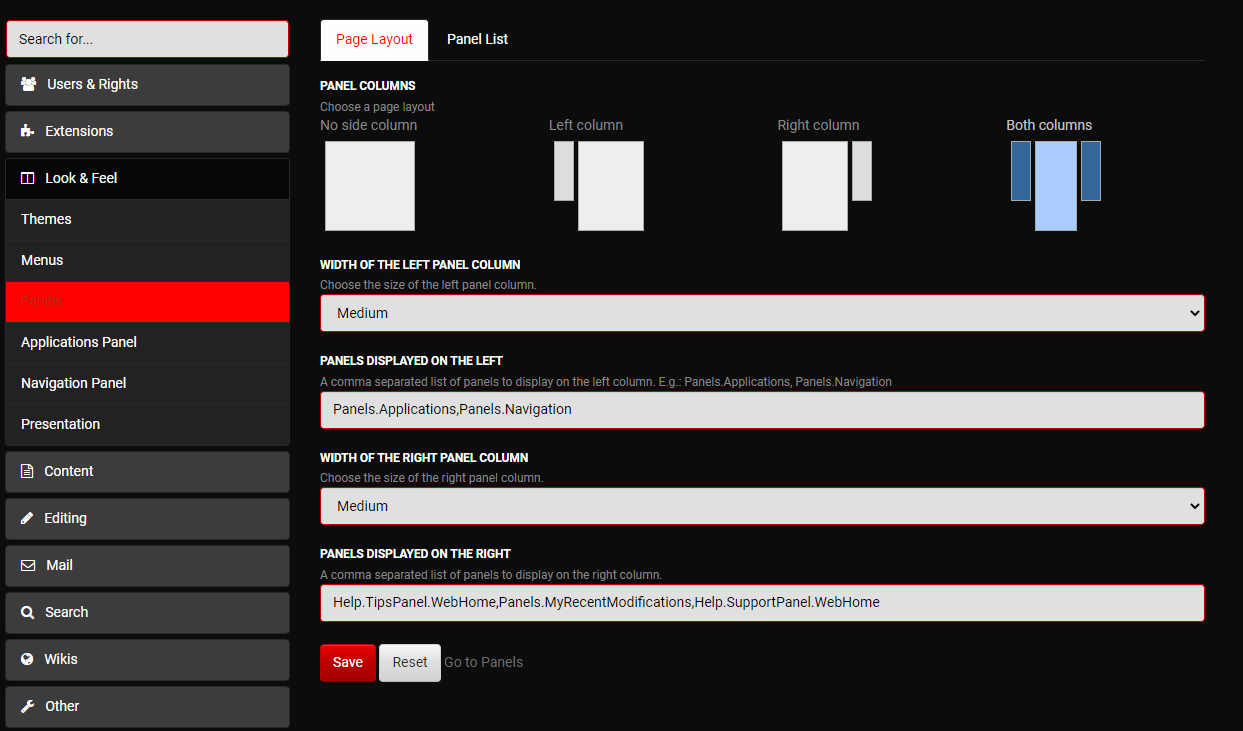
Can someone tell me where I go to edit the kind of content that is displayed up there in this right-side navbar?
It is a XWiki default layout, with Tips, Recent modifications, and “Need help?”
We want to go directly to that part and edit it.
Thanks
[edit]
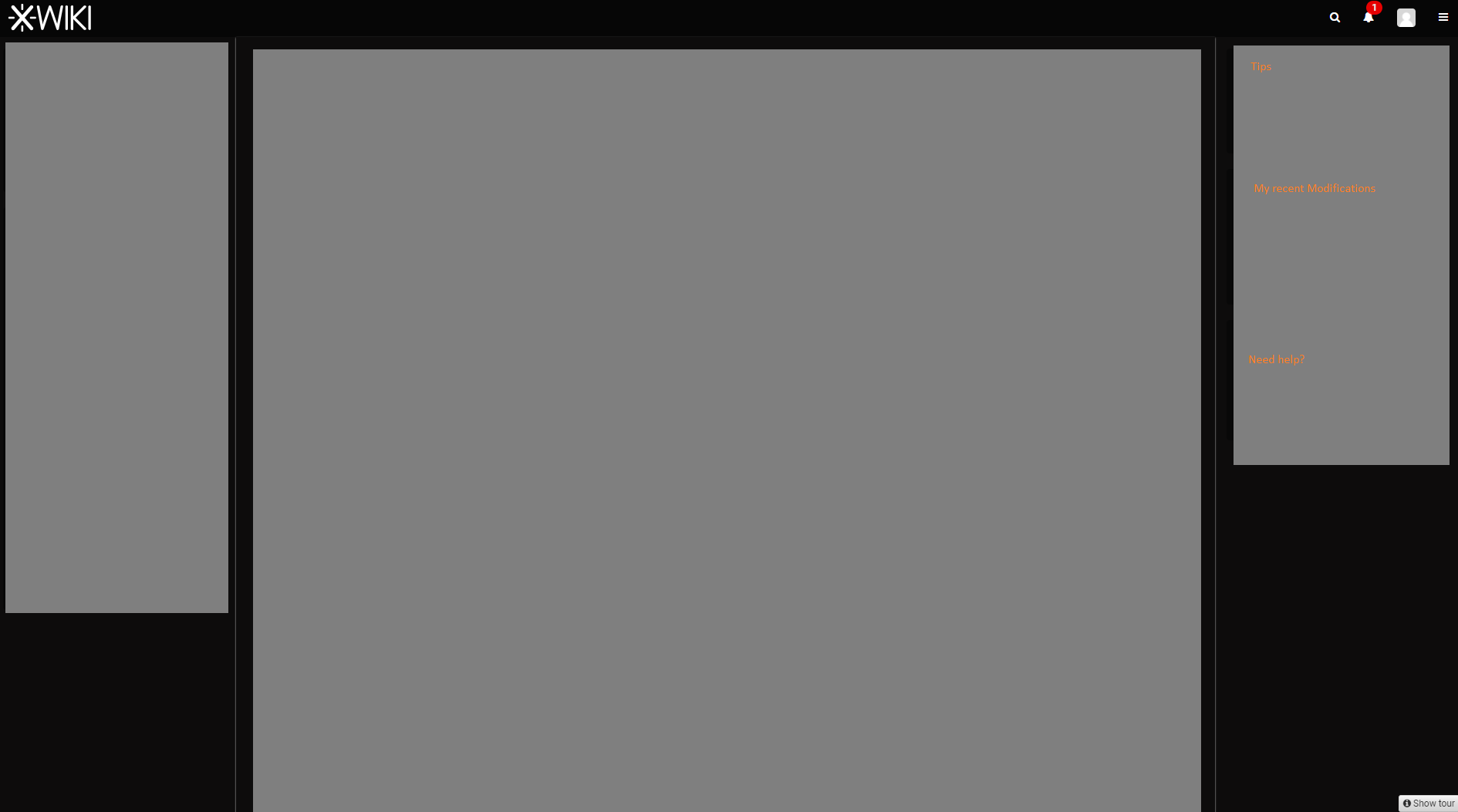
OK So I found some info!!! Now I’m just looking for the elements to edit…
Help.TipsPanel.WebHome,Panels.MyRecentModifications,Help.SupportPanel.WebHome