I have a corrputed CKEditor / Realtime Editor installation and am wondering how to get back to a clean installation. I have no idea why or when it got corrupted, I did not apply any customization.
I noticed the corruption in the administration section:
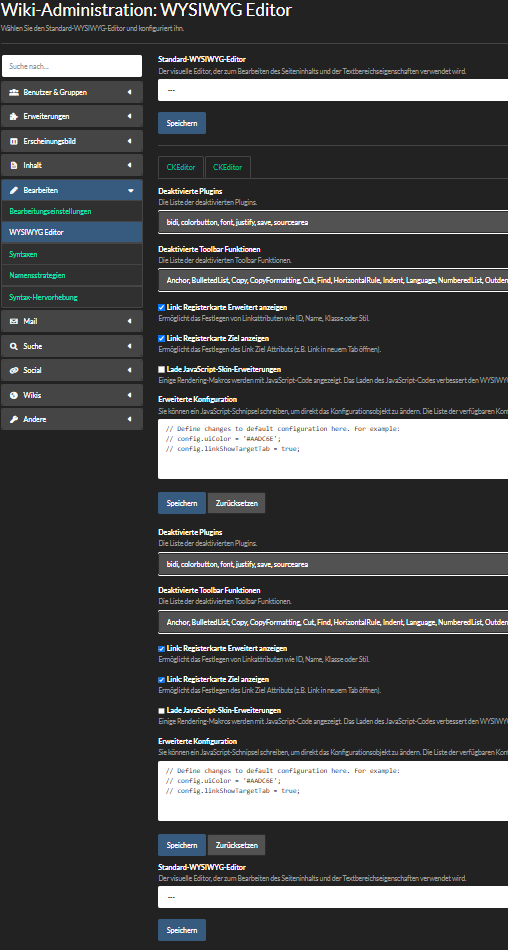
The CKEditor tab is shown twice, both tab contents and tab buttons.
I tried uninstalling all CKEditor and WYSIWYG extensions (CKEditor Integration, CKEditor Plugins for XWiki, CKEditor WebJar and Realtime WYSIWYG Editor).
After re-installing, no change in the UI. However, now, if I change CKEditor settings, they are not saved, and upon saving, I get sent to the Global Administration main page.
Does anyone have an idea on how to solve this?
I would greatly appreciate.