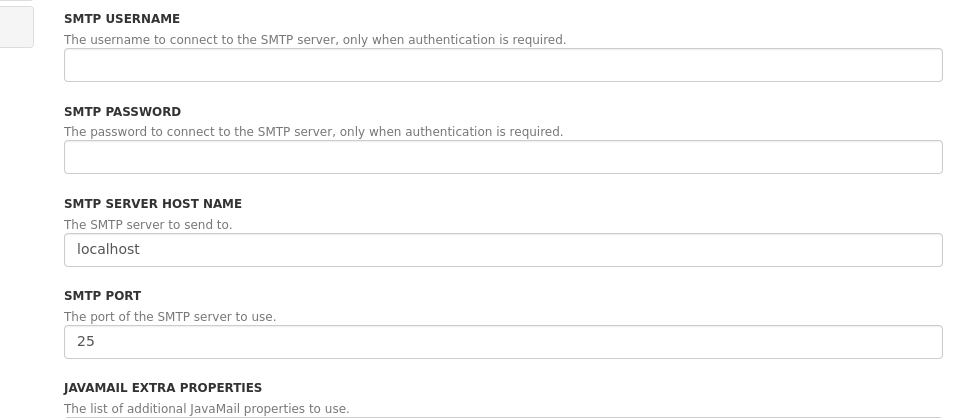
After configuring our mail server information in the Admin -> Mail -> Mail Sending, it seems that XWiki isn’t using the provided values - when sending an email, the server logs show that it’s still trying to connect to localhost instead of the mail server.
We tried restarting the container, but the problem remains.
i’ve just setup the Mail Sending a few days ago, maybe i can help you.
What exactly you have configured at “Mail Sending”?
Could you made a screenshot?
(But anonymize the real e-mail, username and server)
Is the Port for SMTP correct?
-> 25 for non encrypted
-> 465 for SSL/TLS
-> 587 for STARTTLS
If your Mail server is using encryption (SSL, TLS, STARTTLS) you need to include this as option in the “ADDITIONAL PROPERTIES” section of “Mail Sending”
Everything is configured properly - we know because when we use the “Share Page” feature, people receive the email.
We discovered that the problem occurs when using the “Invite” functionality, and our settings are not used.
We use the mail.gandi.net server on port 587, and yep we have the SSL and TLS negociation flags set already.
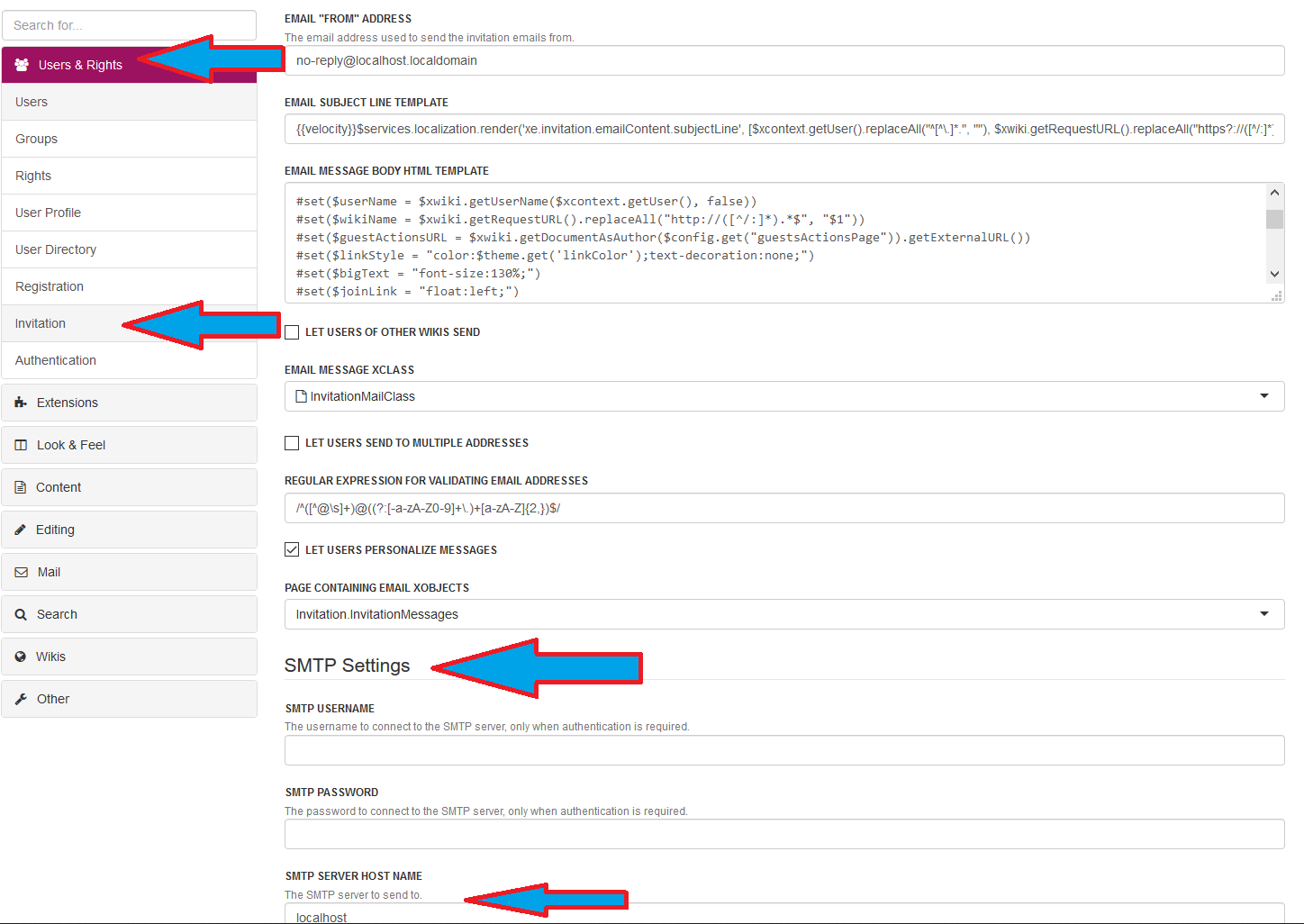
i checked my configuration under Administer Wiki > Users & Rights > Invitation
and it seems that it is possible/needed to configure the SMTP settings again there (?)
Here is a screenshot:
Probably you need to configure the SMTP Server also there?
Thanks - I think this was the problem. It’s worth mentioning that I never touched the Invitation application settings - so maybe it should inherit the global configuration in future releases…
The mail server configuration extends the configuration given in the General section so if you have a mail server already configured, you can just make all of the fields empty.
If you had no value set in the overridden fields, then there’s a bug and it would be great to report it at https://jira.xwiki.org.