Hello,
I was annoyed at first, because the XWiki I put up for Linuxvillage was staying in French, although, Multilingual was selected, in the Internationalisation page, and I had both Français and English British as languages selected.
The default was French. Looking more closely at the documentation page, (the one in the blog, in French - Comment changer la langue par défaut d'XWiki et rendre le wiki multilingue - XWiki), there was this screenshot with English as the default, and I thought, why not give it a try?.
That did the trick.
Still, having the choice for the default language hidden in the drawer language submenu was not to my liking. I think, people should be able to find it at the first glance when reaching the Home page.
I asked help to an AI. At some point I suggested I’d use a macro, and the AI provided code : many iterations! I was testing, providing it feedback, and at the end, just when I was about to get too infuriated to continue, the right code for the macro, and for the panel page was there!
So, I’d like to share.
To get a new panel above the Navigation menu:
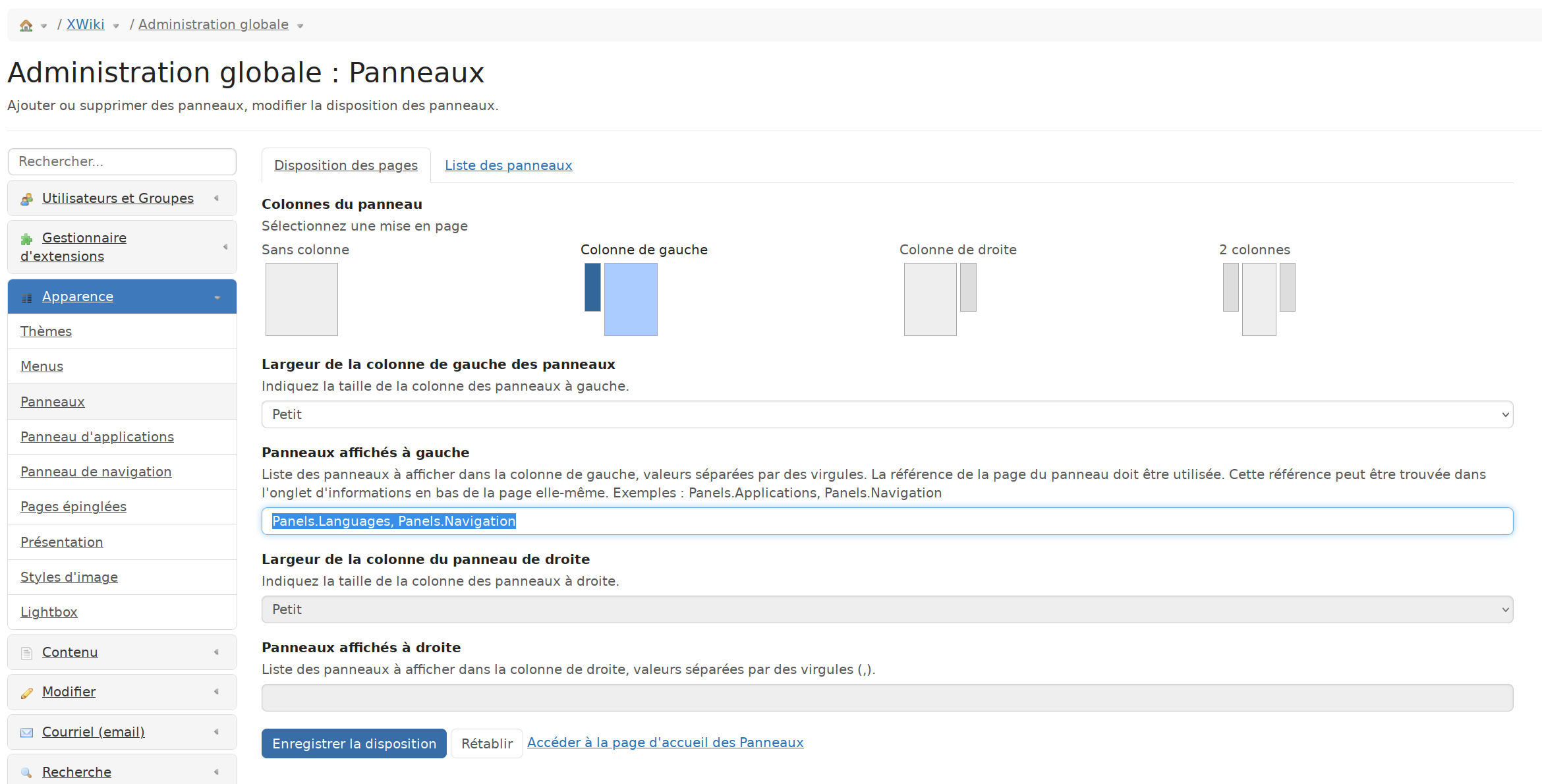
Go to Administer Wiki > Look & Feel > Panels.
In the body, once selected Panels, under the option Panels displayed on the left, add : Panels.Languages before Panels.Navigation.
Click on the blue button down the page to save the modification. Here is a small screenshot.
For the Macro, in the Macro page, I created a new Object, then created the page LanguageSelectorMacro, selected WikiMacroClass, then the full page needed configuration, and code.
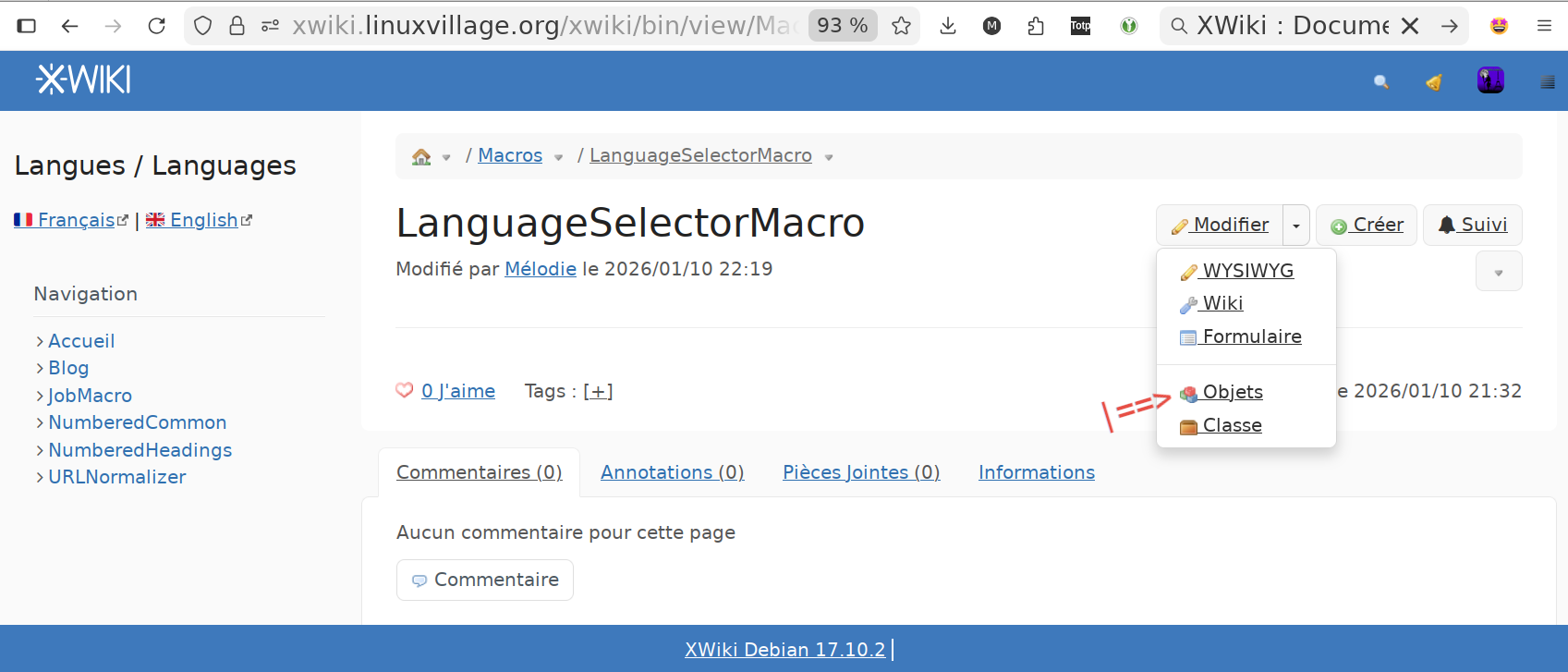
(I really should have been in the “Home / Macros” to show this, before actually creating the page).
The code for the macro, which is at work now:
{{velocity}}
#set ($currentUrl = $xcontext.request.requestURL.toString().replaceAll("\?.*", ""))

[[🇫🇷 Français>>$currentUrl?language=fr]] | [[🇬🇧 English>>$currentUrl?language=en]]
{{/velocity}}
This provides visible flags, in Firefox, and “FR” and “GB” tags, in Chromium.
In the last field, “Elements of the request”, I selected “Language” and “URL of the request”.
The rest of the fields can be viewed in the next screenshot.
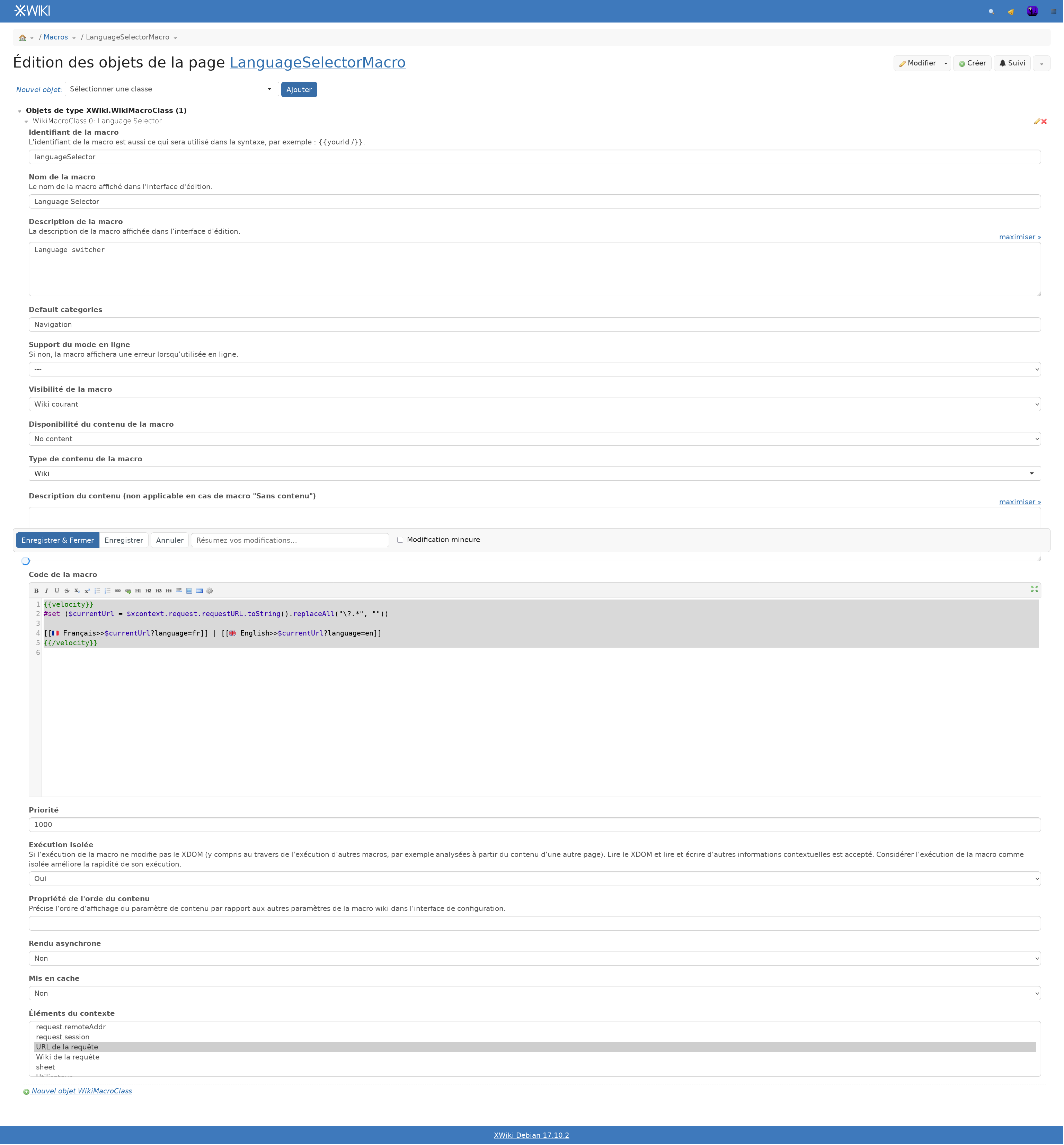
The other page which needs to be created is a Panel.
I want it to come before “Navigation”, on the left sidebar, which means, at the top left.
In the Panels page, I created a “Languages” sub-page. (“/bin/edit/Panels/Languages”)
- Type of panel “view”
- Category “Navigation”
- Description “Choix de la langue”
- Content:
 == Langues / Languages==

{{languageSelector /}}
- Asynchronus rendering “No”
- Cache “No”
- Elements of context “Langue”