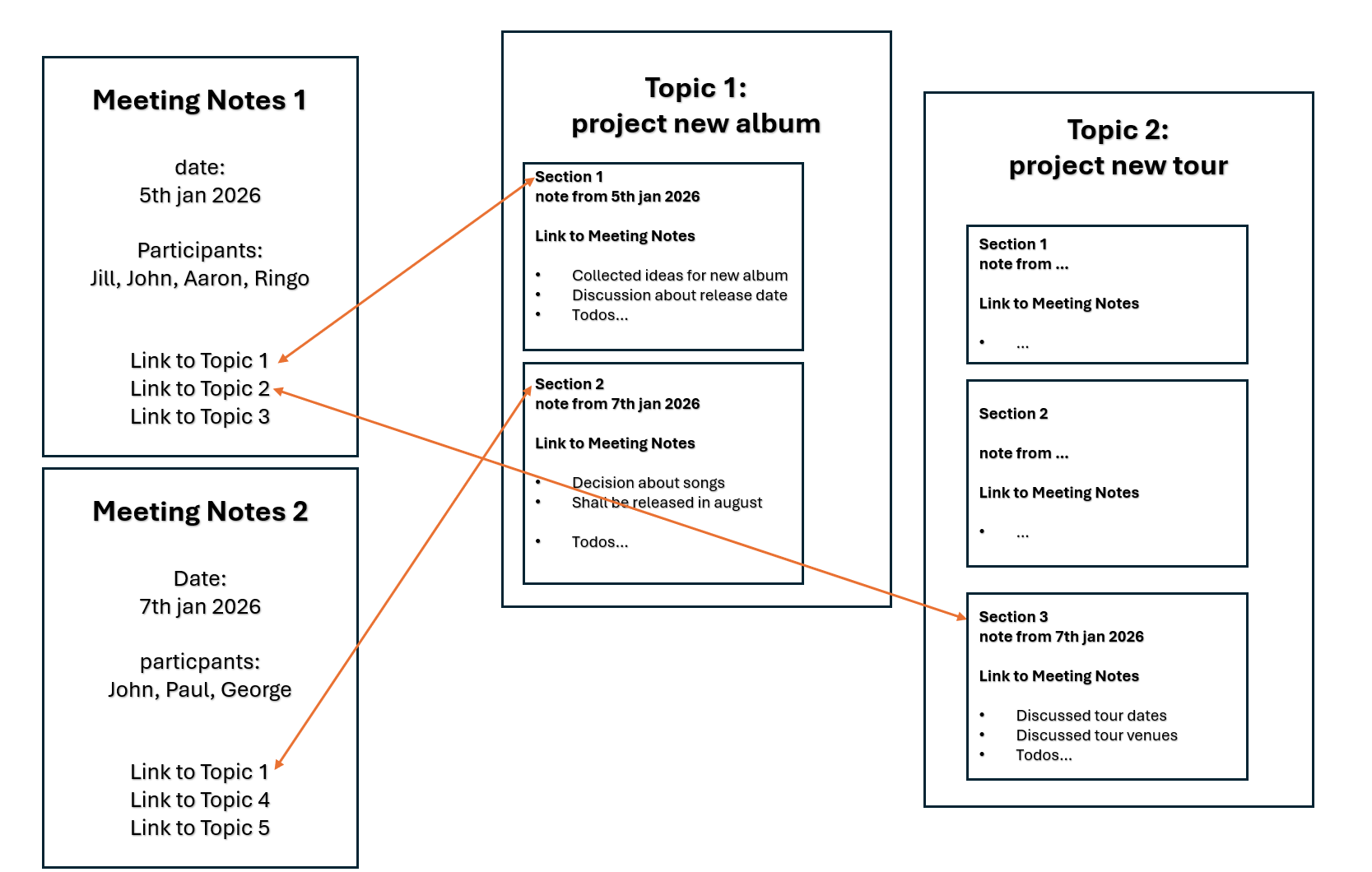
I’m quite new to xwiki and I wonder if there is a way to achieve the following:
Imagine a team who is working together on different projects and is having several topics about which they discuss regularly in meetings (and work on).
- How to keep track of the notes and progress of each project ?
- and at the same time knowing where the current progress information comes from?
What I would like to realize is the following structure:
- there is one place (page or page tree) per topic where information and progress about this topic is written down chronologically.
- the structure should be somehow “atomic”, so each time there is new information, there should be a new section, and this should contain information about the date and also the situation, where this information was noted.
As a lot of this information sections (but maybe not all of them) will be generated during team meetings (or meetings of other teams who are also discussing about this same topic), I would like to have another page tree, where there is
- one page per meeting, I called it “Meeting notes” in the example, I sketched.
- So those meetings notes should contain
- date of the meeting
- names of the participants of the meeting
- and a list of links who are giving access to the corresponding section of the respective topic page
in other words:
the meeting notes would only contain the titles and links of the topics which were discussed and all details information would be found in the respective topic page in a new section for this meeting.
The other way around if I read the topic page and find a certain section, this should be linked to the respective meeting notes (and I could find there the names of the participants of the meeting on this day…)
Even more ideal would be if the containers of the sections could be also directly shown in the meetings notes (but not copied by hand but by some filter algorithm which displays all sections who are tagged with this meeting on this day…)
Could you give me some hints if and how such a structrure could be realized in Xwiki and especially if there is an elegant way for the bidirections links between meeting notes and section (orange arrows) or even a way to do this automatically and dynamically by displaying filtered content elements (the secions) in the meeting notes?