Guided Tutorial Extension Proposal #1

We had a meeting to discuss the technical choices to start the implementation of the guided tutorial extension (or any other name we end up with).
And while discussing, we realized that we don’t have enough information to make a choice.

See below a list of questions we were unable to answer:

  • Do we still want to be able to focus on specific elements during a step?
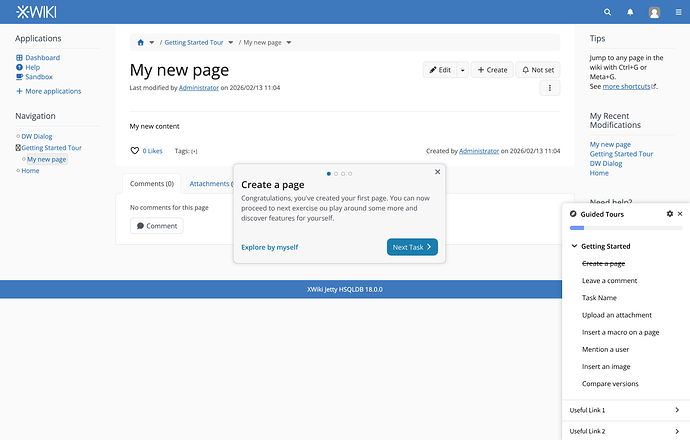
  • In Proposals for improving the Onboarding Experience - #18 by gabrielc and in the ASCII mockup we can see checkboxes. When and how do they change state?
  • How do we know if an achievement condition is met?
  • Since the tour is “guided”, what happens when the achievement condition is met? Taking an imaginary use case where the user is asked to type “hello world” in a field, then asked to press a submit button once “hello world” is typed
    • What happens right after “hello world” is typed?
    • Is the user moved to the submit button?
    • Is the move done with a delay or a transition?
    • Or does a checkbox become checked and the next step button enabled?

Overall, I think we need example scenarios to better understand the user flow of the guided tutorials.

Furthermore, given the extensible nature of the extension, what happens when two tutorials can be activated for a given user at the same time?

  • Are they merged?
  • Is one of the tutorials put on hold until the first one is done, before being proposed to the user?

I’m also wondering if we want to have a precondition for a tutorial to start, for instance:

  • An introduction tutorial starting on the first login of a user.
  • An admin tour the first time a user accesses the administration
  • An edit tour the first time a user clicks on the editor button
  • A “more actions” tour the first time the user clicks on more actions (or maybe just after a predefined duration, and only once the introduction tutorial is completed)

What happens if a user discards a tutorial? Are all the future tutorials discarded as well?

cc @tkrieck since the answers might impact your UX design.

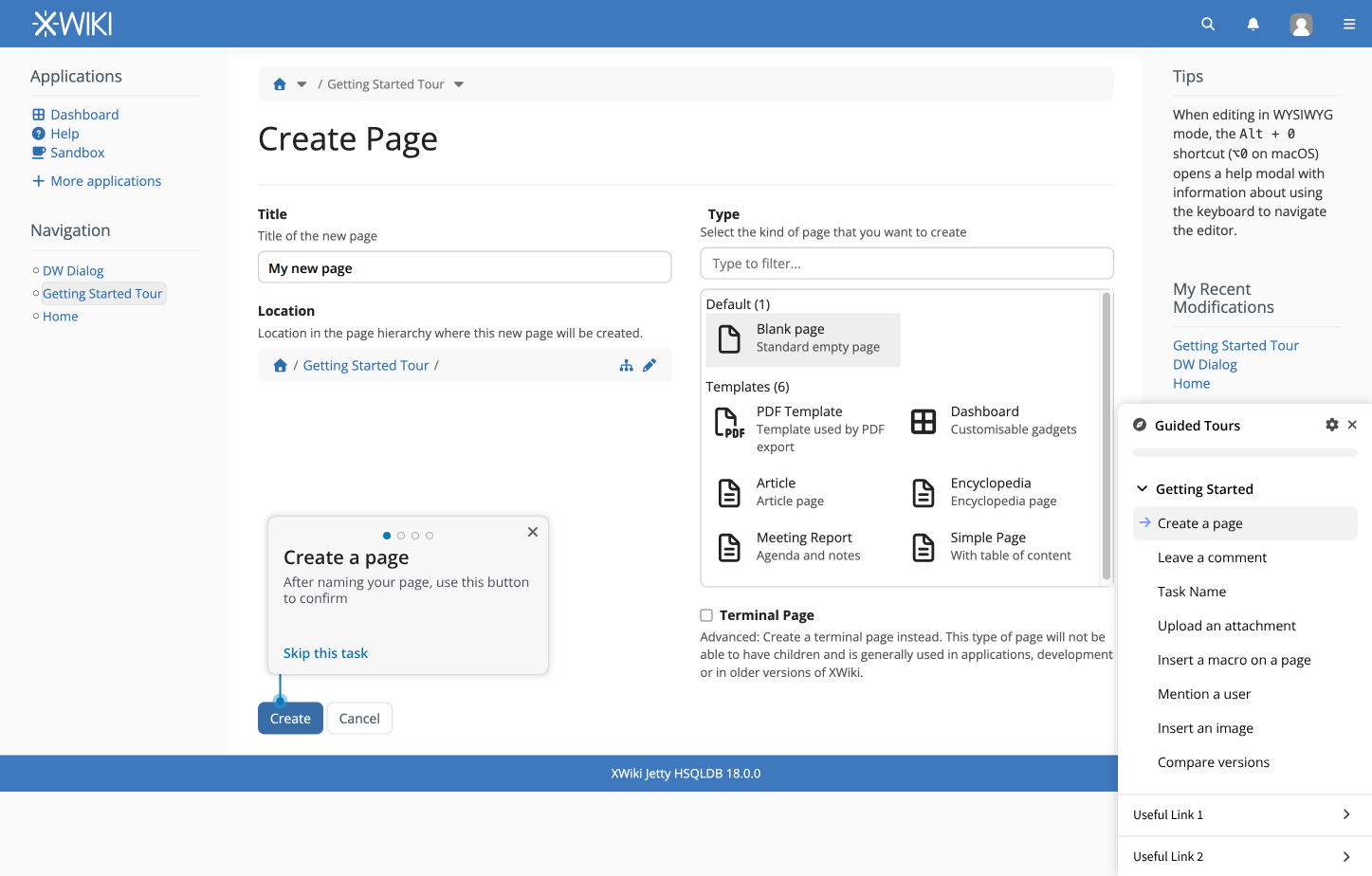
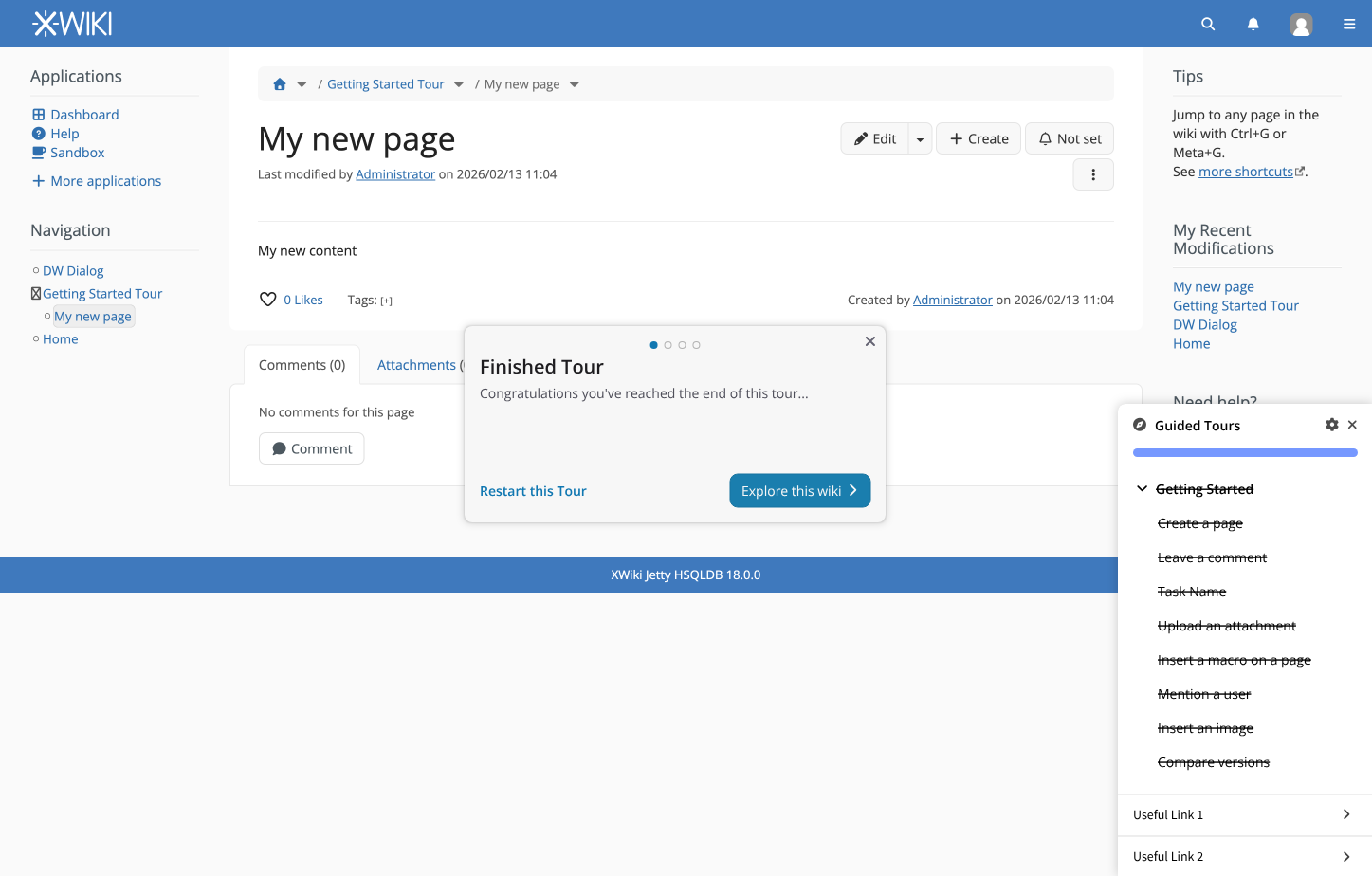
For a concrete example, during the meeting I took the example of “Task for creating a page” where the user should be:

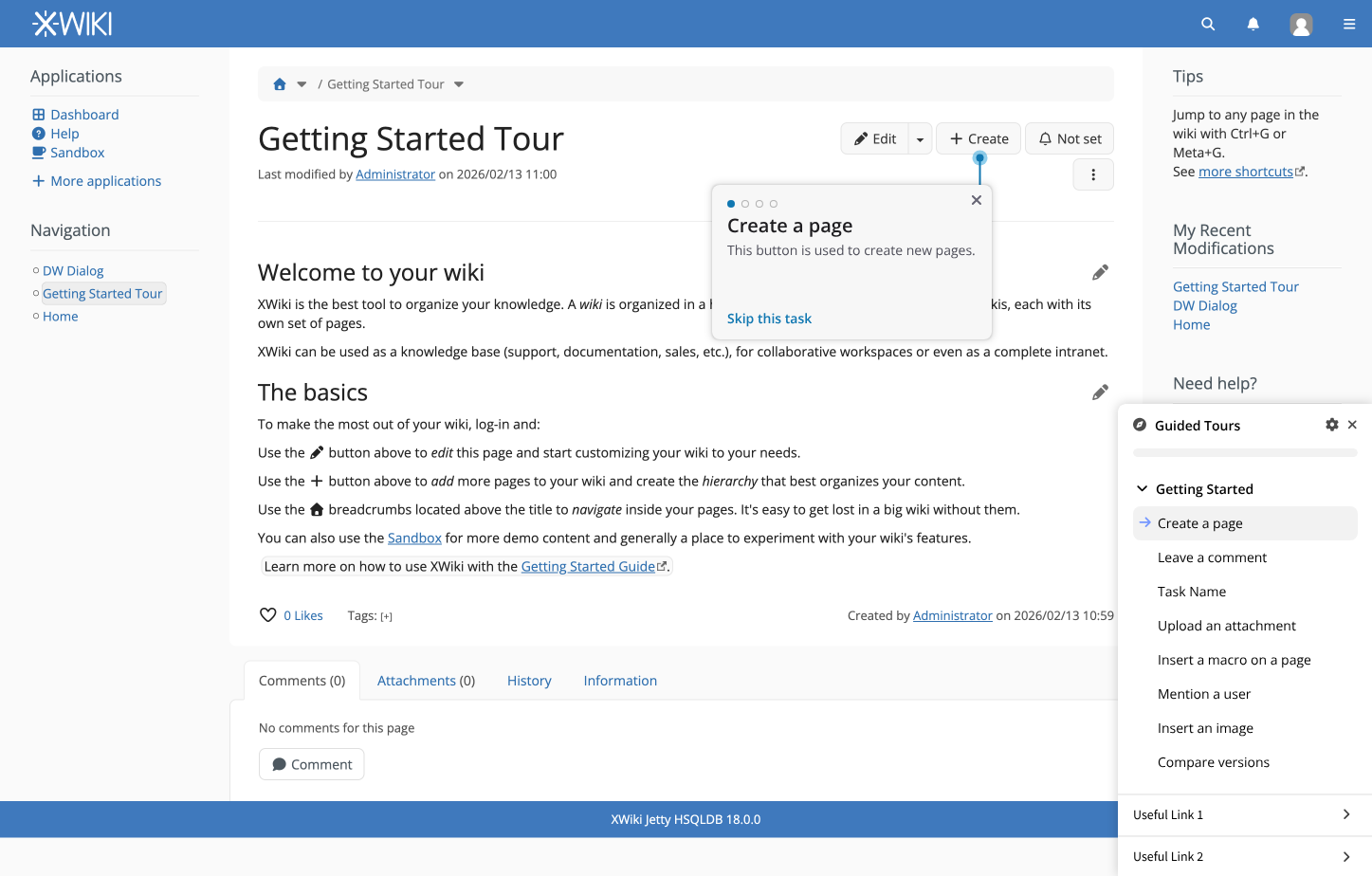
  1. Invited to click on “Create” button
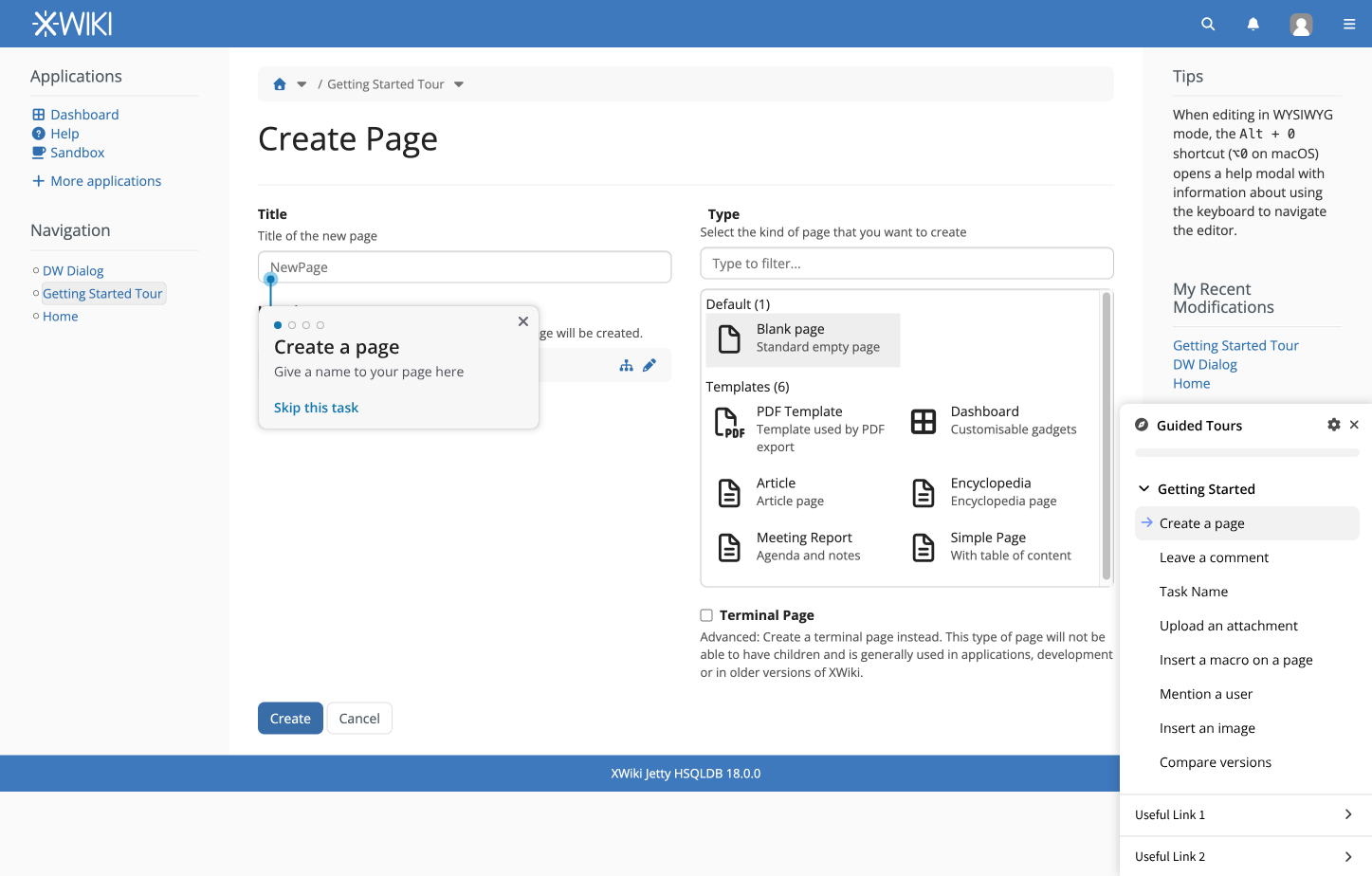
  2. Invited to type a page name
  3. Invited to select a template
  4. Invited to click on create
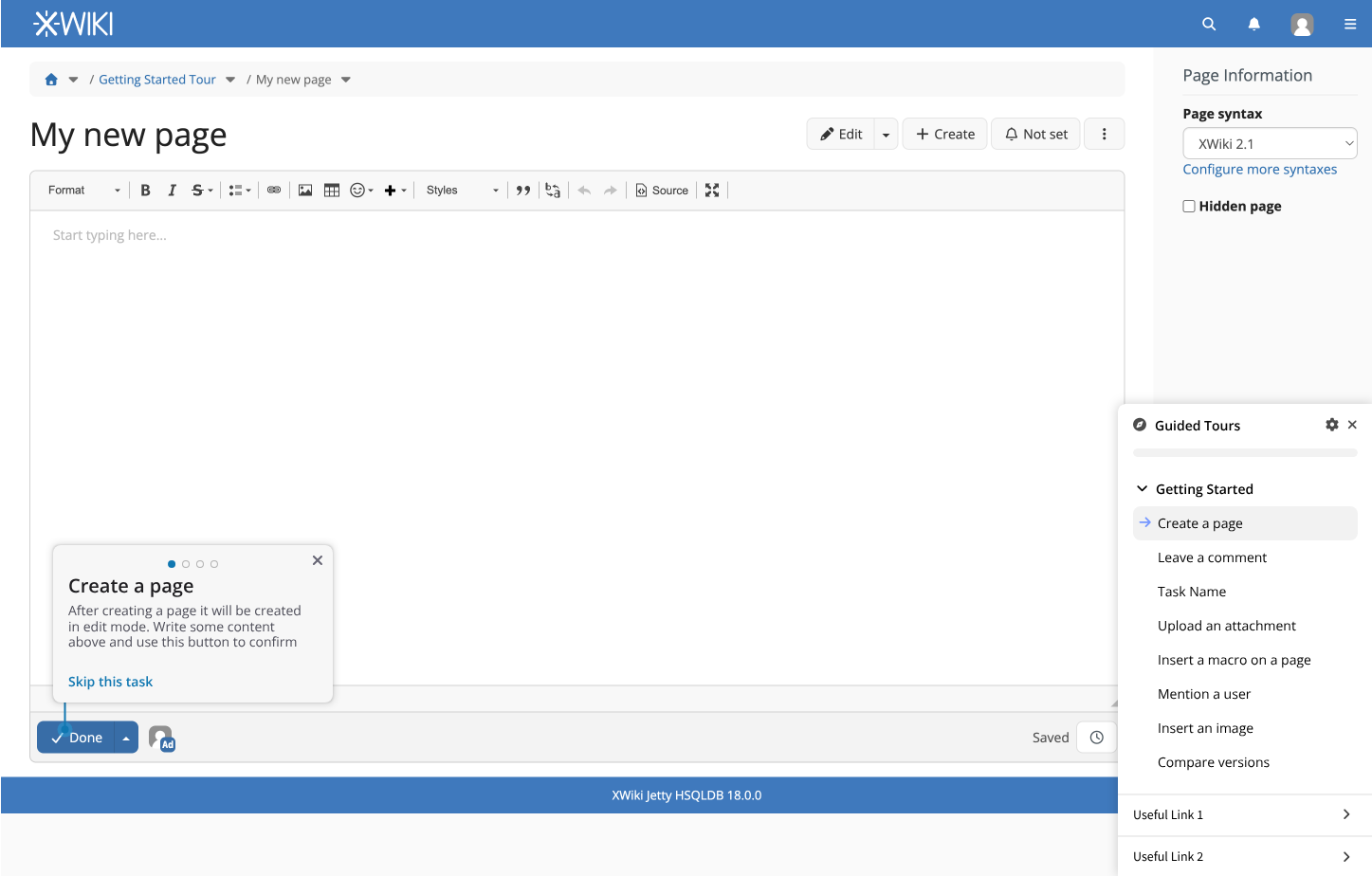
  5. Invited to modify the template content
  6. Save

The way I was seeing it, at each step there would a highlight on the UI areas with a bit of explanations, before the user actually performs the action. So for step 1, we highlight the “Create” button, we put a quick message to invite to click on it, etc. Step 2 is a bit more complex since it involves interaction with the form to provide input in a text field, but otherwise it’s same idea.

So globally I’m seeing something very guided: tasks are completed through a list of small steps with highlights on the UI. Each task could almost be seen as a tiny tour on its own.

A very different way of seeing it is to consider that we provide a list of tasks to user, and we let them complete the tasks without providing guidance: we just inform them when they completed the task. If we go there, then we don’t need at all the Tour application concepts, the guidance is much more limited.

So I think we should ensure we’re all on the same page between those 2 options.

Yes. The first option explained by Simon is also what I had in mind:

I’m +1 for the first option, as I believe it would provide more value to first time users.

Checkbox state should change upon task completion. At the end of a task, an event should be fired, or a function related to the checkbox widget should be called (unsure about the technical implementation, maybe there are better ways of achieving this), that would update the state of the checkbox.

I’m not sure that I understand. Could you please offer some more details, or an example? :folded_hands:

For each step of a task the focus of the page should be brought to a certain element. A popup should be visible, guiding the user through text about the action they’re expected to take.

If we already know the value expected to be typed in a text field, in this case “hello world”, after the user does that, the focus should be moved to the submit button, using an animation. The animation should be disabled if the browser has the “Reduced Motion” accessibility feature enabled.

That being said, in some cases, we might not know beforehand what the user will type in a field (e.g.: a page creation task should let the user give the page whatever name they want). In those cases, a “Next” button should be available in the popup, to let the user choose when to go to the next step.

The checkbox in the checkbox widget should only change state when the task is fully completed.

Good point, I’ll work on a couple of detailed examples and post them on the forum next week.

A user should not be able to start 2 or more tutorials at the same time. I think that would cause confusion to the user and unnecessary development complexity.

If the user somehow triggers a new tutorial during an already ongoing tutorial, the new tutorial should be added as a task in the checklist widget, and the user should be able to trigger it manually after they’re done with the current tutorial.

I really like the idea of showing tutorials to users when they first encounter a feature. That being said, this was not part of the proposal. I think for now it would be best to focus on clearly defining how tasks work. In my opinion, this would be a nice feature to have, but maybe in a V2 of the extension.

If a user discards a currently ongoing task, all progress on that task should be lost. The user should be able to restart the task from the beginning at a later time.

Admins should have a config option available to let users skip all task if they want to.

If a user wants to skip all the tasks, let’s say they’re already familiar with XWiki, they should be able to do that only if the admin allows for it.

Users should also be able to reset their tasks, in case they forgot how to do certain things, or in case they initially skipped the tasks but now want to do them. I am currently unsure where this task reset feature should be found. Potentially in a submenu of the task widget (?).

I think the question is: do we consider that the task is finished when the user achieve last step of the task, or do you want to have other condition too? e.g. for the “Creation of page tutorial”, if we can validate the user click on “save” at step 6, is it enough to mark the task complete, or do we want to also check that a page has been created by the user? In this scenario it’s redundant, but maybe in some scenario that would make sense to check a condition? Or is it overengineering it?

So my understanding of that is that:

  1. each step is related to a UI element (can we have a step not highlighting any element?)
  2. a step might wait a user input on the element for going to next step
  3. the user input might need a specific validation (e.g. the user typed “hello world” and not “foobar”)
  4. in case there’s no validation and no input expected, we should display button to go to next step

Since the tutorials are guided, we need to have a mechanism to detect when a given step is achieved.
One basic case, such as the example where the user is asked to type a specific text, detecting achievement is easy. It can be checked directly client side.
But, for some other achievement, the check could be more complex and involve interactions with the server.
I don’t have specific cases in mind but I thinks it is interesting to imagine realistic scenairios, to check what would be the achievement solution, and to validate that they can be supported by the extension.
Based on that we’ll know if a expressions are enough or if we need to allow more advanced scripting to define steps achievement condition.

I don’t think we can avoid this for long since the legacy tour extension already had a close concept with the target page and target class properties of a tour. Allowing to only start a tour when the user visits a given page or when a page contains a given class (see https://extensions.xwiki.org/xwiki/bin/view/Extension/Tour%20Application#HHowtocreateanewTour).
If we want the guided tutorial extension to be a replacement for the tour, we’ll have to support something equivalent.

-1 to let the admin “force” tutorial to user like this, or at least not as the default option.

Ok, we’ll need a specification of the different screens needed for this use case, like where the user can see the steps they skipped earlier and so on.

Here is my first proposal for the default tasks:

1. Create a page

1.1. Click “Create” button
1.2. Enter a title
1.3. Select a template [maybe we create a “tutorial template” that we force users to pick, so the page isn’t completely blank]
1.4. Click “Create”
1.5. Modify page content (optional)
1.6. Click “Done”

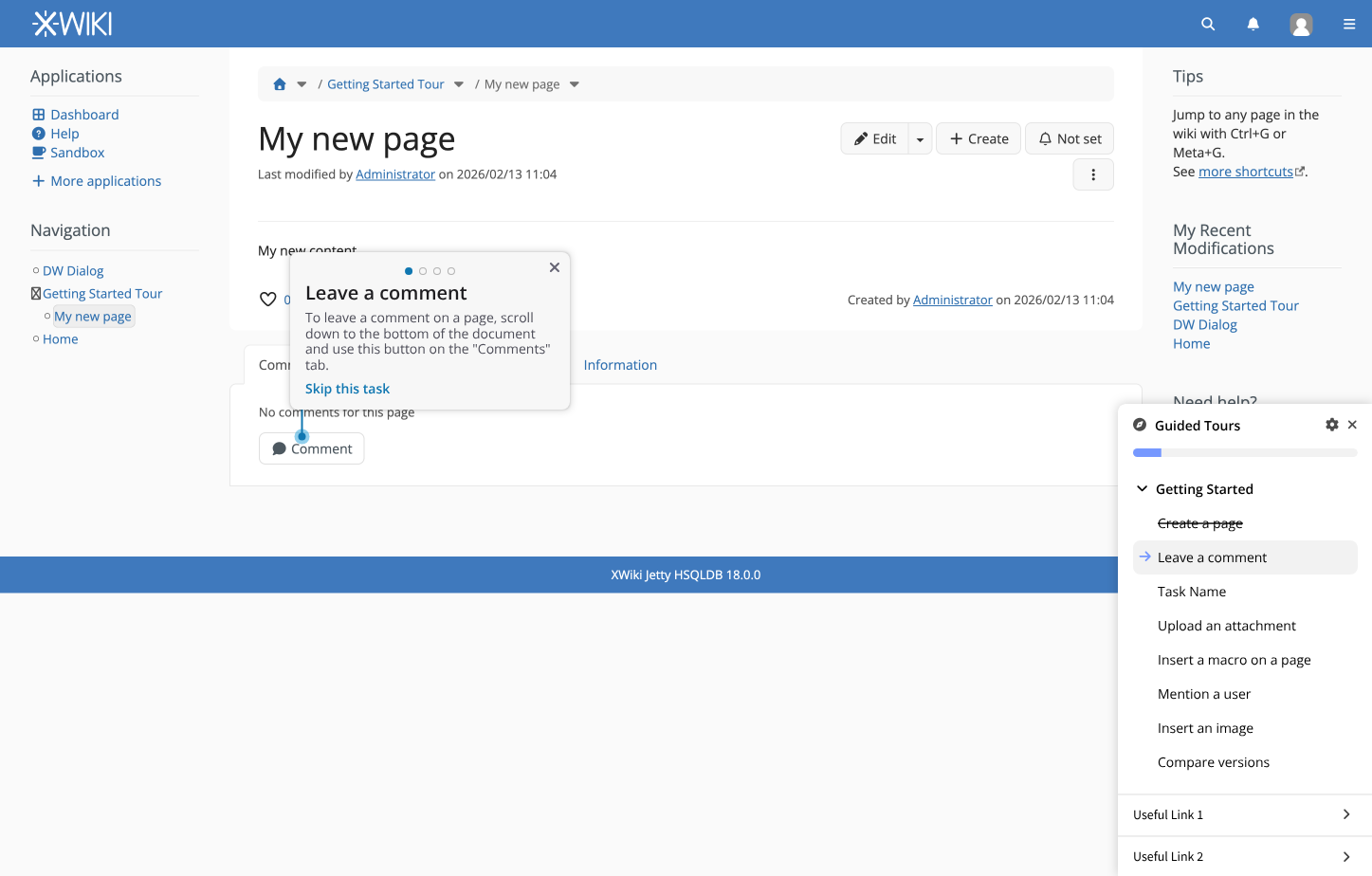
2. Leave a comment

2.1. Focus the “Comments (0)” section
2.2. Click the “Comment” button
2.3. Add your comment [could be whatever, we shouldn’t check contents]
2.4. Click “Add comment”

3. Add an annotation

3.1. Select some text and press “CTRL + M” [ or Command + M on Mac?]
3.2. Add your annotation text
3.3. Click on “Add annotation”
[bring focus to Comments section]
3.4. Click on the quoted text above your annotation

4. Upload an attachment

4.1. Focus the “Attachments (0)” section
4.2. Click on “Browse…” under the “Attach files to this page” section
4.3. Select a file from your system

5. Insert a macro on a page

[Check if users is already in edit mode. If user is already in edit mode, skip to 5.2.]
5.1. Click “Edit”
5.2. Type “/info”
5.3. Select the “Info Box” macro
5.4. Modify Info Box content (optional)
5.5. Click “Done”

6. Mention a user

[Check if users is already in edit mode. If user is already in edit mode, skip to 6.2.]
6.1. Click “Edit”
6.2. Type “@”
6.3. Select a user
6.4. Click “Done”

7. Insert an image

[Check if users is already in edit mode. If user is already in edit mode, skip to 7.2.]
[The template used for tutorial pages should contain at least one image, in case the user uploads another kind of document]
7.1. Click “Edit”
7.2. Type “/image”
7.3. Select the “Image” macro from the “Content” section
7.4. Select or upload an image
7.5. Click “Done”

8. View differences between 2 versions of the page

8.1. Focus the “History” section
8.2. Click “Compare selected versions”


I think we should encourage users to save after every page content related task, and keep the History related task towards the end, so that when the user gets to it, there are actual changes that they can see.

I’d go with “task is finished when the user archives the last step of the task”. Unless something really bad happens along the way, I think it would be enough. And if something bad does happen, the user could restart / reset the task. (When I say “bad stuff” I’m mainly thinking about network conditions).

I’m not sure how task steps such as “type /info on a page in edit mode, and select the Info Box macro” could be highlighted. In cases like this, if it would be too hard to highlight a certain line in edit view, we could potentially have steps without element highlights. Or maybe just focus the editor in this case?

Yep. That sounds good.

Could you please check the proposed tasks and let me know if any of them would require server validation or something more complex? If only 1-2 tasks are more painful to implement, they could be switched to something else. Over all, since it is easier, I think validation of tasks could be done client-side.

Ah, fair. In that case, it should be done.
I don’t think it would be used in the default tours at first, but if the feature is already there, it would be easier to create more tours later, for certain pages.

My thinking was that in some contexts, the admin may want or need to “force” users to do some tasks. It may not only be the default tasks, but some custom tasks they created, that need to be done for compliance reasons for example (e.g.: make sure a user reads a procedure, then signs their name in an AWM).

That being said, I’m fine with letting users skip tasks by default. But I do think the option should be there in case it is needed in certain use cases.

Yeah, I’ll have to work with Thiago on this. I’ll let you know when we have something ready.

That’s some interesting use cases.
Those look quite different from what we can do today with the tour-app.
Note that recently I updated the tour to make its content less interactive: Proposal: prevent interacting with highlighted content during the TOUR

If we want to deprecate the tour-app, we’d need to make sure every step has a isInteractive field, so that we can keep the “show item>click next” use case supported.


2.3. Add your comment [could be whatever, we shouldn’t check contents]

5.2. Type “/info”

Note that we’ll need to check the editor content for 5.


I think that for any step, it would be important to add a “skip step” button to make sure the user doesn’t get stuck because there’s a bug in the step validator (could be caused in some places by heavy customization).


Maybe the guided tutorial should be bundled with its own template pages that are instanced on every tutorial and deleted after the end, so that actions on it wouldn’t change the state of the wiki. E.g. if I have 10000 users and everyone adds some text, an attachment and an annotation on the Sandbox page, things could get very messy really quick. Even if it’s just a Sandbox, my 9800th user would probably be disappointed with how the page looks/loads. I think the edits made during the guided tutorial should be only throwaway information and that it’s okay to delete them after the end of the tutorial.

1 Like

To summarize, this is where we’re at now:

Agreed

  • The extension will be part of XWiki Standard
  • The extension will have most, if not all the features currently available in the Tour App
  • After the extension is released, and after it is agreed that it reached a certain threshold of quality, it will replace the Tour App, which will then be marked as deprecated and moved to contrib
  • Some tasks should be visible to Guest users as well, based on rights. Admins could disallow tasks to Guest users
  • Every step should offer an isInteractive field, for accessibility reasons

What should the extension be able to do

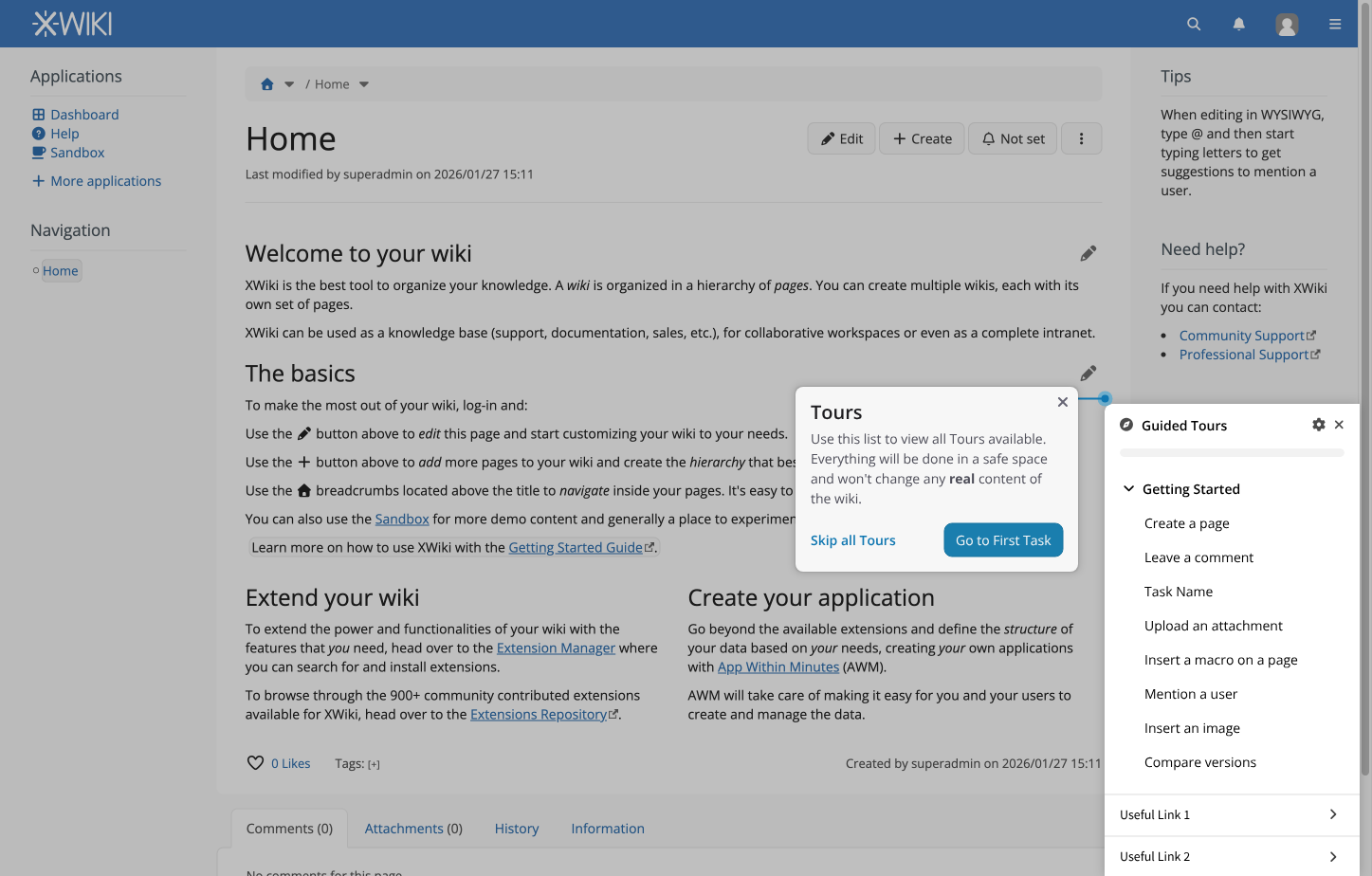
  • Offer a widget with tasks
  • Guide users to complete tasks by focusing UI elements
  • Let other extensions create custom tours
  • Let tours be triggered automatically when the user visits a certain page
  • If a task is already started, another task shouldn’t start at the same time
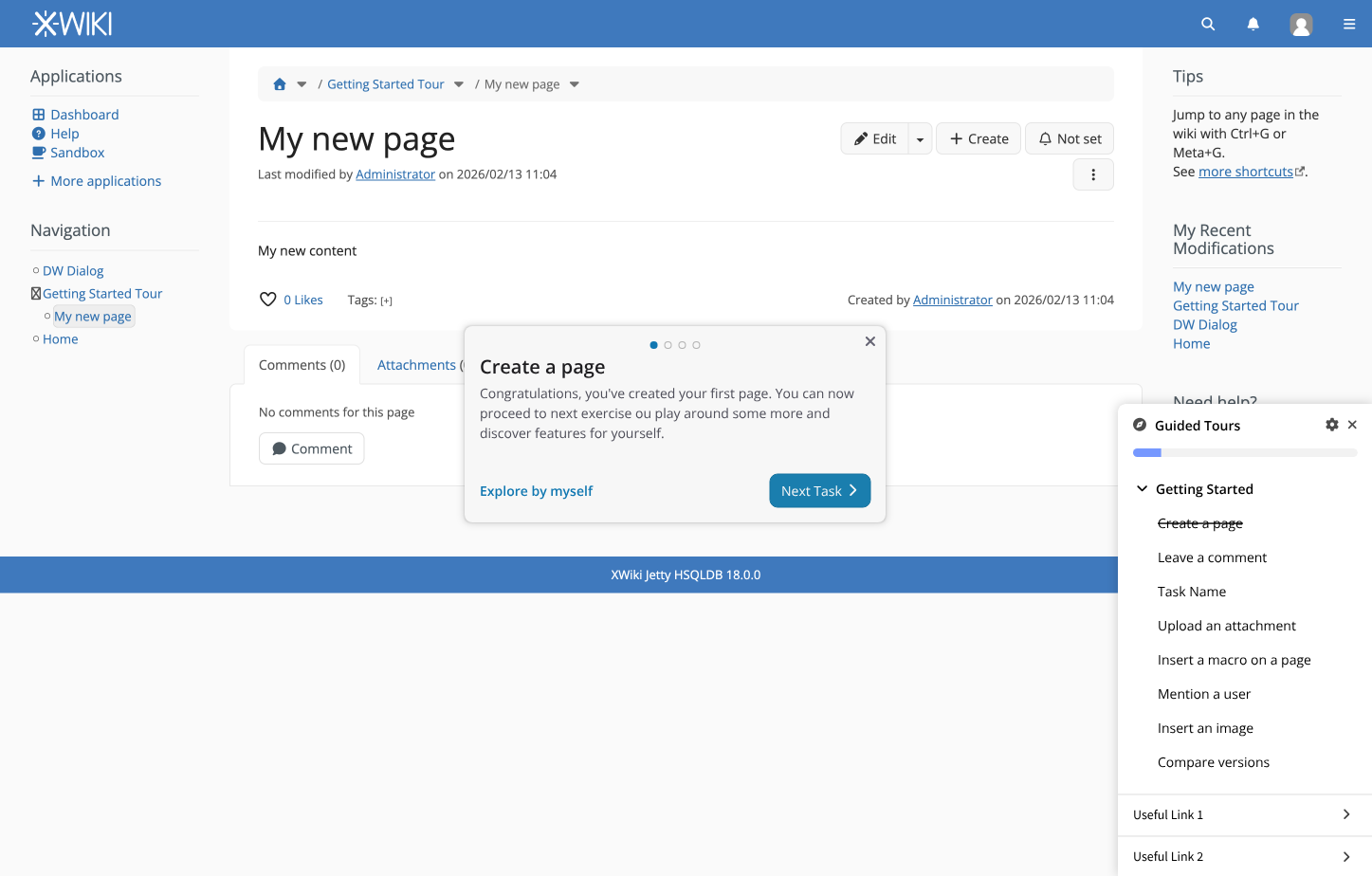
  • Checkbox status should change upon task completion. Tasks should be marked as completed when the last step is finished

Still needs to be discussed

  • Tasks should be grouped. Besides the main tutorial tasks, do we group them by task topic, or by extension providing the task e.g.:
    • Main Tasks + Topic 1, Topic 2…
    • Main Tasks + Extension 1, Extension 2… (+1 from me)
  • Should we:
    • Only support linear tasks (done one after the other)
    • Only support ad-hoc tasks (order doesn’t matter)
    • Support both linear & ad-hoc tasks (+1 from me)
  • Users should be able to skip tasks by default, but admins should have the option to enforce certain tasks
  • Every step should be skippable, in case the step validator stops working (e.g.: due to heavy customizations on the wiki)
  • Where should tasks be done? I like the proposal made by Lucas:

To do

  • Create specification of different screens needed for configuration, skipped tasks etc.

Interesting UC, I see two non exclusive options for such case:

  1. we put a small gif or video illustrating the action to perform (cheapest solution and probably very effective)
  2. we provide an automation mechanism allowing to actually perform the action: i.e. the user clicks on a button and the users automatically sees the editor being focused and `/info` being typed

Sounds like a very advanced UC to me, I certainly wouldn’t introduced that in first iterations.

So one way for that is that the “next step” button would never be disabled: the “validator” would just highlight that the step has been done with an icon/a color, but even if the step is not validated user would be allowed to continue (maybe with a confirmation).

Note that this behaviour could be a configuration probably.

Yes I agree for the tasks to be performed we need to be careful about the backend mechanism we exactly want to provide to not mess up the wiki, have no scalability issue, deal properly with rights and notifications etc.