Hey everyone, I spent the week on the docs and designing some options for this work. It took a little longer than I anticipated because of the complexity of the topic.
Something like this?
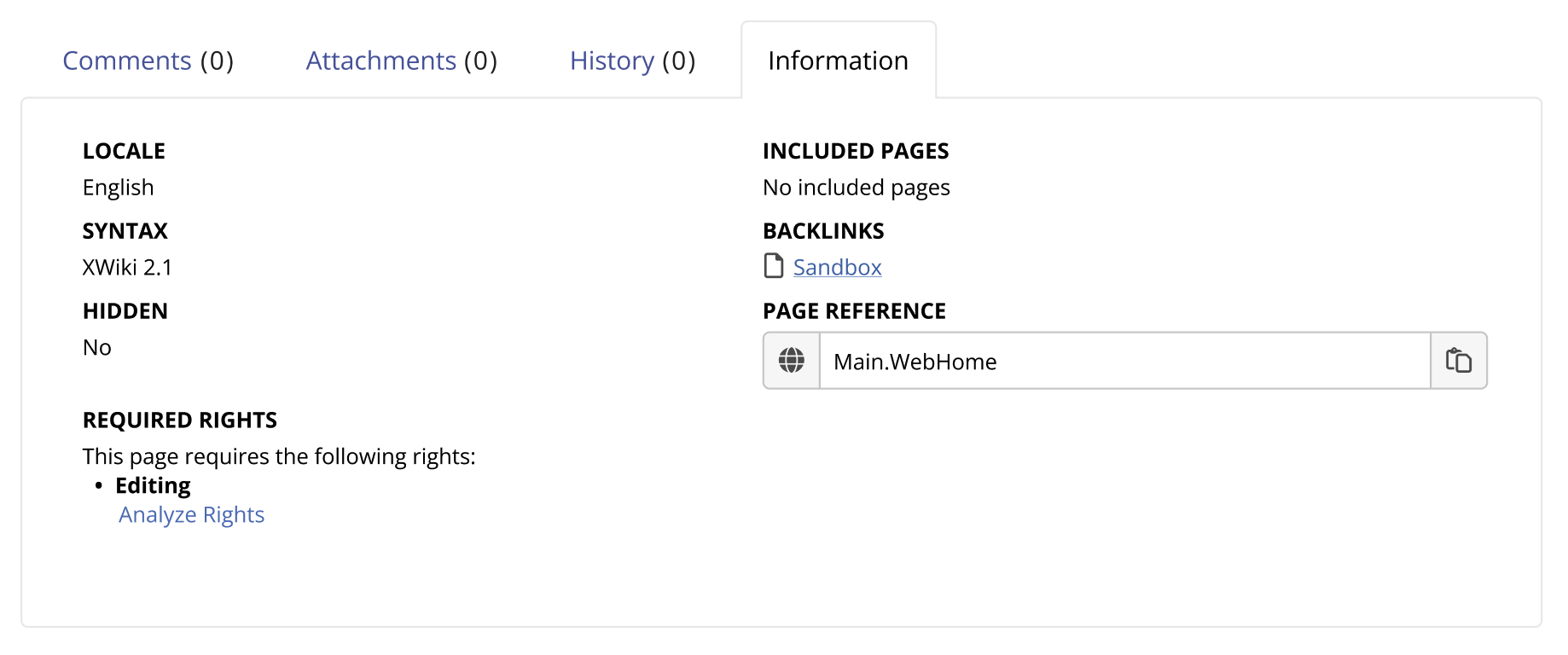
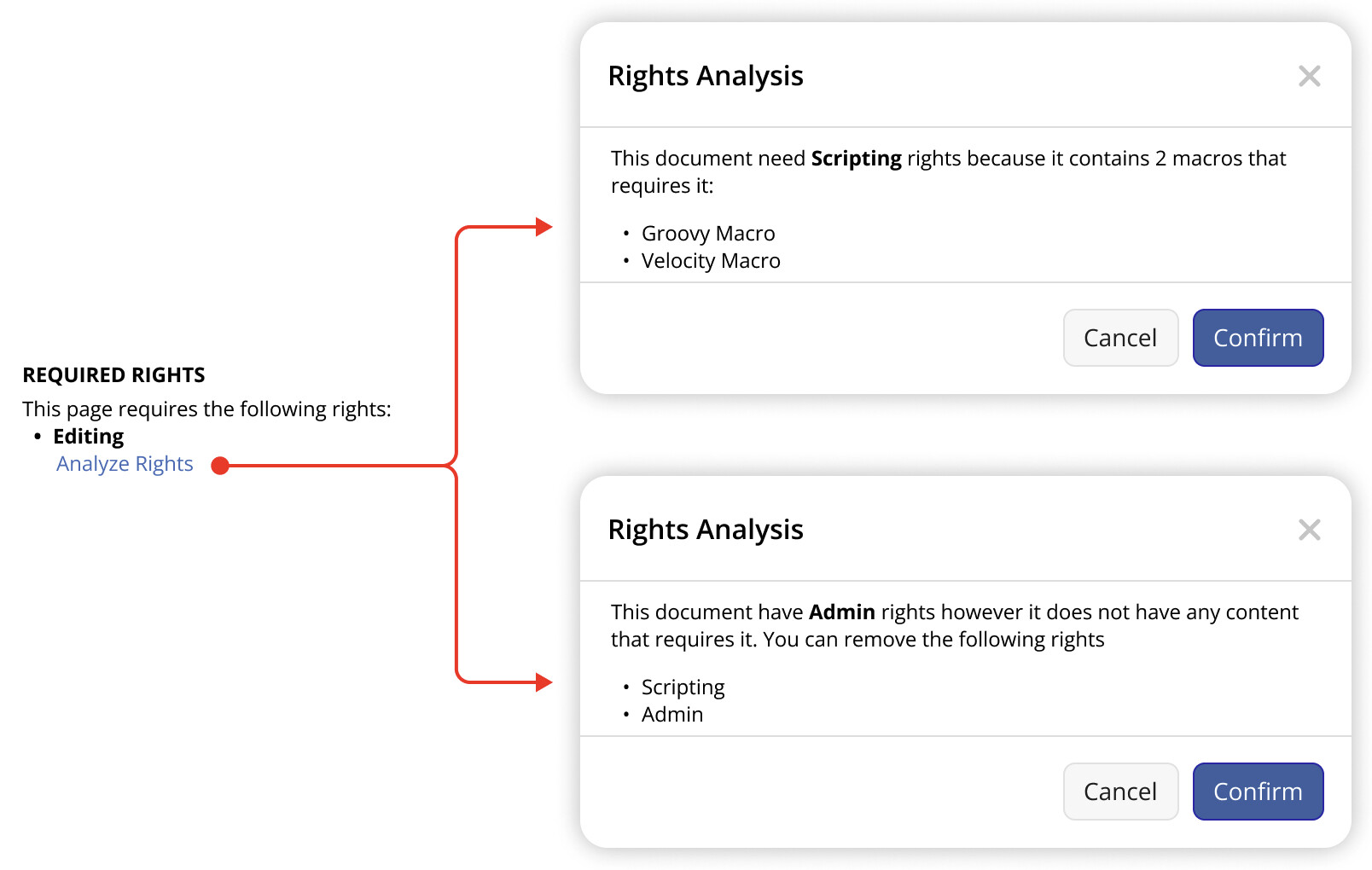
Note that the “analyze rights” link would be shown for advanced users only. When clicking it, we can have a dialog informing the suggestions of operations based on @MichaelHamann options:
1 - Suggest setting a document right for documents that are using the legacy mode;
2 - Suggest adding rights and;
3 - Suggest removing rights;
Example:
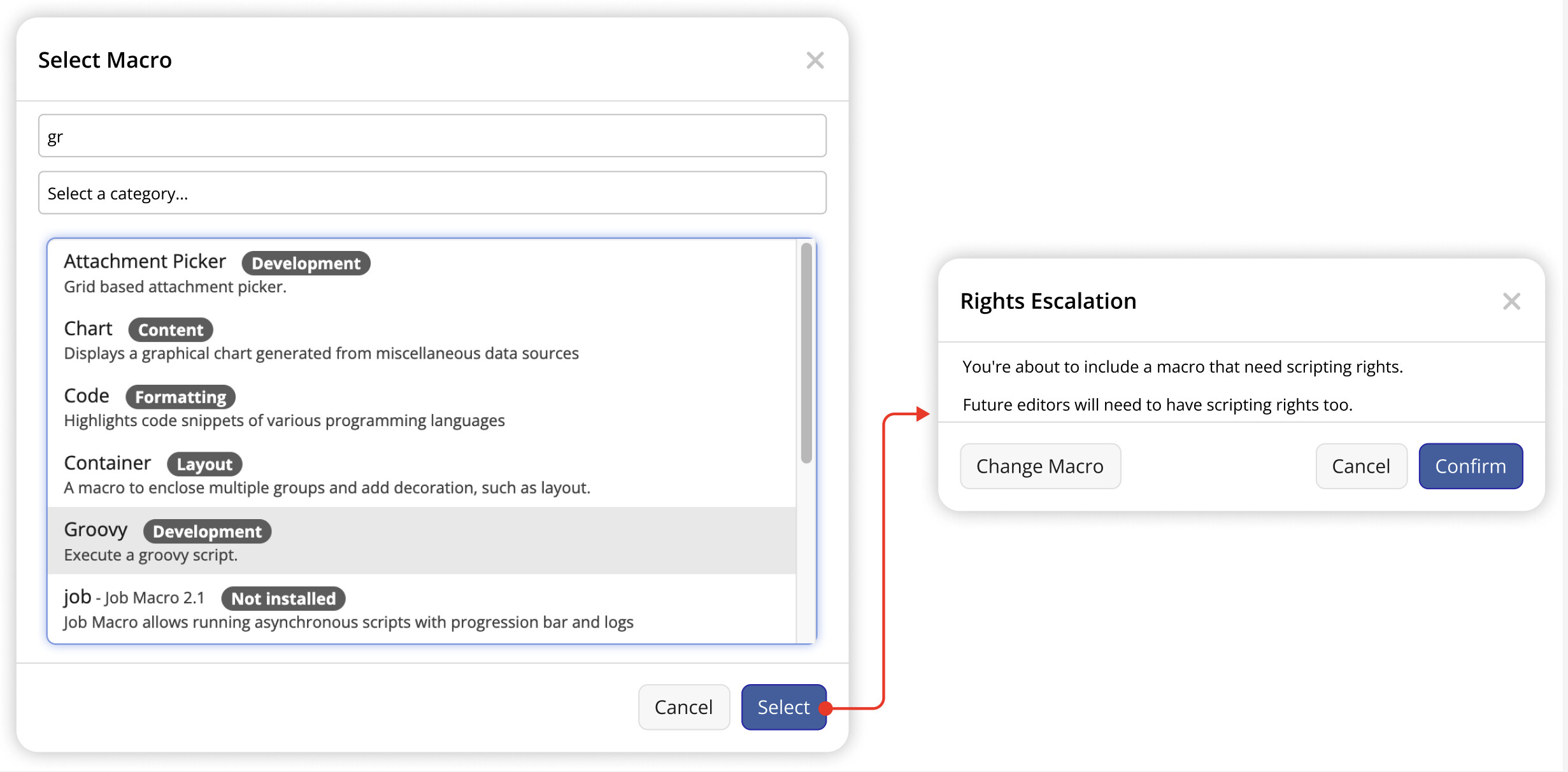
If it’s something that would appear only the first time that an escalation is necessary, I don’t see a problem in having the suggestion:
Dashboard / Extradoc Tabs
I still don’t know the best place for it, but I feel it could be in the Rights section of the administration pages. Or maybe both, a Rights tab on the document (for advanced users) AND on the Admin pages.
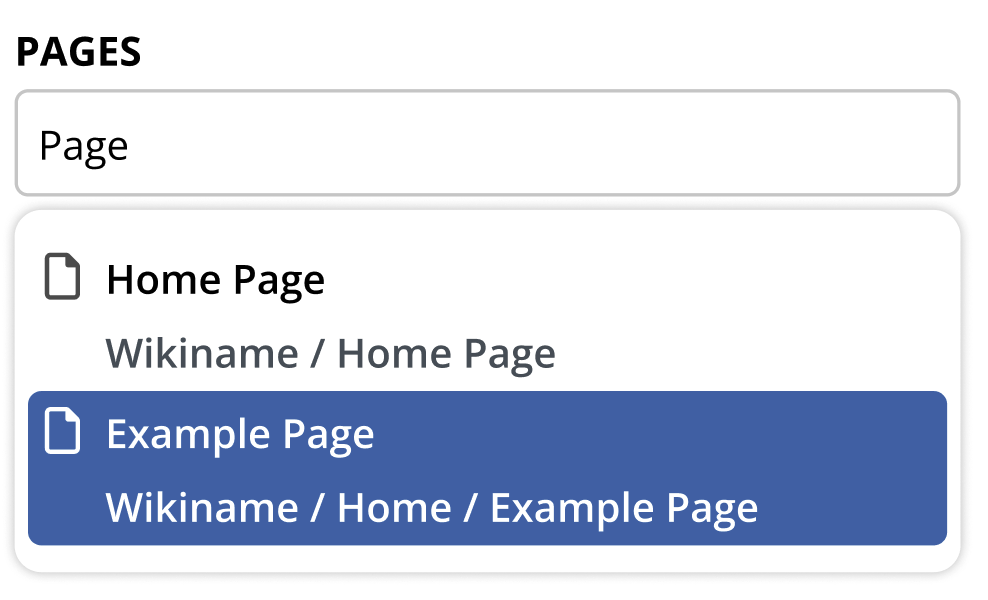
@MichaelHamann told me of a proposal by @evalica that could be used as an inspiration for the dashboard (https://design.xwiki.org/xwiki/bin/view/Proposal/RightsUI9xCheck). So I did the one below. In this mockup the user selects a page and a user on the top fields and details are shown below them.
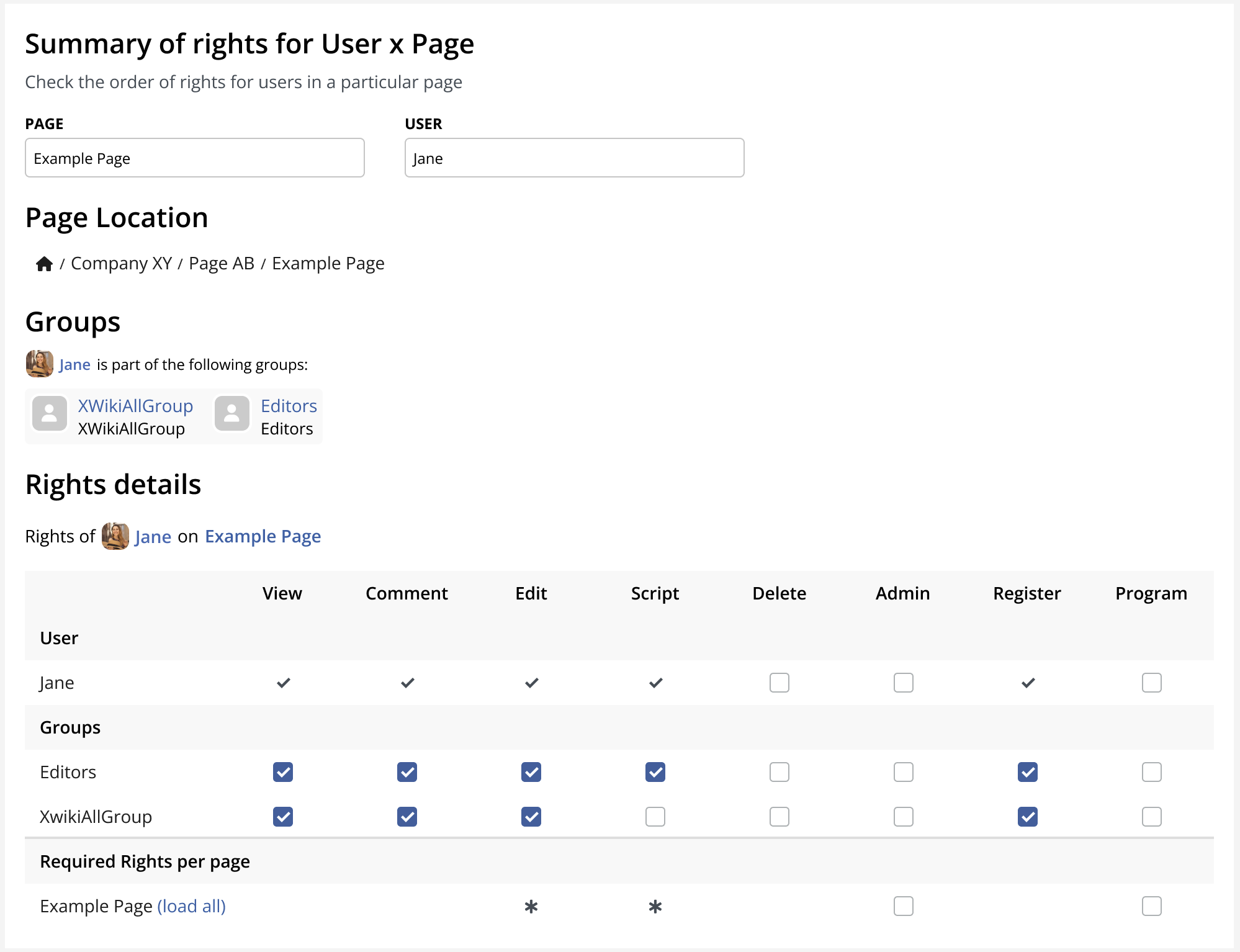
Inputing pages and users should feature a search or autocomplete.
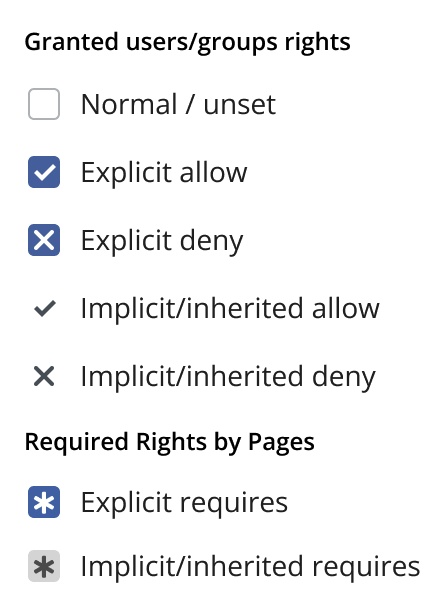
The table of computed rights feature the following conventions for the markings
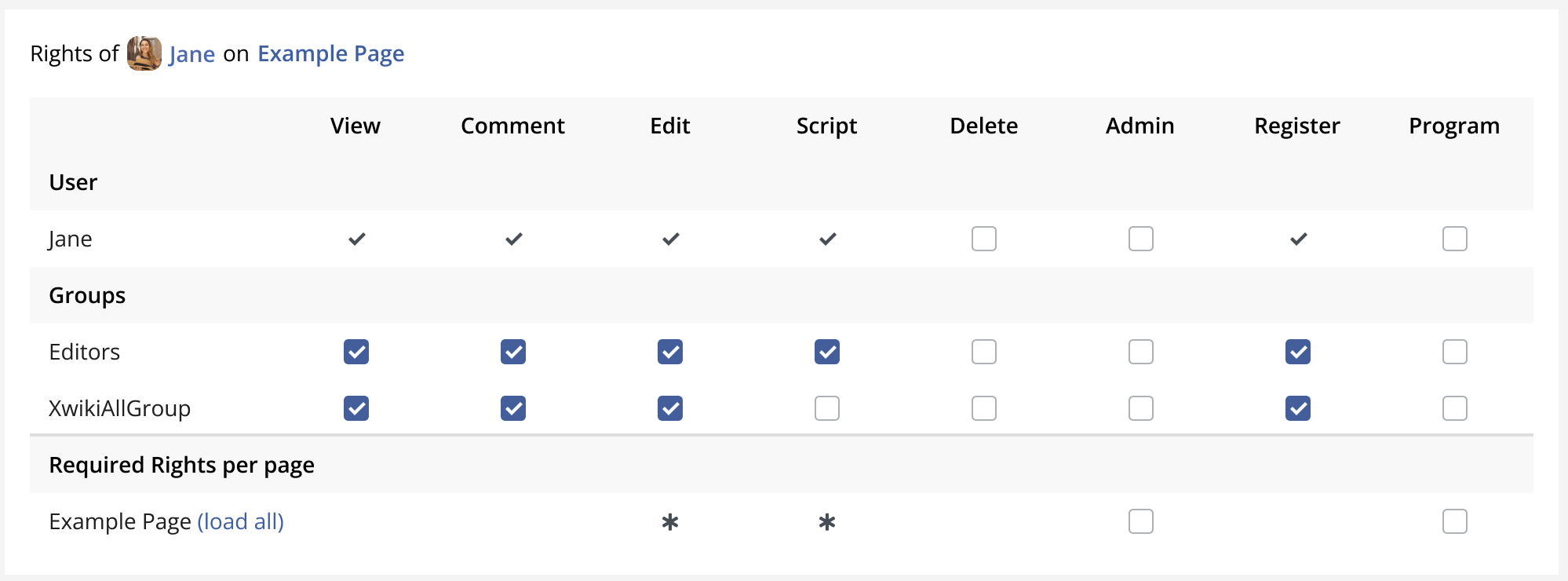
The information at the top of the table is the most granular, meaning it can have inherited rights from entities that are shown on the table rows below it.
Because the computation of rights for pages can have a long list of entities we have a Load All button besides the page name. Expanding it would look like below:

Here we can see that “Example Page” is inheriting the Scripting Right requirement from “Page AB” and that the basic editing right is set on the Wiki level. Both are explicit at their origins, denoted by the blue filled background on the asterisk.
The same way works for the rights for our example user “Jane”. She has all her permissions inherited from groups that are shown in the rows below her username.
Some other examples:
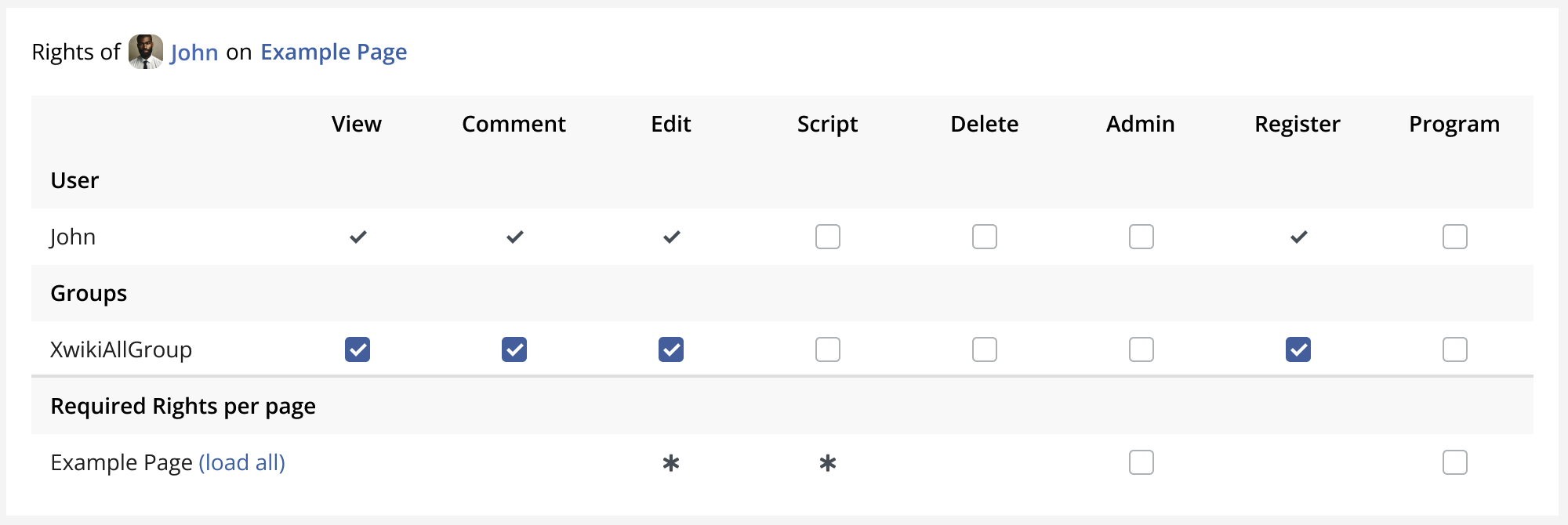
User John
Here, John doesn’t belong to the group “Editors” and he does not have the required Right explicitly given to him. So he can’t edit “Example Page”
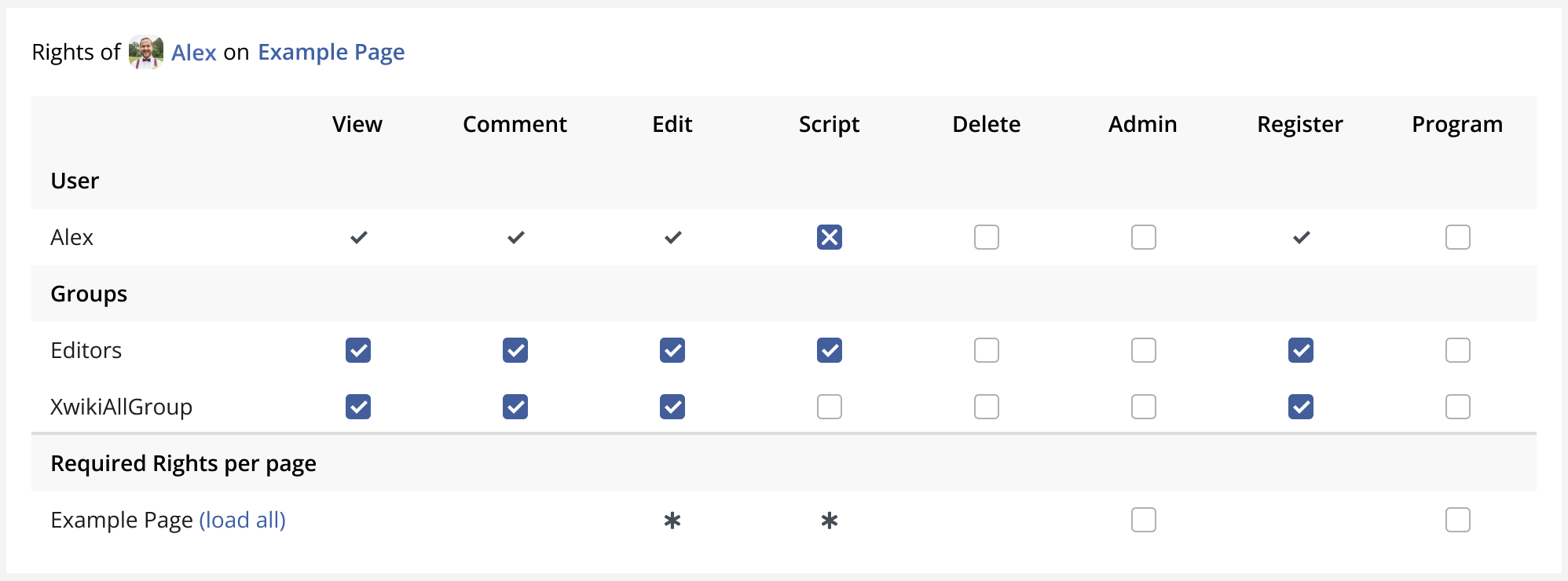
User Alex
Alex can’t edit as well, while he belongs to “Editors”, he explicitly has the “Deny” on Scripting Rights.
There’s still a lot to show, but honestly I don’t know how. Especially the rules from this table:
Perhaps a link to a documentation.
I am sure a lot of details still need to be defined on the UI, but I wanted to show what I have now and gather your feedback on it.
Please let me know if there’s something that’s not clear or that can improve.
Thank you all for reading.